EchoComet vs Screenshot to Code
In the contest of EchoComet vs Screenshot to Code, which AI Code Assistant tool is the champion? We evaluate pricing, alternatives, upvotes, features, reviews, and more.
If you had to choose between EchoComet and Screenshot to Code, which one would you go for?
When we examine EchoComet and Screenshot to Code, both of which are AI-enabled code assistant tools, what unique characteristics do we discover? The upvote count reveals a draw, with both tools earning the same number of upvotes. Every vote counts! Cast yours and contribute to the decision of the winner.
Feeling rebellious? Cast your vote and shake things up!
EchoComet
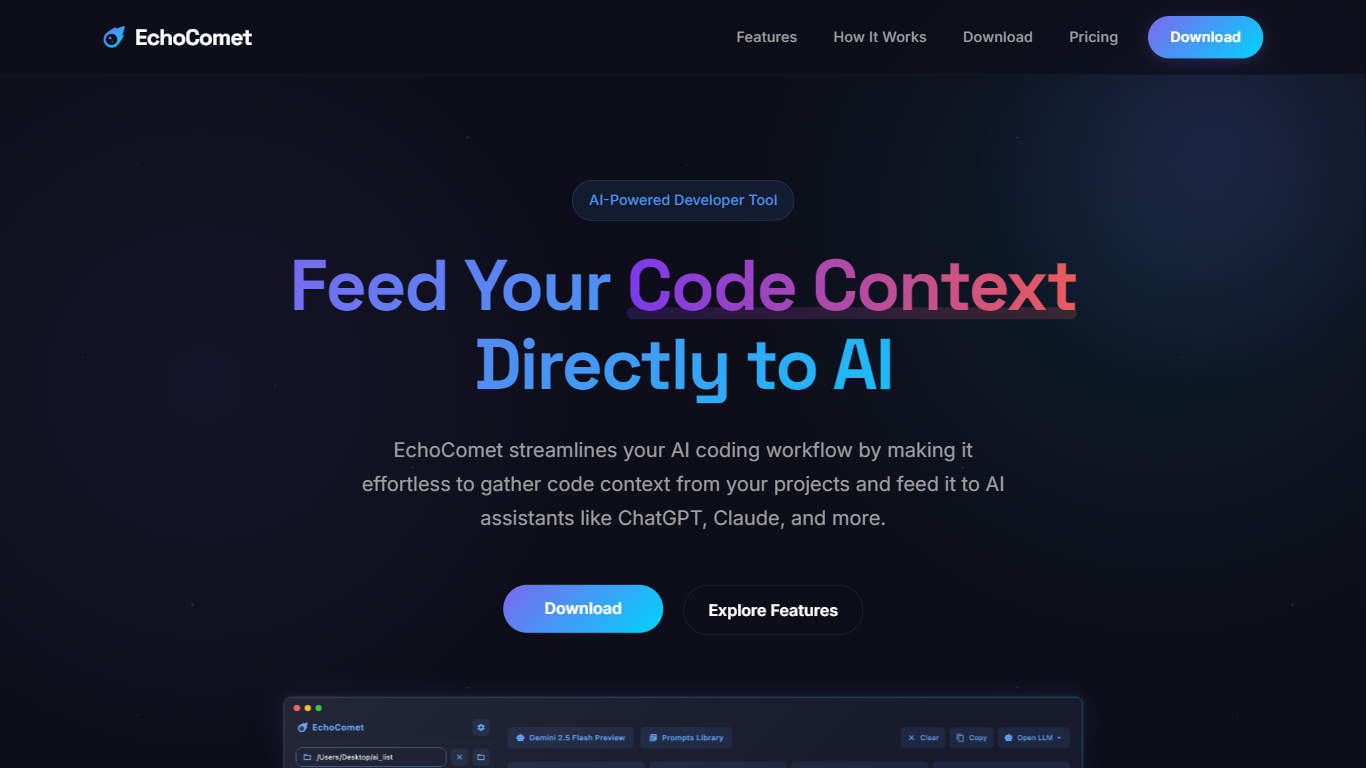

What is EchoComet?
EchoComet is a tool designed to enhance the AI coding workflow by allowing users to seamlessly gather code context from their projects and feed it directly to AI assistants like ChatGPT and Claude. This tool is particularly beneficial for developers who face challenges with IDE-based AI code editors that often have limited context capabilities. By bridging the gap between a user's codebase and web-based AI platforms, EchoComet enables the handling of complex coding problems that require extensive context, making it an essential tool for modern developers.
The target audience for EchoComet includes software developers, data scientists, and anyone involved in coding who seeks to improve their interaction with AI models. These users often need to provide context to AI systems to receive accurate and relevant responses. EchoComet simplifies this process, allowing users to focus on their coding tasks while ensuring that the AI has the necessary information to assist effectively.
One of the unique value propositions of EchoComet is its ability to gather code from selected files or entire folders effortlessly. This eliminates the tedious process of manually copying and pasting code snippets, which can be time-consuming and prone to errors. By organizing the code into a single block along with the user's questions, EchoComet enhances the clarity and specificity of the prompts sent to AI models, leading to better responses.
Key differentiators of EchoComet include its privacy-first design, which ensures that no data is stored or processed on external servers, as everything is handled locally on the user's device. This feature is crucial for developers who prioritize data security and privacy. Additionally, EchoComet integrates with popular AI services like OpenAI and Anthropic, allowing users to connect using their own API keys, further enhancing its versatility and usability.
Technically, EchoComet is compatible with macOS 10.15 (Catalina) and newer versions, and it is available as a universal binary for both Intel and Apple Silicon. This ensures that a wide range of users can access the tool without compatibility issues. With a one-time purchase model for lifetime access, EchoComet offers a cost-effective solution for developers looking to supercharge their AI-driven development workflow.
Screenshot to Code
What is Screenshot to Code?
The GitHub repository 'screenshot-to-code' by user 'abi' is an application that revolutionizes the way developers can generate code from visual inputs. By simply dropping in a screenshot, the tool employs the capabilities of GPT-4 Vision and DALL-E 3 to create clean, executable code in HTML, Tailwind CSS, or React. Additionally, users have the option to clone live websites by entering a URL, further easing the development process. This innovative app caters to the modern-day need for speed and efficiency in web development, allowing for quick iterations and prototyping, thus catering to a wide range of users, from solo developers to large teams looking to streamline their workflow.
EchoComet Upvotes
Screenshot to Code Upvotes
EchoComet Top Features
Effortless Code Gathering: Easily browse and select files or folders from your codebase, eliminating the need for manual copy and paste, which saves time and reduces errors.
AI-Powered Question Enhancement: Use AI to analyze your code and improve your questions, making them clearer and more specific for better responses from AI models.
Direct Sending to LLMs: Send your organized code, analysis, and questions directly to web-based LLMs that can handle millions of tokens, simplifying the process of solving complex problems.
Instant Code Analytics: Get immediate statistics about your code, including line count, character count, and estimated AI token usage, helping you understand your code better.
Privacy-First Design: EchoComet processes everything locally on your device, ensuring that your data is never stored or processed on external servers, which enhances security.
Screenshot to Code Top Features
Convert Screenshots to Code: Transforms screenshots into HTML Tailwind CSS or React code.
Clone Websites from URLs: Ability to enter URLs to clone and generate code for live websites.
Integration with AI Tools: Utilizes OpenAI's GPT-4 Vision and DALL-E 3 to enhance the code generation process.
Edit and Preview Code Live: Features an embedded code editor for on-the-fly code tweaking and live preview.
Docker Support: Offers Docker configuration files for easy setup and deployment.
EchoComet Category
- Code Assistant
Screenshot to Code Category
- Code Assistant
EchoComet Pricing Type
- Paid
Screenshot to Code Pricing Type
- Freemium