
Last updated 07-28-2026
Category:
Reviews:
Join thousands of AI enthusiasts in the World of AI!
AI Outpainting Image
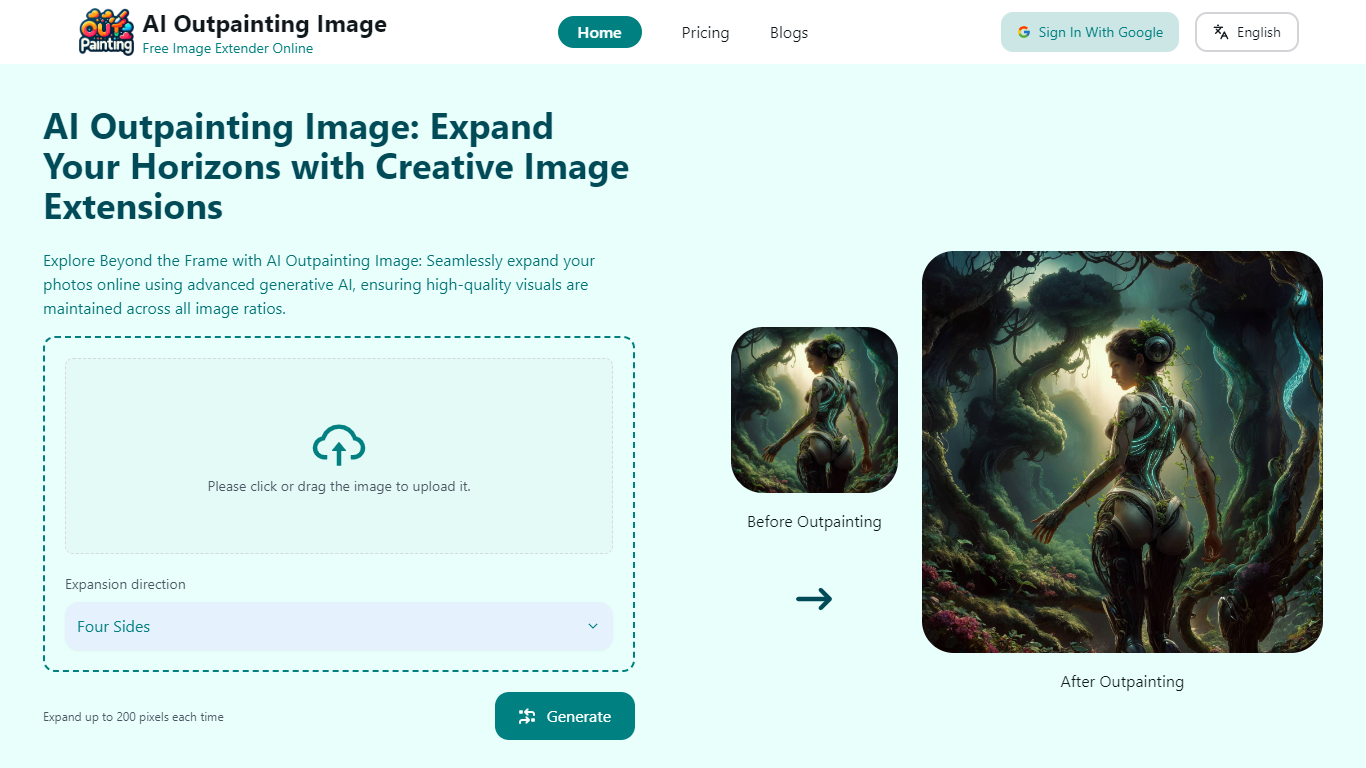
AI Outpainting Image expands and enhances images by extending their content in four directions: up, down, left, and right. It uses advanced AI algorithms to maintain the original style and improve image resolution by increasing pixel dimensions.
What distinguishes AI Outpainting Image from other tools is its ability to process up to five images simultaneously, allowing efficient batch expansion. Users can also repeatedly extend images for continuous enhancement, which is not commonly available in similar platforms.
The tool features a user-friendly drag-and-drop interface suitable for both beginners and professionals. Additionally, it offers a gallery showcasing creative examples of AI outpainting, inspiring users with the possibilities of AI-driven image expansion.
Multi-directional expansion: Extend images up, down, left, or right to fit your creative needs.
Increase pixel dimensions: Enhance image resolution and clarity during expansion.
Batch processing: Expand up to five images simultaneously to save time.
Repeat expansions: Further enlarge images multiple times for continuous improvement.
AI Outpainting Gallery: Browse inspiring examples demonstrating AI's creative power.
Supports expansion in all four directions with style preservation
Increases pixel dimensions for higher resolution images
Allows simultaneous expansion of up to five images
Enables repeated expansions for continuous image enhancement
Includes a gallery showcasing creative AI outpainting examples
Free tier limits initial expansions to three images
Advanced features require a paid subscription
What is AI Outpainting Image?
AI Outpainting Image is a tool that uses advanced AI technology to expand and enhance images by extending their content in four directions while preserving the original style and increasing resolution.
How does AI Outpainting Image work?
AI Outpainting Image analyzes uploaded images with deep learning models to generate additional content that seamlessly matches the original style, allowing expansion in multiple directions.
Can AI Outpainting Image maintain the style of the original image while expanding it?
Yes, AI Outpainting Image is designed to preserve the original image's style throughout the expansion process, ensuring visual consistency in the extended areas.
Can AI Outpainting Image increase the pixel dimensions of an image?
Yes, AI Outpainting Image increases pixel dimensions during expansion, enhancing the overall resolution and clarity of the images.
How many images can I expand at once using AI Outpainting Image?
AI Outpainting Image allows users to expand up to five images simultaneously, enabling efficient batch processing.
Can I repeatedly expand an image after the initial outpainting?
Yes, AI Outpainting Image supports repeated expansions, allowing continuous enhancement and enlargement of images beyond the initial extension.
Is there a gallery to view examples of AI outpainting?
Yes, AI Outpainting Image includes a gallery showcasing creative examples of AI outpainting, demonstrating the tool's capabilities and inspiring users.