
Last updated 08-22-2026
Category:
Reviews:
Join thousands of AI enthusiasts in the World of AI!
AI Toolbox Video to GIF
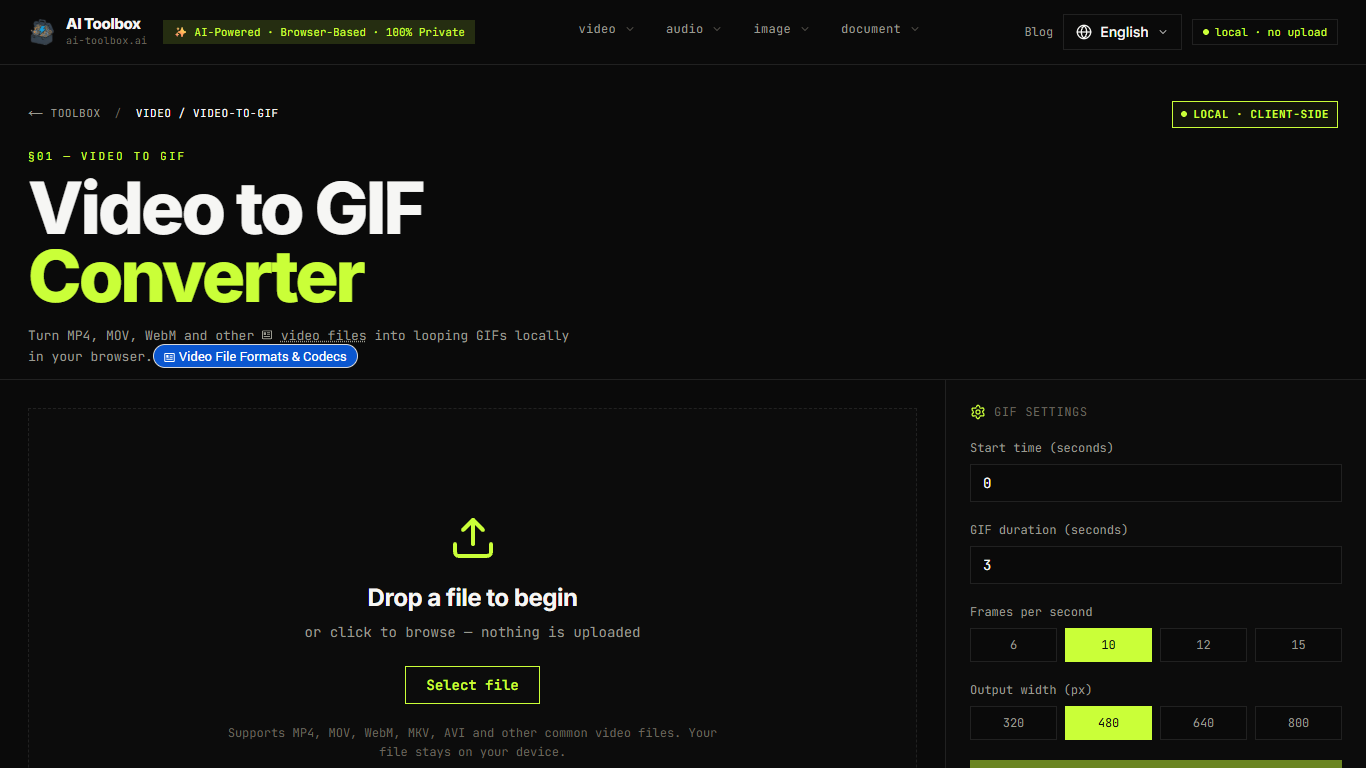
AI Toolbox Video to GIF turns short MP4, MOV, WebM, and similar clips into looping GIFs inside your browser. You drop a file, set start time and duration, pick FPS and width, then download the result. Nothing is uploaded, and you do not need an account.
Most online GIF makers ship your video to a remote encoder. This one runs FFmpeg compiled to WebAssembly on your machine, including palette generation and paletteuse, which usually produces cleaner colors than a naive frame dump. The trade-off is that speed and max file size follow your device's CPU and RAM, not a cloud queue.
It fits people who need quick loops for memes, product UI demos, or social posts and do not want private footage leaving the tab. Chromium browsers handle larger files best; Safari and Firefox work better on shorter clips.
AI Toolbox keeps the whole tool free for personal and commercial use with no watermarks or signup. The parent site now lists 19 browser-local tools, all running with zero bytes uploaded to servers.
FFmpeg.wasm palette generation and paletteuse for cleaner GIF colors
FPS presets at 6, 10, 12, or 15 frames per second
Output widths of 320, 480, 640, or 800 pixels
Accepts MP4, MOV, WebM, MKV, AVI, M4V, FLV, and 3GP
Trim start time and duration before you convert
No watermark and no signup required to download
Video stays in the browser tab, which matters when the clip is private or unreleased.
Free for personal and commercial use with no watermarks or accounts.
Palette-based FFmpeg export usually looks cleaner than a basic frame-by-frame GIF dump.
Start time, duration, FPS, and width controls help keep downloads small enough to share.
Conversion speed and workable file size depend on your device CPU and available RAM.
GIF files grow large quickly, so short clips with modest FPS and width work best.
Chromium browsers perform best; Safari and Firefox struggle more with larger or longer files.
No dedicated mobile app, and iOS Safari is weaker for longer videos.
Is AI Toolbox Video to GIF free?
Yes. AI Toolbox Video to GIF is free for personal and commercial use, with no signup, no account, and no hidden usage limits. All AI Toolbox tools follow the same forever-free model because processing runs in your browser instead of on paid servers.
Does AI Toolbox Video to GIF upload my video?
No. AI Toolbox Video to GIF opens the file in your browser and converts it with FFmpeg WebAssembly on your device. The video is not sent to AI Toolbox servers or any third-party host.
What formats does AI Toolbox Video to GIF support?
AI Toolbox Video to GIF accepts common formats including MP4, MOV, WebM, MKV, AVI, M4V, FLV, and 3GP. Browser preview support varies by browser, but FFmpeg still handles the conversion.
Can I convert only part of a video in AI Toolbox Video to GIF?
Yes. AI Toolbox Video to GIF lets you set a start time in seconds and a GIF duration before conversion, so you export only the moment you need instead of the full file.
Does AI Toolbox Video to GIF add a watermark?
No. AI Toolbox Video to GIF does not add watermarks to exported GIFs, and you do not need to create an account to download the result.
What GIF settings work best in AI Toolbox Video to GIF?
AI Toolbox Video to GIF recommends starting around 3 to 5 seconds, 10 FPS, and 480px width for social sharing. Raise FPS or width only when you need smoother motion or sharper detail, since GIFs grow quickly with length.