
Last updated 08-09-2026
Category:
Reviews:
Join thousands of AI enthusiasts in the World of AI!
PixMira AI (formerly Banana AI)
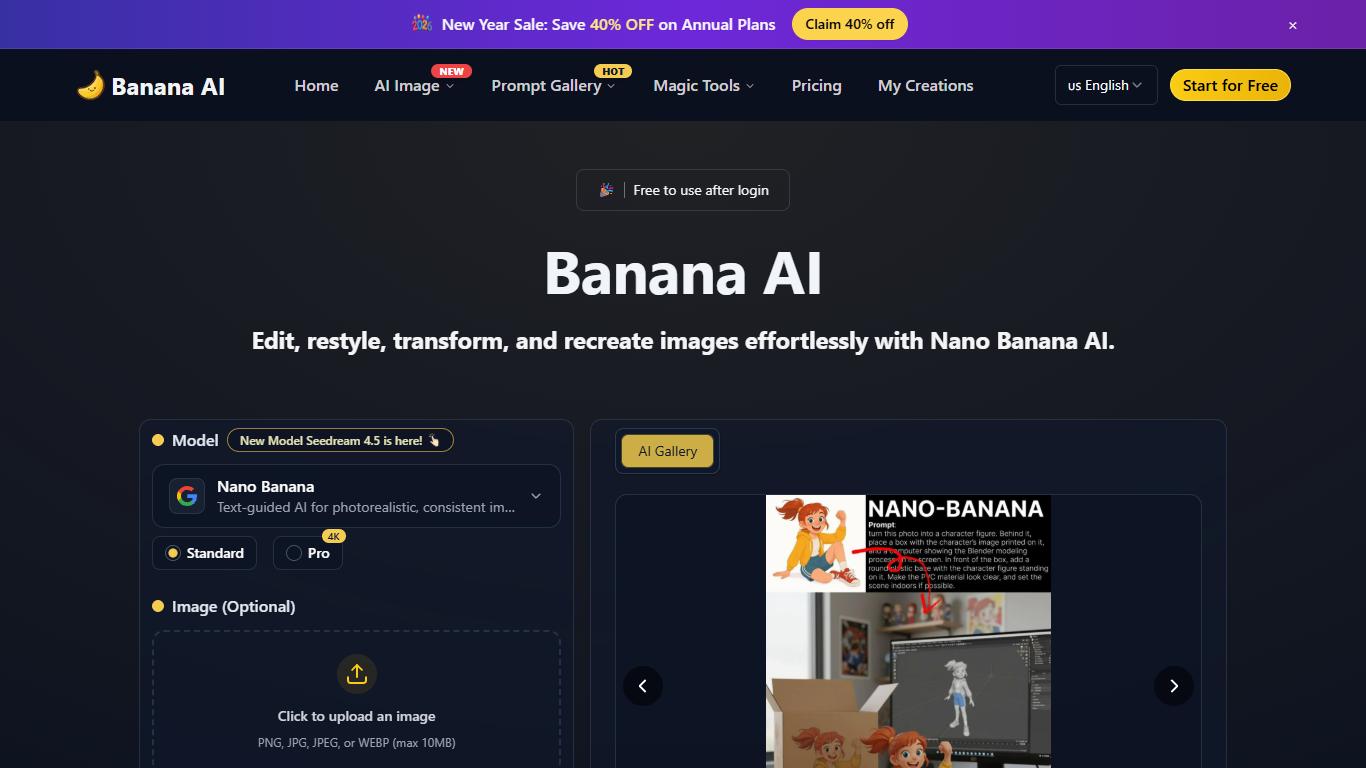
PixMira AI, still listed on aitools.fyi as Banana AI, edits and generates images from text prompts at banana-ai.org, which redirects to pixmira.ai. The homepage offers GPT Image 2 and Nano Banana 2 models with 1K, 2K, or 4K output at the same credit cost for members. Upload a PNG, JPG, JPEG, or WEBP up to 10MB, pick an aspect ratio, and generate in about 1 to 2 seconds.
Where standalone editors like Photoshop expect manual masking and layers, PixMira AI routes edits through prompts and preset magic tools. Background removal, upscaling, object removal, clothes changing, and style swaps sit beside a prompt gallery with reusable templates. That setup favors quick social assets and portrait experiments over pixel-level compositing.
Creators use it for profile photos, brand visuals, and batch edits across a series. The pricing page sells credit-based plans with watermark-free HD downloads and commercial licenses on paid tiers. Free accounts get 5 credits on first sign in with slower shared queue access.
Members generate at 1K, 2K, or 4K resolution for 2 credits per image
Supports GPT Image 2, Nano Banana 2, and Seedream 4.5 model selection
Magic tools cover background removal, upscaling, object removal, and clothes changing
Uploads accept PNG, JPG, JPEG, or WEBP files up to 10MB
Pro plan includes 2,000 credits per month with up to 4 concurrent jobs
Batch editing applies the same prompt edits across multiple photos
1K, 2K, and 4K outputs cost the same number of credits for members
Magic tools bundle background removal, upscaling, and object removal in one site
Free tier includes 5 credits to test generation before subscribing
Paid plans include commercial use license and watermark-free HD downloads
Unused credits roll over during an active membership period
Free tier limits uploads to slower shared queue processing
Standard generation costs 2 credits per image, so credits run out quickly on the free plan
Free accounts only keep content for 30 days before automatic deletion
No desktop app; editing happens in the browser only
What is PixMira AI?
PixMira AI is an AI photo editor and image generator at pixmira.ai, reachable through banana-ai.org. It edits photos with text prompts and generates new images using models like GPT Image 2 and Nano Banana 2 at 1K, 2K, or 4K resolution.
Is PixMira AI free to use?
PixMira AI offers a free tier with 5 credits on first sign in, enough for about 2 images at the standard 2-credit cost. Paid plans start with Hobby at $8.39 per month for 200 monthly credits, with watermark-free HD downloads on subscriptions.
How fast does PixMira AI process edits?
PixMira AI advertises 1 to 2 second processing for single-image edits. Free accounts use a shared generation queue with slower speed, while paid subscribers get priority and faster generation on the pricing page.
What models does PixMira AI support?
PixMira AI lists GPT Image 2, Nano Banana 2, and Seedream 4.5 on its pricing page. Members can output at 1K, 2K, or 4K resolution with the same credit cost across those models.
Can PixMira AI edit multiple photos at once?
Yes. PixMira AI supports batch editing so you can apply the same prompt-based changes across several images. Paid plans allow up to 4 concurrent generation jobs at once.
How do I contact PixMira AI support?
PixMira AI lists support at [email protected] on its pricing FAQ. The team says it typically responds within one business day for payment, credit, and account questions.