
Last updated 07-20-2026
Category:
Reviews:
Join thousands of AI enthusiasts in the World of AI!
Cloudinary
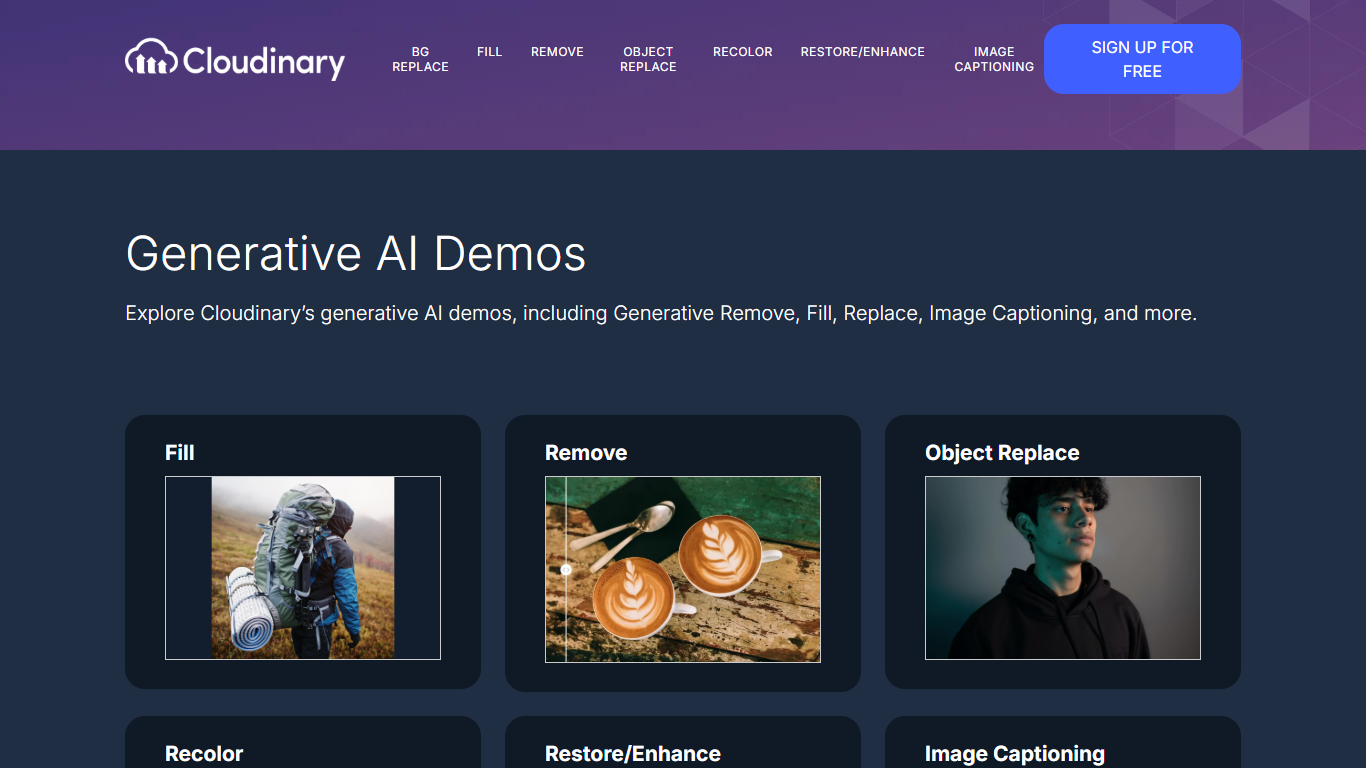
Cloudinary's Generative AI Playground is a browser-based demo hub where you can try the company's image transformation tools without writing code. Upload a photo and run outpainting, object removal, recoloring, restoration, or captioning in real time, with before-and-after previews for each effect.
The playground showcases transformations built on diffusion models and natural language processing. Each demo maps to a specific Cloudinary API capability, from extending image proportions with Generative Fill to generating alt-text descriptions with Image Captioning.
It is aimed at marketers, e-commerce teams, and developers who want to evaluate Cloudinary's generative editing features before integrating them into a production workflow. The site links to documentation and blog posts for each transformation type.
Generative Fill extends image proportions with AI outpainting across standard, portrait, and square ratios
Generative Remove detects objects via natural language and can strip shadows too
Generative Replace swaps one object for another while preserving geometry
Generative Recolor targets objects described in plain text and changes them to any hex color
Restore and Enhance clears noise, blur, and compression artifacts from damaged photos
Image Captioning turns photos into contextual text descriptions via image-to-text models
Six interactive demos let you preview each transformation type before committing to the platform.
Natural language prompts control object detection for remove, replace, and recolor operations.
Each demo links to official documentation and blog posts for deeper integration guidance.
Terms classify the playground as an unsupported pre-production prototype with no warranty.
No pricing information is published on the ai.cloudinary.com domain.
Production workflows require signing up for the main Cloudinary platform separately.
What generative AI demos does Cloudinary offer?
Cloudinary's Generative AI Playground includes six interactive demos: Generative Fill (outpainting), Generative Remove, Generative Replace, Generative Recolor, Generative Restore & Enhance, and Generative Image Captioning. Each demo lets you upload an image and preview the transformation.
Is Cloudinary's Generative AI Playground free to use?
The playground demos are free to try in your browser. The site links to a free Cloudinary account signup at cloudinary.com for users who want to use these transformations in production via the Cloudinary API.
Is the Cloudinary Generative AI Playground a production tool?
No. Cloudinary's terms state the playground is an unsupported pre-production prototype provided on an AS IS basis. Cloudinary may suspend access at any time. Production use requires the main Cloudinary platform and API.
How does Generative Fill work on Cloudinary?
Generative Fill uses AI outpainting to extend an image's proportions. You select a new aspect ratio (such as 3:4 portrait, 9:16 phone, or 1:1 square) and the model fills the expanded canvas with contextually matching content.
Can Cloudinary remove multiple objects from an image?
Yes. The Generative Remove demo includes a Detect Multiple Items option. You describe the object to remove in natural language, and the tool can also remove associated shadows.
Does Cloudinary generate image captions automatically?
Yes. The Generative Image Captioning demo uses image-to-text models to produce contextual descriptions of uploaded images. Results are returned as JSON with a caption field via Cloudinary's detection API.