AI Photo Editor | Canva vs Profile Picture Maker By Picsart
Compare AI Photo Editor | Canva vs Profile Picture Maker By Picsart and see which AI Photo Editing tool is better when we compare features, reviews, pricing, alternatives, upvotes, etc.
Which one is better? AI Photo Editor | Canva or Profile Picture Maker By Picsart?
When we compare AI Photo Editor | Canva with Profile Picture Maker By Picsart, which are both AI-powered photo editing tools, Profile Picture Maker By Picsart stands out as the clear frontrunner in terms of upvotes. Profile Picture Maker By Picsart has 9 upvotes, and AI Photo Editor | Canva has 6 upvotes.
Does the result make you go "hmm"? Cast your vote and turn that frown upside down!
AI Photo Editor | Canva

What is AI Photo Editor | Canva?
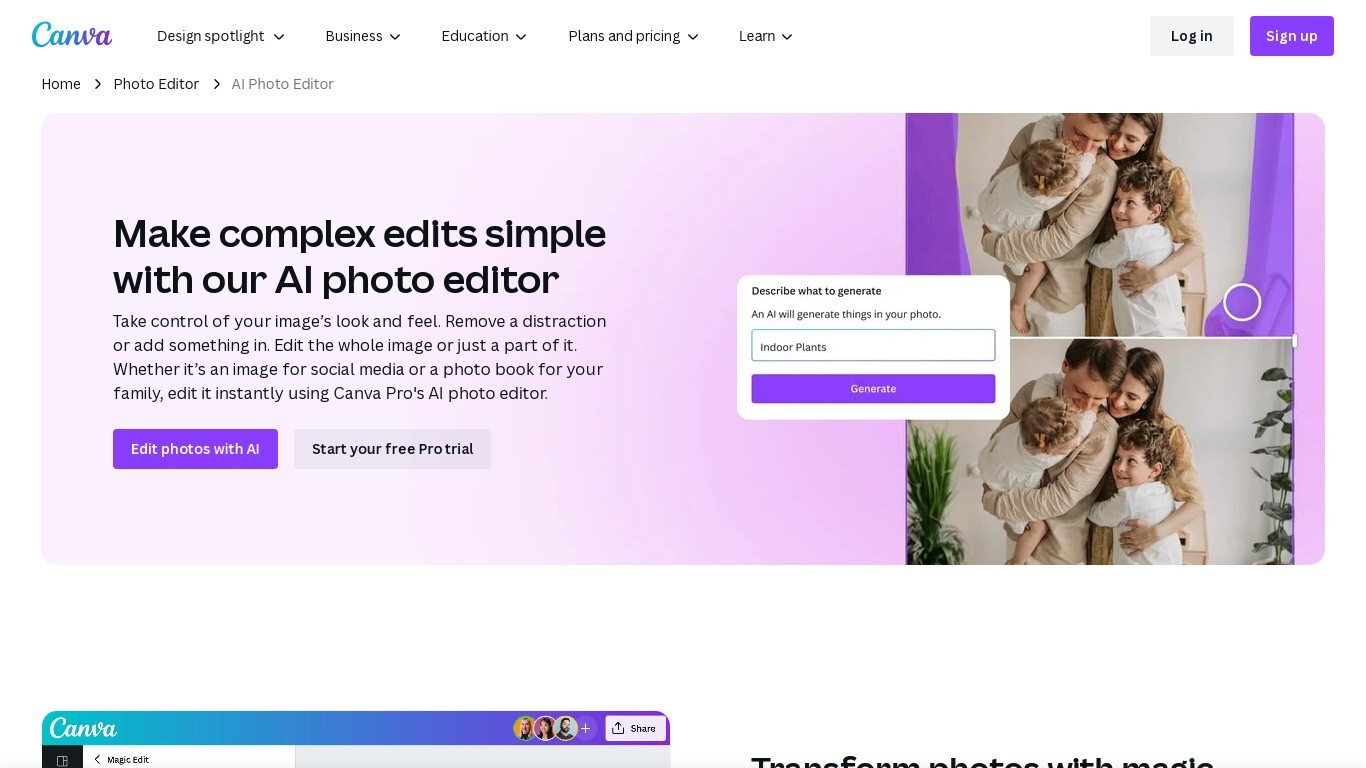
Canva AI Photo Editor is a browser-based photo editing workspace inside Canva where you upload an image and apply AI tools like Magic Edit, Magic Eraser, Background Remover, and Image Upscaler. You can erase objects, replace backgrounds from a text prompt, recolor detected subjects, and extend image borders without opening a separate desktop app.
Unlike standalone AI photo apps, these edits live inside Canva's full design editor. A cleaned product shot can drop straight into an Instagram template, presentation slide, or print layout in the same session, which is the trade-off most single-purpose editors skip.
Magic Edit runs on Google's Nano Banana model: click an element or brush an area, type what to change, and the tool adds or replaces that region. Magic Grab isolates subjects, foreground objects, and backgrounds so you can resize or reposition each piece individually, while Grab Text lets you edit words baked into a photo.
Marketers, small business owners, students, and social creators use it for quick touch-ups when they need polished visuals but not a Photoshop workflow. The base photo editor is free with no export watermark; Magic Eraser, Background Remover, and other premium AI tools require Canva Pro or higher.
Profile Picture Maker By Picsart

What is Profile Picture Maker By Picsart?
Profile Picture Maker By Picsart crops, reframes, and styles square avatars for social platforms inside the free Quicktools browser editor. You upload a photo, optionally swap the background, add borders or colors, then export preset sizes for Instagram, LinkedIn, Discord, and other networks.
Most avatar editors auto-remove backgrounds whether you want that or not. Picsart's version lets you keep or replace the backdrop, then rotate, scale, and position the subject before picking platform-specific dimensions like 400x400 for LinkedIn or 128x128 for Discord.
Creators refreshing Instagram, Zoom, or Slack avatars use it because it needs no account, stores no images, and advertises 1 to 2 minute results. The page rates 4.8 out of 5 from 51 reviews and sits inside Picsart's broader Quicktools suite launched in 2021.
AI Photo Editor | Canva Upvotes
Profile Picture Maker By Picsart Upvotes
AI Photo Editor | Canva Top Features
Magic Edit uses Google's Nano Banana model to add or replace image regions from a short text prompt
One-click Background Remover exports a high-resolution PNG after detecting the photo foreground
Upload JPEG, PNG, WEBP, HEIC, SVG, or PSD files directly in the browser photo editor
Image Upscaler sharpens blurry photos in one click without leaving the Canva editor
Magic Grab isolates subjects and background layers so you can resize or reposition each separately
Free plan includes up to 200 Standard AI uses or 20 Premium AI uses per billing cycle
Edited photos flow into Canva templates for social posts, presentations, and print designs
Profile Picture Maker By Picsart Top Features
100% free profile picture editor with no sign-up required
Optional background removal or custom colored and patterned backdrops
Border and fine-tune controls for rotate, scale, and positioning
Preset export sizes for Instagram (320x320), LinkedIn (400x400), Discord (128x128), and more
Drag-and-drop upload with advertised 1 to 2 minute processing
No image storage policy stated on the tool page
4.8 star Quicktools rating from 51 reviews
AI Photo Editor | Canva Category
- Photo Editing
Profile Picture Maker By Picsart Category
- Photo Editing
AI Photo Editor | Canva Pricing Type
- Freemium
Profile Picture Maker By Picsart Pricing Type
- Free