Aivocado vs Video To Blog
In the face-off between Aivocado vs Video To Blog, which AI Content Creation tool takes the crown? We scrutinize features, alternatives, upvotes, reviews, pricing, and more.
When we put Aivocado and Video To Blog head to head, which one emerges as the victor?
If we were to analyze Aivocado and Video To Blog, both of which are AI-powered content creation tools, what would we find? The upvote count reveals a draw, with both tools earning the same number of upvotes. The power is in your hands! Cast your vote and have a say in deciding the winner.
Don't agree with the result? Cast your vote and be a part of the decision-making process!
Aivocado

What is Aivocado?
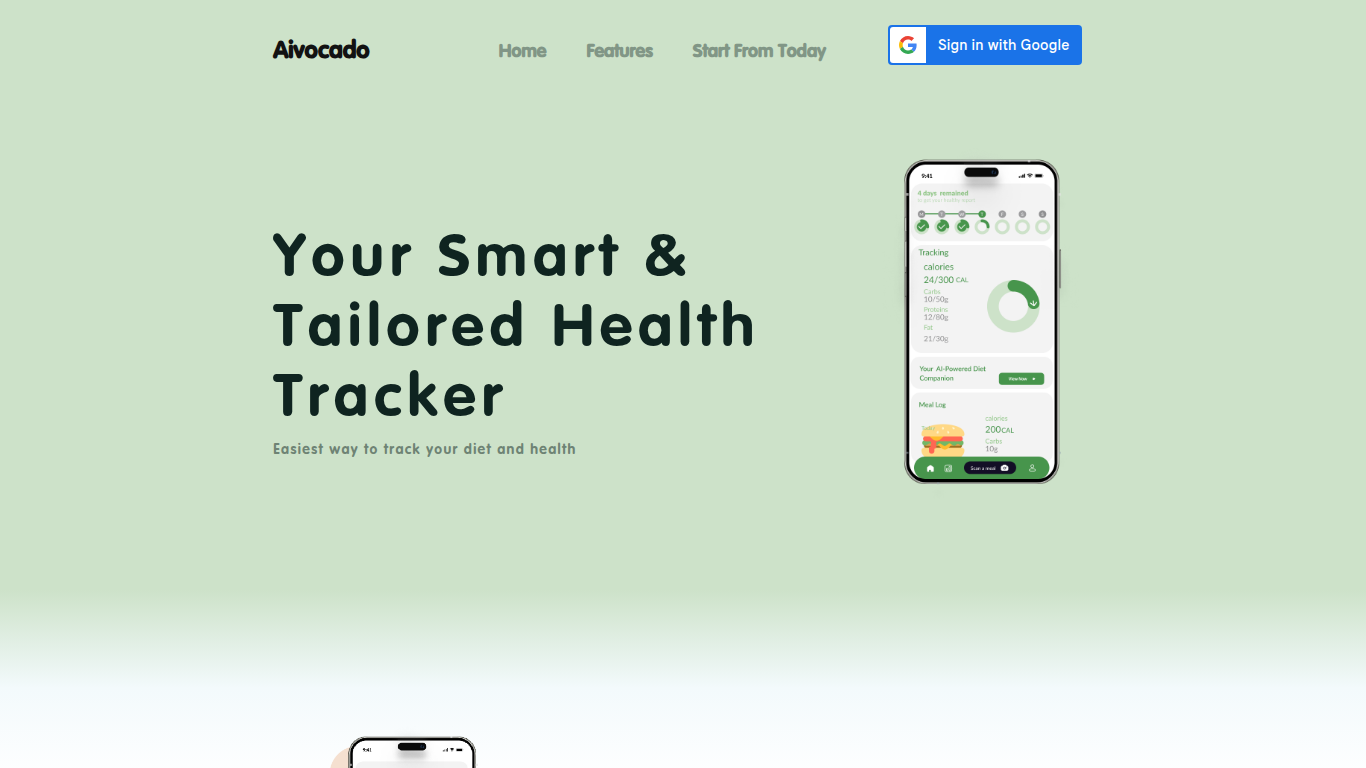
Aivocado is a health-focused platform that simplifies diet and nutrition tracking through AI-powered meal photo recognition. Users can snap pictures of their meals and instantly receive detailed nutrition analysis and personalized diet advice. The platform supports long-term diet tracking and offers weekly health reports to help users stay on course with their health goals. Aivocado targets individuals seeking an easy way to manage their diet and improve wellness without manual logging. Its AI diet assistant provides tailored recommendations based on each user's unique needs, making healthy eating more accessible and manageable. The service includes both free and premium plans, with premium users gaining access to unlimited meal recognition and additional features like a nutrition widget. Aivocado emphasizes user-friendly design and practical health management rather than complex technical details, focusing on delivering actionable insights from everyday meals.
Video To Blog

What is Video To Blog?
Video To Blog turns spoken video and audio into publish-ready blog articles. Paste a YouTube link, upload a file, drop in a transcript, record audio, or connect a channel, and the service outputs structured posts with headings, screenshots, smart links, metadata, and calls to action you can send to a website, newsletter, or download as HTML, Markdown, PDF, or Word.
Transcript-to-ChatGPT workflows still leave you stitching screenshots, links, and publishing steps by hand. Video To Blog bundles those production tasks: auto screenshots from the source video, reusable CTA blocks, SEO and GEO formatting, YouTube upload automations, and a built-in Publications feature for hosting a blog plus email newsletter on a custom domain. The homepage cites 500,000+ articles created and a 4.8 average across 500+ reviews on Trustpilot, G2, and Capterra.
YouTube creators, podcasters, agencies, and teams publishing sermons or webinars are the target users. Pricing starts free with one monthly upload, scales to Business at $69 per month (yearly billing) for 50 videos, and every paid tier adds publications, website integrations, and longer runtime limits.
Aivocado Upvotes
Video To Blog Upvotes
Aivocado Top Features
📸 Snap meal photos for instant nutrition analysis
🍽️ Get personalized diet advice tailored to your goals
📊 Track your diet over time with long-term reports
📝 Receive weekly health summaries to monitor progress
🔓 Premium plan offers unlimited meal recognition and nutrition widget
Video To Blog Top Features
Imports YouTube links, uploaded video/audio, transcripts, Google Drive files, and channel automations
Auto screenshots pull key visual moments from source videos into each article
Smart links and reusable CTA blocks insert internal and external links automatically
Publications host a blog, email newsletter, and custom domain without extra services
Free plan includes 1 monthly upload for videos up to 30 minutes with no credit card
Pro plan ($39/mo yearly) allows 15 monthly uploads up to 1.5 hours with 3 team members
Exports finished posts as HTML, Markdown, PDF, or Word and publishes to connected websites
Aivocado Category
- Content Creation
Video To Blog Category
- Content Creation
Aivocado Pricing Type
- Freemium
Video To Blog Pricing Type
- Freemium