ArtBot Ai vs Magic Brush AI
In the contest of ArtBot Ai vs Magic Brush AI, which AI Design tool is the champion? We evaluate pricing, alternatives, upvotes, features, reviews, and more.
If you had to choose between ArtBot Ai and Magic Brush AI, which one would you go for?
When we examine ArtBot Ai and Magic Brush AI, both of which are AI-enabled design tools, what unique characteristics do we discover? Neither tool takes the lead, as they both have the same upvote count. Your vote matters! Help us decide the winner among aitools.fyi users by casting your vote.
Want to flip the script? Upvote your favorite tool and change the game!
ArtBot Ai

What is ArtBot Ai?
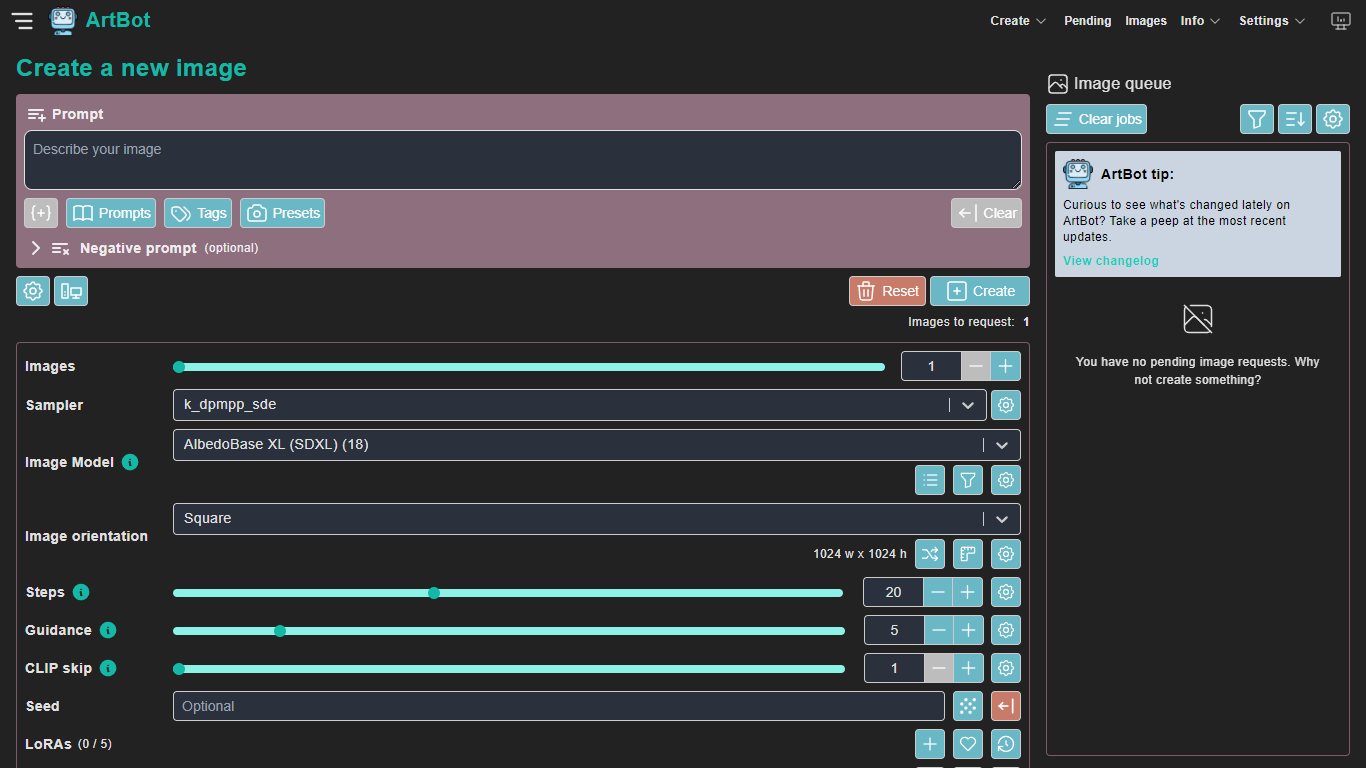
ArtBot is a free web client for generating images through Stable Diffusion on the AI Horde distributed GPU cluster. You open the create page, write a prompt, pick a model and sampler, and send the job to community workers without installing software or creating an account.
The interface covers text-to-image, image-to-image, inpainting, ControlNet, live paint, and a drawing canvas. You can tune steps, guidance, CLIP skip, seed, LoRAs, textual inversions, upscalers, and post-processors like GFPGAN or CodeFormer. Generated images stay in your browser via IndexedDB, with galleries for pending and completed work.
ArtBot is maintained by Dave Schumaker as an unofficial front end to AI Horde. The project is open source on GitHub, and the site reports more than 30 million images generated through the app.
Magic Brush AI

What is Magic Brush AI?
Magic Brush AI introduces an innovative AI-powered plugin specifically designed for Figma users who wish to enhance their design process. The Magic Brush AI plugin seamlessly integrates with Figma, allowing designers to generate and edit images directly within the application. If you're looking to speed up your design workflow and leverage artificial intelligence in your projects, Magic Brush AI offers a simple yet powerful solution. With easy installation and a user-friendly interface, Magic Brush expands creative possibilities without ever leaving your favorite design platform. Additionally, the community aspect is emphasized with an invitation to join their Discord, suggesting a focus on user engagement and support. Designed by Elie Toubiana from sunshine-filled Los Angeles, CA, Magic Brush AI is poised to transform how creatives interact with Figma and image editing.
ArtBot Ai Upvotes
Magic Brush AI Upvotes
ArtBot Ai Top Features
Create text-to-image, img2img, inpainting, and ControlNet jobs from one web interface
Choose from Horde image models, samplers, LoRAs, upscalers, and face-fix post-processors
Store generated images locally in your browser with pending and gallery views
Use prompt weights, prompt matrices, style presets, and negative prompts
Optional AI Horde API key login for faster queue priority and higher step limits
Magic Brush AI Top Features
AI Powered Plugin: A convenient Figma plugin that utilizes AI for image generation and editing.
Seamless Integration: Integrates with Figma for a streamlined design workflow.
Easy Installation: Simple process to install the plugin directly on Figma.
Community Support: Access to a Discord community for networking and support.
Frequent Updates: Continual improvements and feature additions to enhance user experience.
ArtBot Ai Category
- Design
Magic Brush AI Category
- Design
ArtBot Ai Pricing Type
- Free
Magic Brush AI Pricing Type
- Freemium