Code Translator vs Gorilla Terminal
When comparing Code Translator vs Gorilla Terminal, which AI Code Assistant tool shines brighter? We look at pricing, alternatives, upvotes, features, reviews, and more.
Between Code Translator and Gorilla Terminal, which one is superior?
When we put Code Translator and Gorilla Terminal side by side, both being AI-powered code assistant tools, With more upvotes, Code Translator is the preferred choice. Code Translator has received 7 upvotes from aitools.fyi users, while Gorilla Terminal has received 6 upvotes.
Want to flip the script? Upvote your favorite tool and change the game!
Code Translator

What is Code Translator?
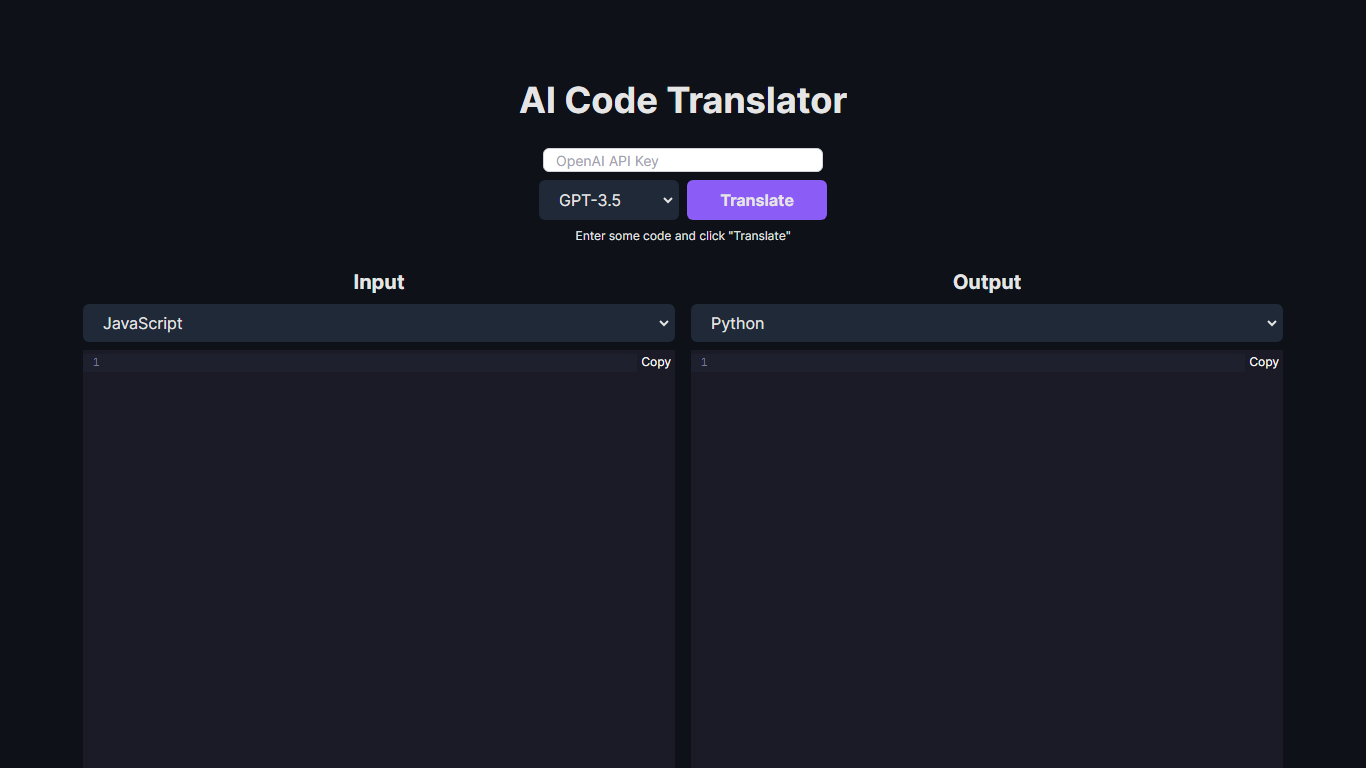
Unlock the potential of code conversion with our cutting-edge AI Code Translator. This dynamic tool bridges the gap between different programming languages, making it a breeze for developers to translate code snippets with ease. With support for a wide array of languages including Assembly, C++, Python, Java, and many more, the AI-driven translator is the ultimate companion for code enthusiasts and professionals.
Experience the power of GPT-3.5 and GPT-4 technology as you effortlessly convert code from one syntax to another. Whether you're looking to translate code for educational purposes, cross-platform development, or simply to understand a new language syntax, our Code Translator is tailored to meet your needs. Just "Enter some code and click 'Translate'" for instant results. With user-friendly design and the ability to copy outputs directly, coding has never been more accessible.
Gorilla Terminal

What is Gorilla Terminal?
Gorilla Terminal pulls stock data, SEC filings, macro indicators, and earnings call transcripts into one terminal-style dashboard in your browser. Search by ticker and you get charts, quarterly reports, insider trades, Twitter sentiment, and live futures without hopping between Bloomberg tabs and scattered finance sites.
Most research terminals either dump raw data tables or lean on generic summaries. Gorilla Terminal focuses on earnings calls: it runs sentiment analysis on what executives actually said, flags positive and negative statements, and lets you filter by quarter. That transcript-first angle is the trade-off. You get deeper call breakdowns than a charting site, but the product is built for equity research rather than crypto or forex.
Portfolio managers, solo investors, and finance students use this investment research tool to prep for earnings season, scan sector averages, and stress-test holdings with value-at-risk and regression tools. The macro panel covers CPI, unemployment, retail sales, and consumer sentiment in one click.
Code Translator Upvotes
Gorilla Terminal Upvotes
Code Translator Top Features
Efficient Translation: Quick and accurate translation across a vast selection of programming languages.
Cutting-Edge Technology: Powered by the advanced AI models of GPT-3.5 and GPT-4.
User-Friendly Interface: Simple "Enter and Translate" process for seamless user experience.
Wide Language Support: From mainstream languages like Java and Python to niche ones like COBOL and Racket.
Instant Copy Functionality: Easy to copy translated code for immediate use or further development.
Gorilla Terminal Top Features
Earnings call transcripts with AI sentiment scoring and positive/negative statement filters per quarter
Macro dashboard covering CPI, unemployment, retail sales, and consumer sentiment in one view
Stock search returns charts, 10-Ks, 10-Qs, insider buying, and Twitter sentiment on one page
Value-at-risk and regression analysis for portfolio risk modeling
Industry average metrics across revenue growth, margins, and tax rates by sector
Pro plan at $29 per month, down from a listed $49 per month on the pricing page
7-day pass at $9.99 for short-term access without a monthly commitment
Code Translator Category
- Code Assistant
Gorilla Terminal Category
- Code Assistant
Code Translator Pricing Type
- Free
Gorilla Terminal Pricing Type
- Paid