Colorize.cc vs AI Image Upscaler on AI Image Enlarger
When comparing Colorize.cc vs AI Image Upscaler on AI Image Enlarger, which AI Photo Editing tool shines brighter? We look at pricing, alternatives, upvotes, features, reviews, and more.
In a comparison between Colorize.cc and AI Image Upscaler on AI Image Enlarger, which one comes out on top?
When we put Colorize.cc and AI Image Upscaler on AI Image Enlarger side by side, both being AI-powered photo editing tools, Both tools are equally favored, as indicated by the identical upvote count. Every vote counts! Cast yours and contribute to the decision of the winner.
Don't agree with the result? Cast your vote and be a part of the decision-making process!
Colorize.cc
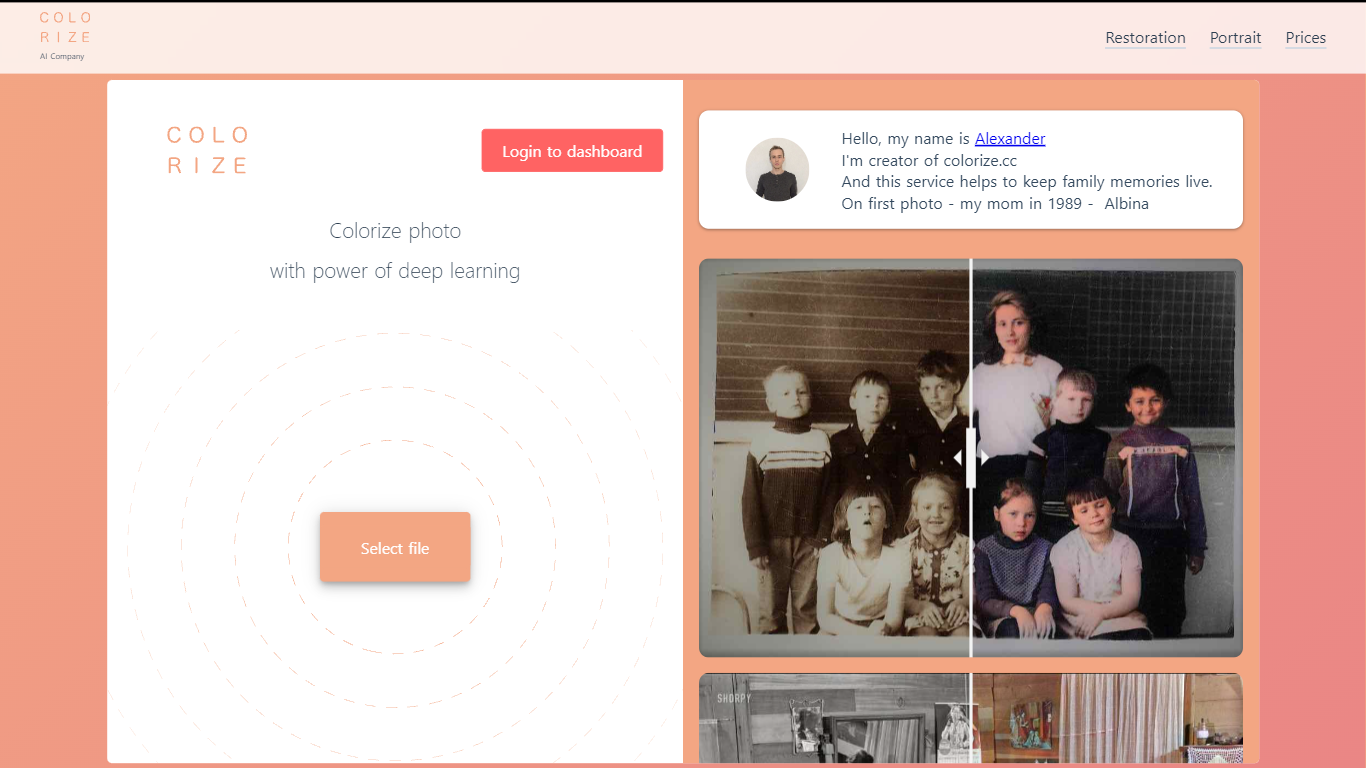

What is Colorize.cc?
Colorize.cc turns black-and-white family photos into full-color images using neural network models trained on millions of color photographs. Upload a JPG or PNG up to 5 MB and get results in seconds without manual painting. The same platform handles photo restoration, resolution upscaling, portrait generation, and animated photo effects from a shared dashboard. A free preview runs on the homepage in simplified quality before you spend credits on full-resolution output.
Most one-click colorizers run a single generic model on every image. Colorize.cc offers a lineup of V2 through V8 neural networks, each tuned for different speed and fidelity tradeoffs, plus V8 Studio for iterative edits with text prompts. The service pairs colorization with scratch removal and face restoration in one pass, and sells credits in one-time packs rather than locking users into subscriptions. Credit packs stay valid for 365 days, which suits occasional family archive projects better than monthly billing.
The site targets people digitizing family albums, genealogy researchers coloring ancestor portraits, and studios processing memorial or historical photos. Documented use cases include torn prints, faded group shots, film negatives, and museum archive materials. Batch upload through the dashboard handles hundreds of files at once for larger collections.
AI Image Upscaler on AI Image Enlarger

What is AI Image Upscaler on AI Image Enlarger?
This Imglarger photo editing tool enlarges JPG, PNG, or WebP images to 2x or 4x resolution in your browser. You upload a file up to 10 MB and 1024 px wide, pick a scale factor, and the model sharpens edges and textures for 4K screens, product catalogs, or social posts. It handles portraits, AI art, anime frames, and product shots without installing desktop software.
Standard resize tools stretch pixels and leave blurry blocks. Imglarger's upscaler rebuilds detail with a focused workflow: upload, choose 200% or 400%, preview side by side, then download. You give up local batch power on the free tier and must trust cloud processing, though files auto-delete within six hours.
E-commerce teams batch-prepare catalog assets on paid plans. Digital artists upscale Midjourney or Stable Diffusion outputs, and photographers rescue compressed client files before print runs.
Colorize.cc Upvotes
AI Image Upscaler on AI Image Enlarger Upvotes
Colorize.cc Top Features
Upload JPG or PNG files up to 5 MB on the homepage for a free colorization preview before buying credits.
Choose from 10+ neural models (V2 through V8 High) with credit costs from 1 credit on V2 up to 6 credits on V7 per photo.
V8 Studio lets you refine colorized photos with text prompts, region masking, and LOW or HIGH 2K output at 2 to 4 credits per edit.
Built-in restoration removes scratches, tears, noise, and blur while colorizing, with resolution upscaling up to 10x on the dashboard.
Batch upload accepts hundreds of photos at once through the dashboard for archive-scale processing.
Output reaches 4K resolution on premium V8 High colorization for print-ready family albums.
AI Image Upscaler on AI Image Enlarger Top Features
Upscale images to 200% or 400% with a single upload step
Accepts JPG, PNG, and WebP files up to 10 MB and 1024 px input width
Preview upscaled output beside the original before downloading
Batch upscale multiple images on paid plans starting at $4.99 per month
Processed files are automatically deleted within six hours
Dedicated anime upscaler and enlarger tools live on the same Imglarger site
Colorize.cc Category
- Photo Editing
AI Image Upscaler on AI Image Enlarger Category
- Photo Editing
Colorize.cc Pricing Type
- Freemium
AI Image Upscaler on AI Image Enlarger Pricing Type
- Freemium