Colorize.cc vs PhotoAid's AI Image Enlarger
Dive into the comparison of Colorize.cc vs PhotoAid's AI Image Enlarger and discover which AI Photo Editing tool stands out. We examine alternatives, upvotes, features, reviews, pricing, and beyond.
When comparing Colorize.cc and PhotoAid's AI Image Enlarger, which one rises above the other?
When we compare Colorize.cc and PhotoAid's AI Image Enlarger, two exceptional photo editing tools powered by artificial intelligence, and place them side by side, several key similarities and differences come to light. Both tools are equally favored, as indicated by the identical upvote count. Join the aitools.fyi users in deciding the winner by casting your vote.
Think we got it wrong? Cast your vote and show us who's boss!
Colorize.cc
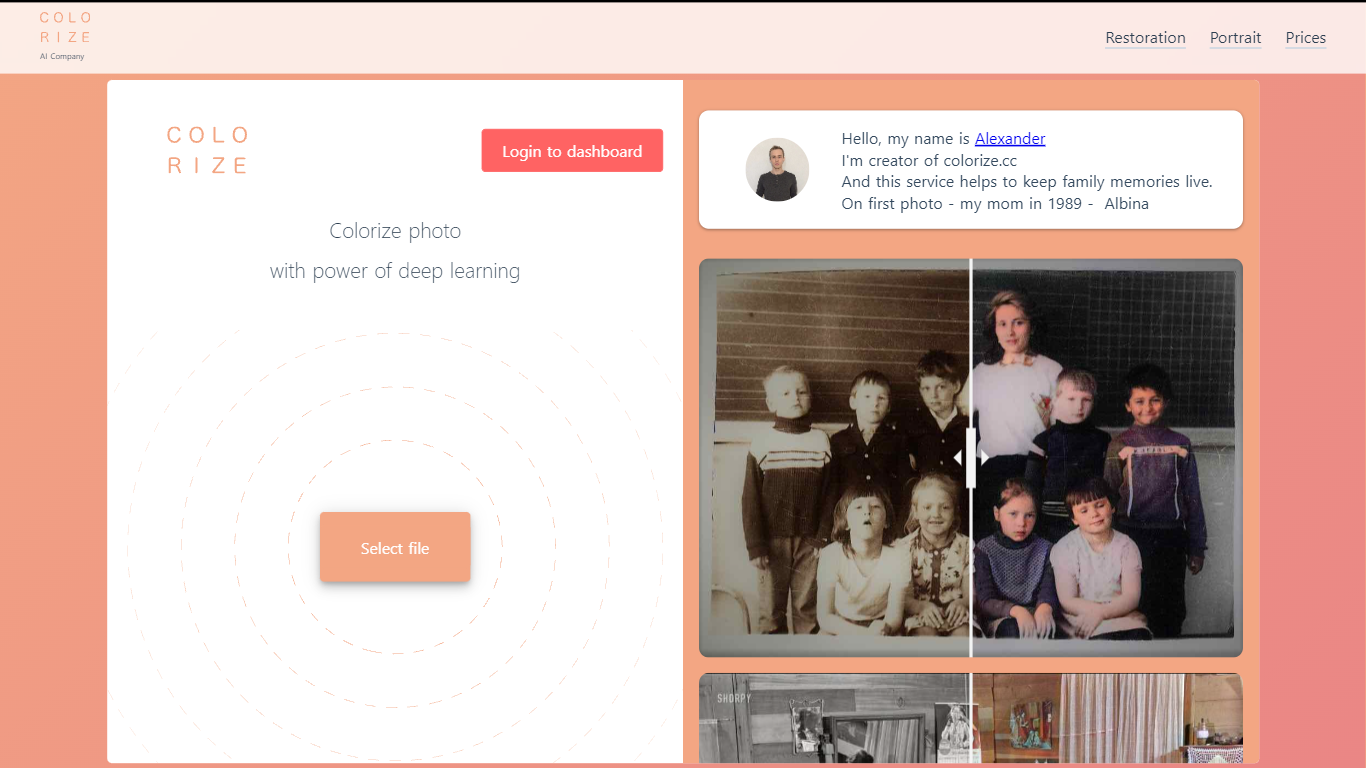

What is Colorize.cc?
Colorize.cc turns black-and-white family photos into full-color images using neural network models trained on millions of color photographs. Upload a JPG or PNG up to 5 MB and get results in seconds without manual painting. The same platform handles photo restoration, resolution upscaling, portrait generation, and animated photo effects from a shared dashboard. A free preview runs on the homepage in simplified quality before you spend credits on full-resolution output.
Most one-click colorizers run a single generic model on every image. Colorize.cc offers a lineup of V2 through V8 neural networks, each tuned for different speed and fidelity tradeoffs, plus V8 Studio for iterative edits with text prompts. The service pairs colorization with scratch removal and face restoration in one pass, and sells credits in one-time packs rather than locking users into subscriptions. Credit packs stay valid for 365 days, which suits occasional family archive projects better than monthly billing.
The site targets people digitizing family albums, genealogy researchers coloring ancestor portraits, and studios processing memorial or historical photos. Documented use cases include torn prints, faded group shots, film negatives, and museum archive materials. Batch upload through the dashboard handles hundreds of files at once for larger collections.
PhotoAid's AI Image Enlarger

What is PhotoAid's AI Image Enlarger?
PhotoAid's AI Image Enlarger upscales photos in the browser without a software download. You upload a JPEG, WEBP, or PNG file up to 30MB or 10,000 by 10,000 pixels, pick a 1x or 2x zoom level, and the tool doubles dimensions while smoothing detail instead of leaving blocky pixels.
Standard resize tools stretch pixels and blur faces fast. PhotoAid's upscaler uses AI smoothing tuned especially for portraits, so a 1000 by 1000 px image can become 2000 by 2000 px with fewer artifacts than a basic bicubic stretch.
The enlarger is free and hosted by PhotoAiD, the same team behind passport and visa photo tools on photoaid.com. They released it as a standalone browser utility alongside their biometric photo pipeline, with multilingual site options and links back to other PhotoAid tools.
PhotoAid's AI Image Enlarger fits photographers, ecommerce sellers, and anyone who needs a quick upscale for profile shots or product images. It also helps travelers who already use PhotoAid for passport photos and want a separate enlargement step in the same ecosystem.
Colorize.cc Upvotes
PhotoAid's AI Image Enlarger Upvotes
Colorize.cc Top Features
Upload JPG or PNG files up to 5 MB on the homepage for a free colorization preview before buying credits.
Choose from 10+ neural models (V2 through V8 High) with credit costs from 1 credit on V2 up to 6 credits on V7 per photo.
V8 Studio lets you refine colorized photos with text prompts, region masking, and LOW or HIGH 2K output at 2 to 4 credits per edit.
Built-in restoration removes scratches, tears, noise, and blur while colorizing, with resolution upscaling up to 10x on the dashboard.
Batch upload accepts hundreds of photos at once through the dashboard for archive-scale processing.
Output reaches 4K resolution on premium V8 High colorization for print-ready family albums.
PhotoAid's AI Image Enlarger Top Features
2x zoom doubles image dimensions, for example 1000 by 1000 px to 2000 by 2000 px
Maximum upload size is 30MB or 10,000 by 10,000 pixels
Supports JPEG, WEBP, and PNG input formats
Browser-based workflow requires no desktop software download
AI upscaler emphasizes face photos but handles other image types
Free access with share and tell-friends prompts on the tool page
Multilingual PhotoAid site lists 15 language options in the footer
Colorize.cc Category
- Photo Editing
PhotoAid's AI Image Enlarger Category
- Photo Editing
Colorize.cc Pricing Type
- Freemium
PhotoAid's AI Image Enlarger Pricing Type
- Free