DeepEditor | Flawless AI vs Clipchamp
When comparing DeepEditor | Flawless AI vs Clipchamp, which AI Video Editing tool shines brighter? We look at pricing, alternatives, upvotes, features, reviews, and more.
In a comparison between DeepEditor | Flawless AI and Clipchamp, which one comes out on top?
When we put DeepEditor | Flawless AI and Clipchamp side by side, both being AI-powered video editing tools, The upvote count shows a clear preference for DeepEditor | Flawless AI. DeepEditor | Flawless AI has been upvoted 7 times by aitools.fyi users, and Clipchamp has been upvoted 6 times.
Want to flip the script? Upvote your favorite tool and change the game!
DeepEditor | Flawless AI
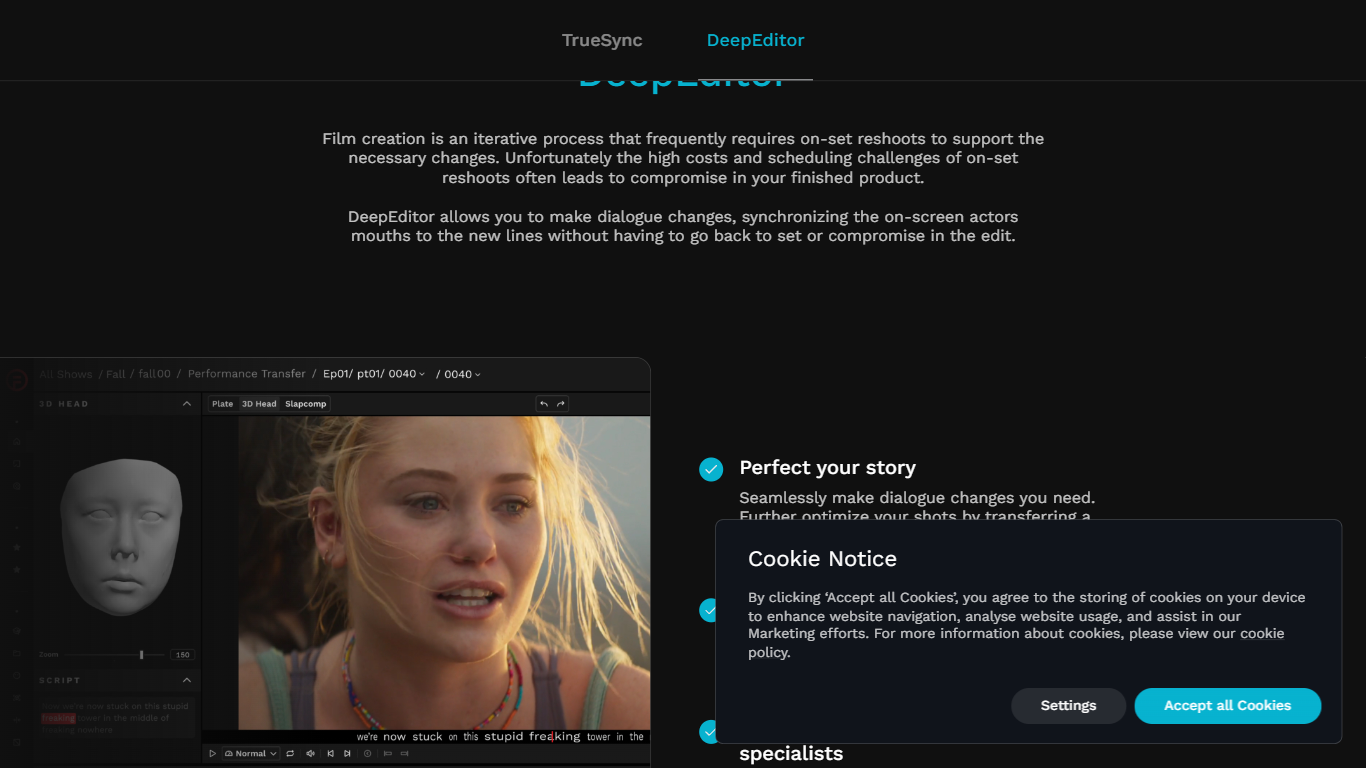

What is DeepEditor | Flawless AI?
DeepEditor is a film and TV post-production tool from Flawless that changes dialogue, transfers performances between takes, and fixes lip sync without reshoots. You upload source shots with new or adjusted audio, refine the sync frame by frame, then export results back into an Avid Media Composer timeline. It refines real recorded performances with assistive AI rather than generating synthetic footage.
Where most AI video tools chase content creators with open-ended generation, DeepEditor targets theatrical and streaming delivery pipelines. Work starts on cheap Draft vubs for offline editorial, and you only spend a Final token after the creative edit is locked and the performer signs off through the A.R.T. (Artistic Rights Treasury) consent workflow. That draft-then-final model is unusual in a category that usually sells monthly subscriptions.
Post supervisors, film editors, and directors use DeepEditor for in-vision ADR, performance transfer, censorship edits that change MPA ratings, and pacing fixes. The Playdate case study credits five profanity replacements with shifting that film from an R to a PG-13 rating. Major studios and streamers including Disney, Warner Bros., Netflix, and HBO appear on Flawless marketing pages as customers.
Clipchamp

What is Clipchamp?
Clipchamp enables users to record, edit, and share high-definition videos directly from their web browser or Windows app. It offers tools for creating videos with webcam, screen, and voice recordings, combined with AI-powered editing features like noise suppression and automatic subtitle generation.
What distinguishes Clipchamp from other video editors is its integration of advanced AI tools such as a natural voiceover generator with over 400 voices and an AI silence remover that automatically cuts long pauses. It also provides customizable color and gradient backgrounds and supports exporting videos up to 4K resolution without watermarks for premium users.
Clipchamp's content library includes royalty-free stock videos, images, music, and templates tailored for social media, education, and business use. Its privacy-first approach ensures all recordings remain on the user's device unless shared, making it a secure choice for video creation.
With features like multi-item editing, grouping, and a flexible video resizer supporting multiple aspect ratios, Clipchamp offers a comprehensive editing experience suitable for creators of all skill levels. It works seamlessly in Microsoft Edge and Google Chrome browsers, with an optional Windows app available for enhanced performance.
DeepEditor | Flawless AI Upvotes
Clipchamp Upvotes
DeepEditor | Flawless AI Top Features
Avid Media Composer extension on macOS and Windows for in-timeline review
Draft vubs up to 1920×1920 at 10-bit color for offline editorial iteration
Final vubs export up to 8192×4608 at 16-bit with EXR and a VFX turnover package
A.R.T. consent workflow requires performer approval before any release
Ingests ProRes, DNxHR, H.264/265, MOV/MXF, and EXR sequences at 23.976–30 fps
1 face altered in a shot costs 1 token under the Draft and Final pricing model
Clipchamp Top Features
🎤 Natural AI voiceover generator with 400+ voices and adjustable pitch and pace
📝 AI subtitle generator creating accurate captions in 80+ languages with editable styles
📹 Screen and webcam recorder with unlimited retakes and no watermarks
🔇 AI silence remover to automatically cut long pauses and silences from videos
🎨 Custom color and gradient video backgrounds with HSV and HEX color picker
📺 Video exports up to 4K resolution available with premium subscription
🎬 Multi-item editing and grouping tools for efficient workflow
DeepEditor | Flawless AI Category
- Video Editing
Clipchamp Category
- Video Editing
DeepEditor | Flawless AI Pricing Type
- Paid
Clipchamp Pricing Type
- Freemium