Dreamhouse AI vs Canva-Text to Image
When comparing Dreamhouse AI vs Canva-Text to Image, which AI tool shines brighter? We look at pricing, alternatives, upvotes, features, reviews, and more.
In a comparison between Dreamhouse AI and Canva-Text to Image, which one comes out on top?
When we put Dreamhouse AI and Canva-Text to Image side by side, both being AI-powered tools, The users have made their preference clear, Canva-Text to Image leads in upvotes. Canva-Text to Image has attracted 108 upvotes from aitools.fyi users, and Dreamhouse AI has attracted 11 upvotes.
Want to flip the script? Upvote your favorite tool and change the game!
Dreamhouse AI

What is Dreamhouse AI?
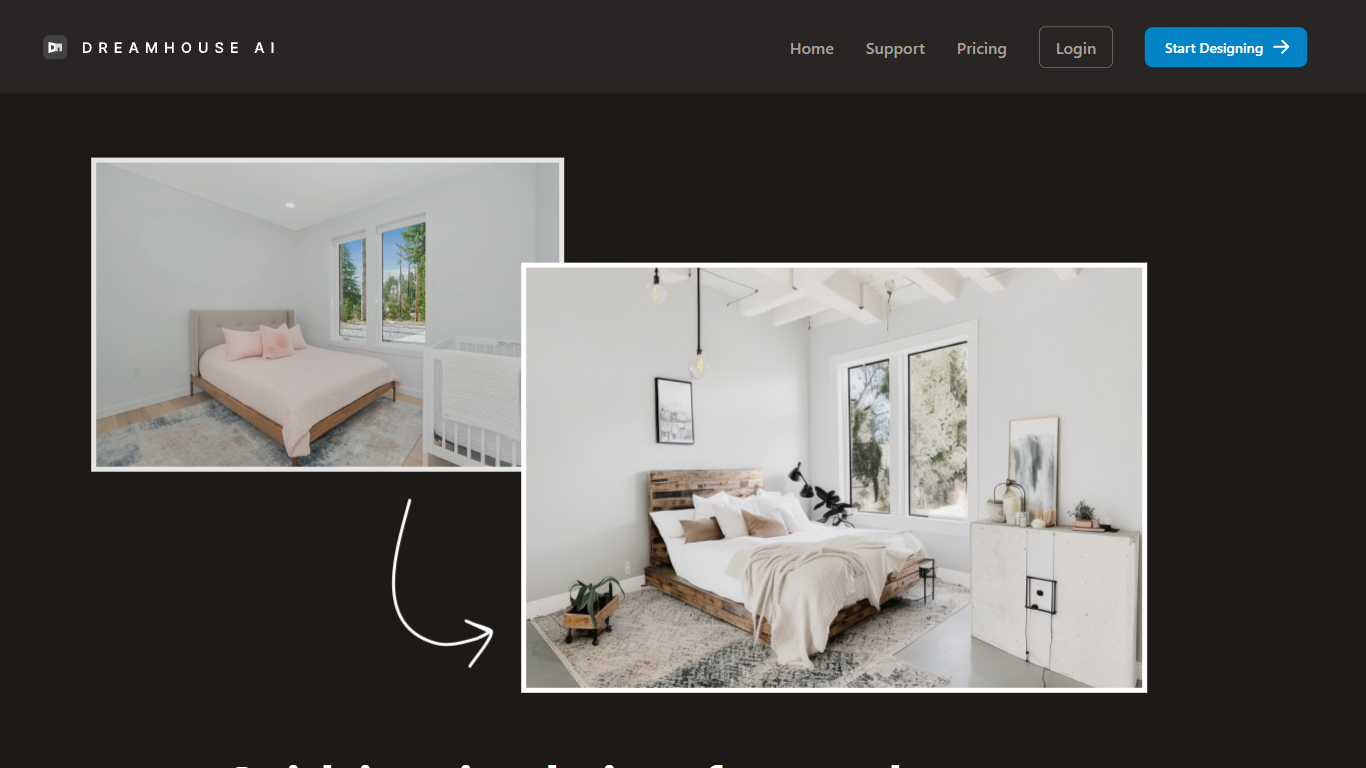
DreamHouse AI previews room and exterior makeovers for real estate projects from a single photo upload. You pick from 20+ design styles, generate a redesign in under 30 seconds, then refine it through chat or by adding product photos directly into the scene. The platform covers living rooms, kitchens, facades, landscaping, and curb appeal projects.
Room-only redesign apps stop at furniture swaps. DreamHouse AI handles both interior and exterior spaces in one workflow, with product photo integration so you can see how a specific chair or paint color looks before buying. You also get a find-similar-products feature and 4x upscaling for contractor-ready images.
Home sellers staging empty rooms, homeowners planning renovations, and interior designers pitching clients use DreamHouse AI to skip $500 to $2,000 per-room consultations. Plans start at $24 per month for 50 AI generations, with 5,000+ rooms already redesigned on the platform.
Canva-Text to Image
What is Canva-Text to Image?
Canva Text to Image turns a written prompt into a finished visual without leaving the Canva editor. You describe what you want, pick from 10+ preset art styles like Photo, Vibrant, Sketch, or Retrowave, and set an aspect ratio. The tool generates several variations in seconds, and you can drop any result straight into a presentation, social post, or poster layout.
Where standalone generators like Midjourney or DALL-E hand you a file to download and edit elsewhere, Canva keeps everything in one workflow. Background removal, Magic Edit prompt-based retouching, text overlays, and export to PNG, JPG, PDF, or PPTX all sit in the same canvas. That trade-off means less raw control over model parameters, but a much faster path from prompt to publishable design.
Content creators use it for social graphics and thumbnails, entrepreneurs for quick branding assets, and hobbyists for concept sketches. You can also upload a reference photo and generate new images that keep the original layout or subject. Pro and Business plans unlock higher AI generation allowances, Magic Expand for extending image borders, and a content planner for scheduling posts.
Free accounts include up to 200 Standard AI uses or 20 Premium AI uses per year. Canva runs automated prompt checks to block inappropriate content, and commercial use is permitted under Canva's AI Product Terms, though you are responsible for trademark and public figure rights.
Dreamhouse AI Upvotes
Canva-Text to Image Upvotes
Dreamhouse AI Top Features
Interior and exterior redesign from a single photo upload
20+ design styles including Modern, Scandinavian, Farmhouse, and Japandi
AI chat refinement for requests like changing wall color or adding plants
Add product photos and see items placed inside your generated design
Find similar real-world furniture and decor that match generated designs
4x AI upscaling for high-resolution, print-ready output
50 AI generations per month on the $24 per month plan
Canva-Text to Image Top Features
Choose from 10+ preset art styles including Photo, Vibrant, 3D Render, Cinematic, and Retrowave
Free plan includes up to 200 Standard AI uses or 20 Premium AI uses per year
Generate from a text prompt or upload a reference photo to preserve layout and subject
Export finished designs as PNG, JPG, PDF, or PPTX without leaving Canva
Pro plan at $180 per year includes 10x the AI generation allowance of the Free tier
Magic Edit and Magic Eraser let you refine generated images with short written prompts
Dreamhouse AI Category
- Real Estate
Canva-Text to Image Category
- Image Generation
Dreamhouse AI Pricing Type
- Paid
Canva-Text to Image Pricing Type
- Freemium