Excelly-AI vs Numerous.ai
Dive into the comparison of Excelly-AI vs Numerous.ai and discover which AI Excel tool stands out. We examine alternatives, upvotes, features, reviews, pricing, and beyond.
When comparing Excelly-AI and Numerous.ai, which one rises above the other?
When we compare Excelly-AI and Numerous.ai, two exceptional excel tools powered by artificial intelligence, and place them side by side, several key similarities and differences come to light. Both tools are equally favored, as indicated by the identical upvote count. The power is in your hands! Cast your vote and have a say in deciding the winner.
Does the result make you go "hmm"? Cast your vote and turn that frown upside down!
Excelly-AI


What is Excelly-AI?
Excelly-AI is the premier tool for transforming plain text into powerful Excel and Google Sheets formulas right within your browser or via Slack. Our cutting-edge technology allows users to generate or explain complex formulas effortlessly, catering both to Excel and VBA as well as Google Sheets users. With the unique *.xlsx file upload feature, Excelly-AI elevates your productivity by allowing you to craft customized prompts based on your spreadsheet's column schema, providing precise and context-aware formula generation. Excel enthusiasts can also convert formulas between Excel and Google Sheets instantly. Additionally, Excelly-AI integrates seamlessly with Slack, empowering teams of any size to streamline their spreadsheet-related tasks company-wide. Whether a beginner or a power user, start with 5 free formulas per month and witness the transformation of text to formulas without endlessly Googling.
Numerous.ai
What is Numerous.ai?
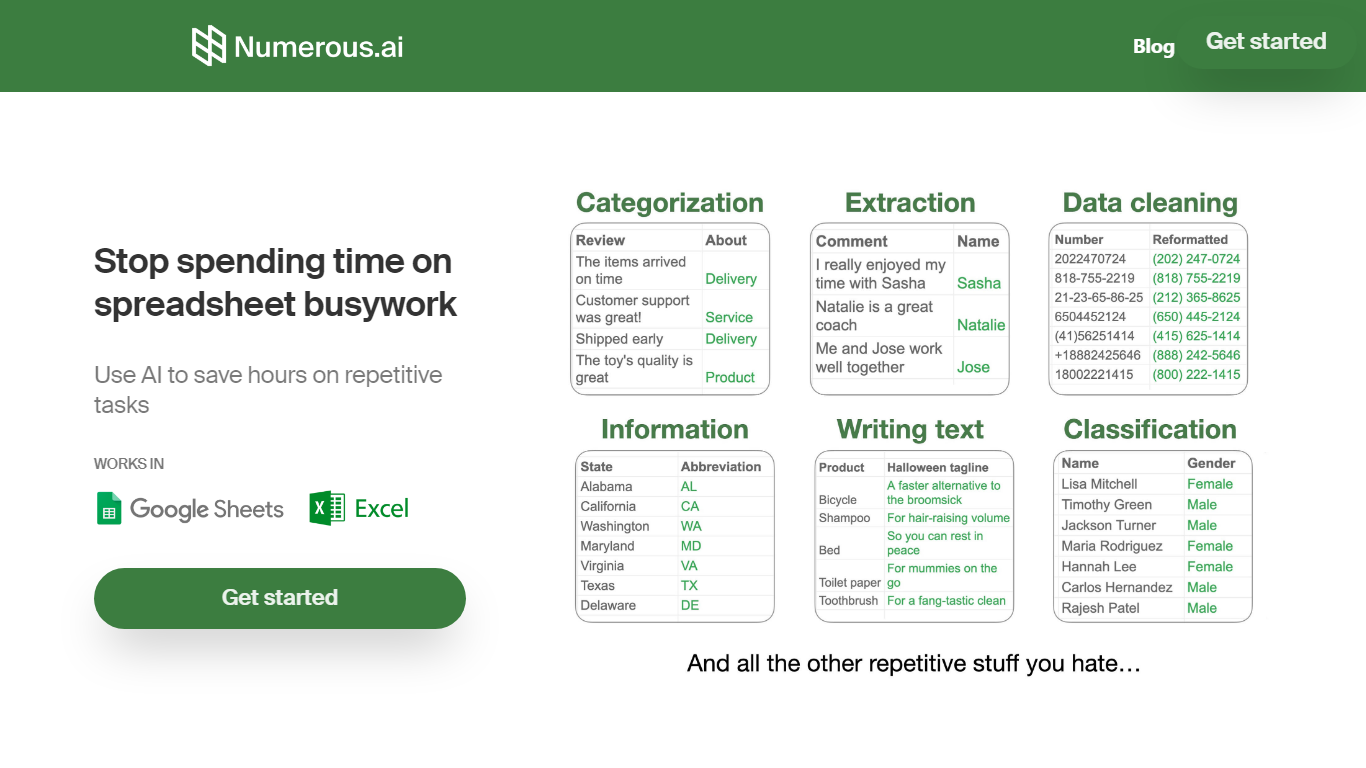
Numerous.ai is a spreadsheet add-on that brings ChatGPT into Google Sheets and Microsoft Excel. You install the plugin, type formulas like =AI in any cell, and run language tasks across rows and columns without managing your own API keys.
The product is built around bulk spreadsheet workflows: summarizing survey responses, generating ad copy, cleaning messy user input, or prototyping prompts you can share with a team. Responses are cached so formula refreshes do not burn through tokens on duplicate queries.
It fits marketers running campaign research, content teams batching social posts, students organizing research data, and product teams testing prompt structures before shipping features. The team is US-based in San Francisco, and both the Google Sheets and Excel add-ins are listed in their respective official marketplaces.
Excelly-AI Upvotes
Numerous.ai Upvotes
Excelly-AI Top Features
Generate Formulas: Support for both Excel and Google Sheets with explanations for every generated formula.
Upload .xlsx Files: Generate formulas based on your own spreadsheets with meaningful prompts.
Explain Formulas: Excelly-AI can simplify and explain complex formulas for easy understanding.
Generate VBA: Instantly create any VBA formula you need.
Transform Formulas: Easily convert formulas between Excel and Google Sheets formats.
Numerous.ai Top Features
No API keys to configure; install the add-on and start using =AI in cells
Custom =AI, =WRITE, and =INFER functions for generation, formulas, and pattern learning
Works in both Google Sheets and Microsoft Excel from one subscription
Caches AI responses so refreshes skip duplicate queries and save tokens
Personal plan includes 1 million characters; Pro includes 5 million
Pro and Enterprise plans let multiple teammates share the same subscription
Excelly-AI Category
- Excel
Numerous.ai Category
- Excel
Excelly-AI Pricing Type
- Freemium
Numerous.ai Pricing Type
- Freemium