fanfuel vs Video To Blog
Dive into the comparison of fanfuel vs Video To Blog and discover which AI Content Creation tool stands out. We examine alternatives, upvotes, features, reviews, pricing, and beyond.
When comparing fanfuel and Video To Blog, which one rises above the other?
When we compare fanfuel and Video To Blog, two exceptional content creation tools powered by artificial intelligence, and place them side by side, several key similarities and differences come to light. The upvote count reveals a draw, with both tools earning the same number of upvotes. Join the aitools.fyi users in deciding the winner by casting your vote.
Does the result make you go "hmm"? Cast your vote and turn that frown upside down!
fanfuel

What is fanfuel?
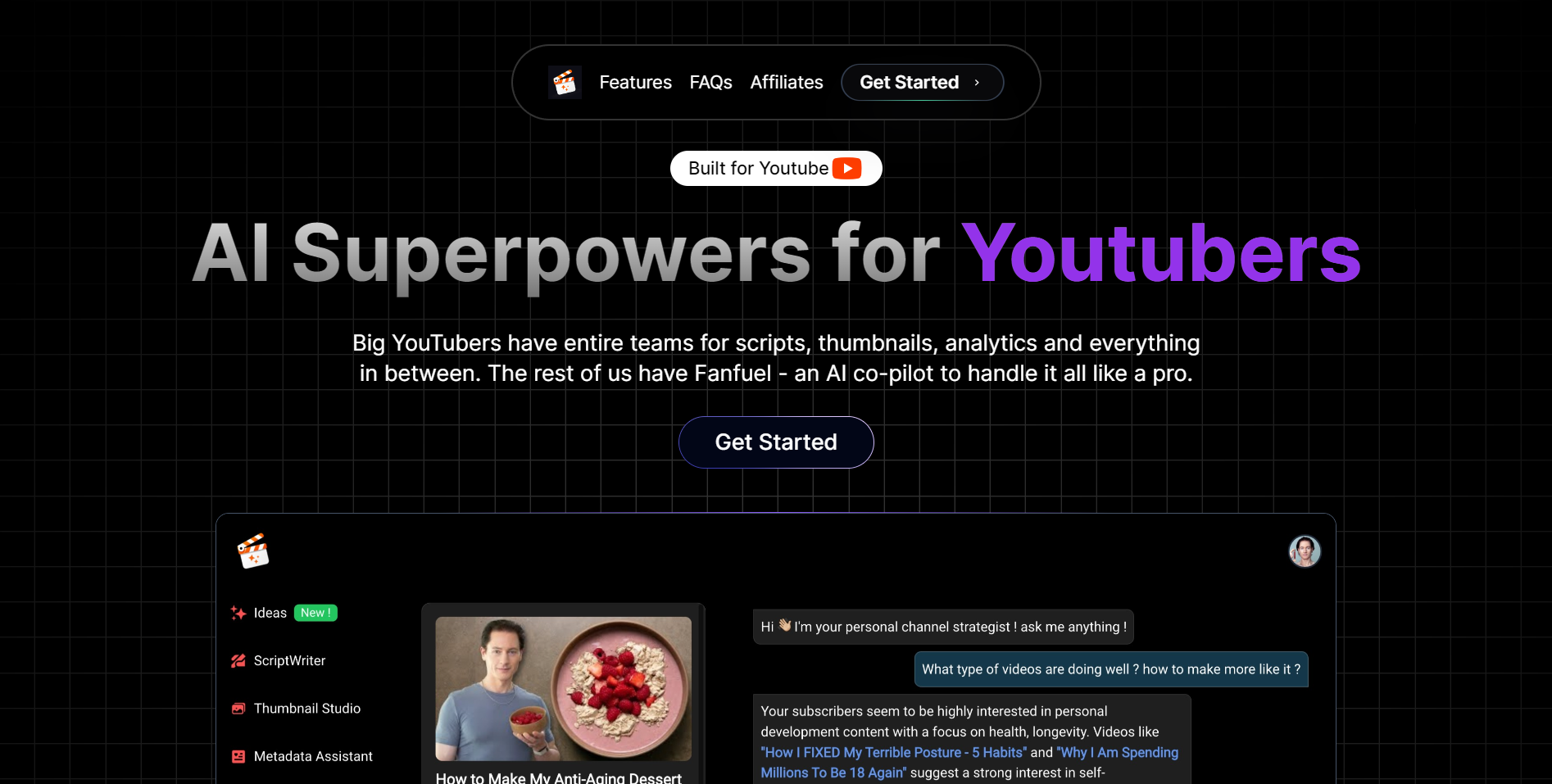
Fanfuel is a YouTube content creation dashboard that combines thumbnail design, script writing, SEO metadata, and channel analytics chat in one place. The thumbnail generator takes a video idea or image prompt and supports face swap so you skip extra posing. Script Maker drafts full scripts from a topic in your voice and any language. AnalyticsChat answers questions about your channel stats in plain language instead of raw dashboard charts.
Most AI writing tools stop at scripts or captions. Fanfuel stays inside the YouTube upload workflow, from thumbnail concepts through metadata and analytics review, without stretching into TikTok clips, podcasts, or generic blog drafts. That narrow scope means every feature maps to a step you take before or after hitting publish on YouTube.
Solo uploaders and small channel teams who film their own videos but dread thumbnails, scripting, and SEO metadata are the core audience. The homepage says more than 3,000 creators use Fanfuel. Grow, Pro, and Agency plans scale monthly limits for thumbnails, scripts, metadata entries, and assistant chats as output volume grows.
All three tiers are paid monthly subscriptions with published caps on every core feature. The pricing page states you can cancel anytime with no hidden fees.
Video To Blog

What is Video To Blog?
Video To Blog turns spoken video and audio into publish-ready blog articles. Paste a YouTube link, upload a file, drop in a transcript, record audio, or connect a channel, and the service outputs structured posts with headings, screenshots, smart links, metadata, and calls to action you can send to a website, newsletter, or download as HTML, Markdown, PDF, or Word.
Transcript-to-ChatGPT workflows still leave you stitching screenshots, links, and publishing steps by hand. Video To Blog bundles those production tasks: auto screenshots from the source video, reusable CTA blocks, SEO and GEO formatting, YouTube upload automations, and a built-in Publications feature for hosting a blog plus email newsletter on a custom domain. The homepage cites 500,000+ articles created and a 4.8 average across 500+ reviews on Trustpilot, G2, and Capterra.
YouTube creators, podcasters, agencies, and teams publishing sermons or webinars are the target users. Pricing starts free with one monthly upload, scales to Business at $69 per month (yearly billing) for 50 videos, and every paid tier adds publications, website integrations, and longer runtime limits.
fanfuel Upvotes
Video To Blog Upvotes
fanfuel Top Features
Grow plan includes 20 thumbnails, 50 scripts, 50 metadata entries, and 15 assistant chats per month
Thumbnail generator accepts a video idea or image prompt and supports face swap
Script Maker drafts scripts from a topic in your voice and any language
Pro plan costs $79 per month with 50 thumbnails, 150 scripts, and 40 assistant chats
AnalyticsChat turns channel statistics into plain-language answers in a chat interface
Agency tier supports 100 thumbnails and 500 scripts per month for multi-channel workflows
Video To Blog Top Features
Imports YouTube links, uploaded video/audio, transcripts, Google Drive files, and channel automations
Auto screenshots pull key visual moments from source videos into each article
Smart links and reusable CTA blocks insert internal and external links automatically
Publications host a blog, email newsletter, and custom domain without extra services
Free plan includes 1 monthly upload for videos up to 30 minutes with no credit card
Pro plan ($39/mo yearly) allows 15 monthly uploads up to 1.5 hours with 3 team members
Exports finished posts as HTML, Markdown, PDF, or Word and publishes to connected websites
fanfuel Category
- Content Creation
Video To Blog Category
- Content Creation
fanfuel Pricing Type
- Paid
Video To Blog Pricing Type
- Freemium