Ghibli Generator vs Directory Crop
Dive into the comparison of Ghibli Generator vs Directory Crop and discover which AI Image Generation tool stands out. We examine alternatives, upvotes, features, reviews, pricing, and beyond.
When comparing Ghibli Generator and Directory Crop, which one rises above the other?
When we compare Ghibli Generator and Directory Crop, two exceptional image generation tools powered by artificial intelligence, and place them side by side, several key similarities and differences come to light. The users have made their preference clear, Directory Crop leads in upvotes. Directory Crop has attracted 7 upvotes from aitools.fyi users, and Ghibli Generator has attracted 6 upvotes.
Not your cup of tea? Upvote your preferred tool and stir things up!
Ghibli Generator
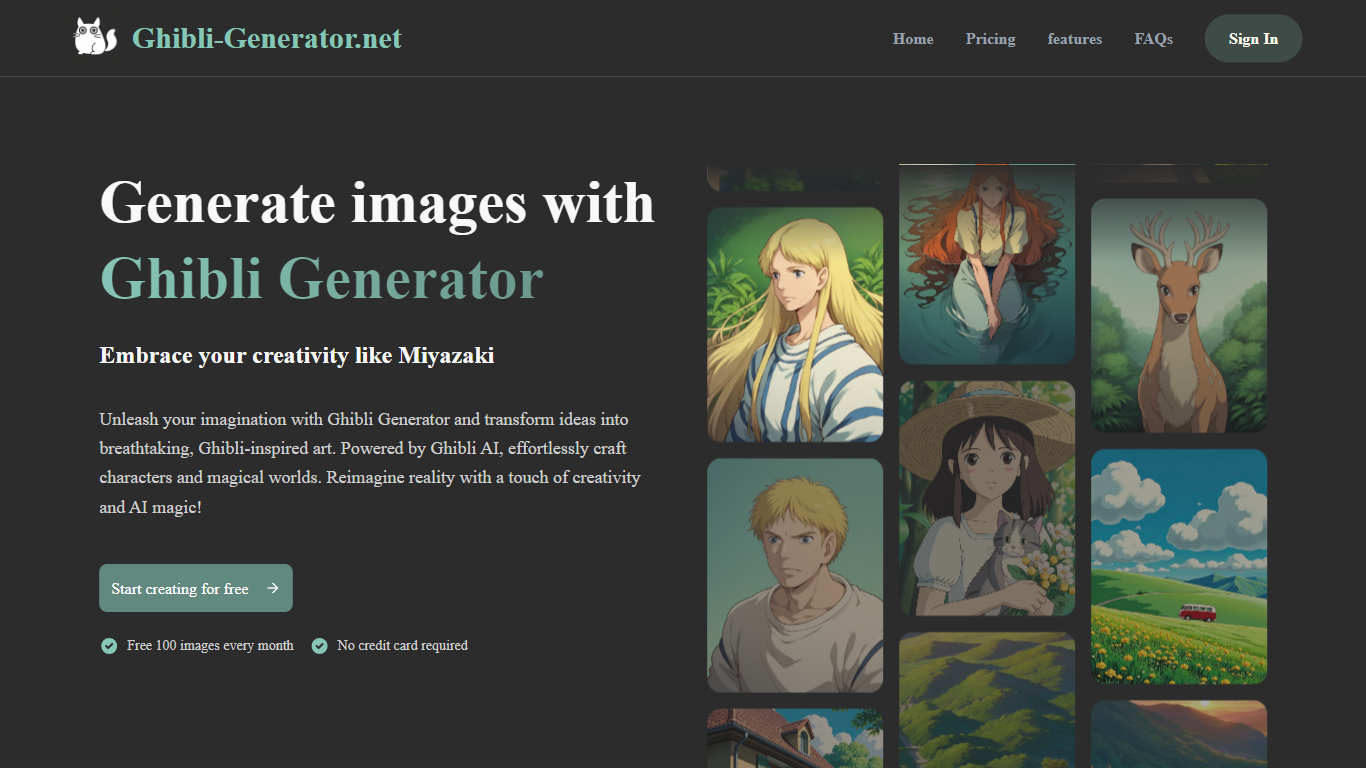

What is Ghibli Generator?
Ghibli Generator is an AI-powered image creation tool that transforms text prompts into enchanting art inspired by Studio Ghibli's signature style. It enables users to generate characters, landscapes, and scenes that capture the warmth and whimsy of Ghibli films. The tool is designed for both casual users and creative professionals who want to quickly visualize ideas without needing advanced drawing skills.
Beyond creating new images, Ghibli Generator offers features to edit existing photos by applying Ghibli-style elements and a style transfer option that converts regular photos into Ghibli-like artwork. This expands its use from pure generation to creative enhancement of personal images.
The tool appeals to a broad audience including concept artists, illustrators, fans of animation, and hobbyists interested in nostalgic art. Its simple interface makes it accessible to anyone curious about creating art in this beloved style.
Ghibli Generator stands out by focusing exclusively on the Ghibli aesthetic, using AI trained specifically to replicate the studio's watercolor textures, lighting, and composition. This specialization ensures that outputs have a distinct look that generic AI art tools often lack.
Technically, it leverages a custom-trained Ghibli AI model that interprets text prompts and images to produce high-quality visuals with emotional depth. The model captures subtle artistic details that define the Ghibli style, making the generated art feel authentic and expressive.
The platform remains free to use, encouraging wide adoption and experimentation. Its combination of original image generation, photo editing, and style transfer makes it a versatile tool for anyone looking to explore or create Ghibli-inspired art.
Overall, Ghibli Generator offers a unique creative experience that brings the magic of Studio Ghibli's art to users through AI, making it easy to produce charming and imaginative visuals with minimal effort.
Directory Crop

What is Directory Crop?
Directory Crop speeds up sorting bulk AI image outputs on Windows, macOS, and Linux. Open a folder of generations, crop out bad hands or extra limbs, and delete failed files with one click or one keypress. After each crop or delete, the app jumps to the next image so you can review hundreds of files without digging through file managers.
Photo editors built for single images slow you down when a Stable Diffusion run drops 200 variants. Directory Crop is built for that culling workflow: crop guidelines, optional output folders, metadata preservation, and keyboard shortcuts for next, previous, and delete. Images never leave your machine, which matters when prompts or outputs are private.
The free tier covers 100 crops per month before a watermark appears. Professional plans start at $9 per month for 1,000 crops, $19 for 5,000, or $49 for unlimited per user. Students, journalists, Java Champions, and beta testers can apply for free license keys. Install via direct download, Homebrew, Chocolatey, or winget.
Ghibli Generator Upvotes
Directory Crop Upvotes
Ghibli Generator Top Features
🎨 Generate original Ghibli-style images from text prompts for quick creativity
🖼️ Edit existing photos by adding Ghibli-inspired elements to enhance visuals
🔄 Apply style transfer to convert regular photos into Ghibli-like artwork
🌟 Capture authentic watercolor textures and lighting unique to Ghibli films
👩🎨 User-friendly interface suitable for both beginners and professionals
Directory Crop Top Features
Crop and delete images in a folder with automatic jump to the next file
One-click or one-key delete for bad AI generations like extra limbs
Runs locally on Windows, macOS, and Linux with privacy-first processing
Crop guidelines, metadata preservation, and optional separate output directory
Free tier includes 100 crops per month before watermarking
Install via EXE, DMG, DEB, Homebrew, Chocolatey, or winget package managers
Ghibli Generator Category
- Image Generation
Directory Crop Category
- Image Generation
Ghibli Generator Pricing Type
- Free
Directory Crop Pricing Type
- Freemium