Glitter AI vs ProductiveGPT
When comparing Glitter AI vs ProductiveGPT, which AI Automation tool shines brighter? We look at pricing, alternatives, upvotes, features, reviews, and more.
In a comparison between Glitter AI and ProductiveGPT, which one comes out on top?
When we put Glitter AI and ProductiveGPT side by side, both being AI-powered automation tools, In the race for upvotes, ProductiveGPT takes the trophy. ProductiveGPT has received 8 upvotes from aitools.fyi users, while Glitter AI has received 6 upvotes.
Does the result make you go "hmm"? Cast your vote and turn that frown upside down!
Glitter AI


What is Glitter AI ?
Glitter AI turns screen recordings, videos, and live walkthroughs into polished step-by-step guides and SOPs. Record a process with the desktop app or browser extension, narrate as you go, and the platform captures screenshots, transcribes your speech, and writes the documentation for you.
You can also upload existing videos, including Zoom recordings, mobile screen captures, or footage of physical tasks, and Glitter converts them into editable guides. The guide editor lets you polish steps, screenshots, and copy before sharing via link, PDF, HTML, Markdown, or embed.
It supports 99 languages for recording and one-click translation. Teams at companies like Google, Walmart, and Salesforce use it for employee onboarding, IT runbooks, customer help articles, and compliance SOPs. The platform is SOC 2 Type II certified.
ProductiveGPT
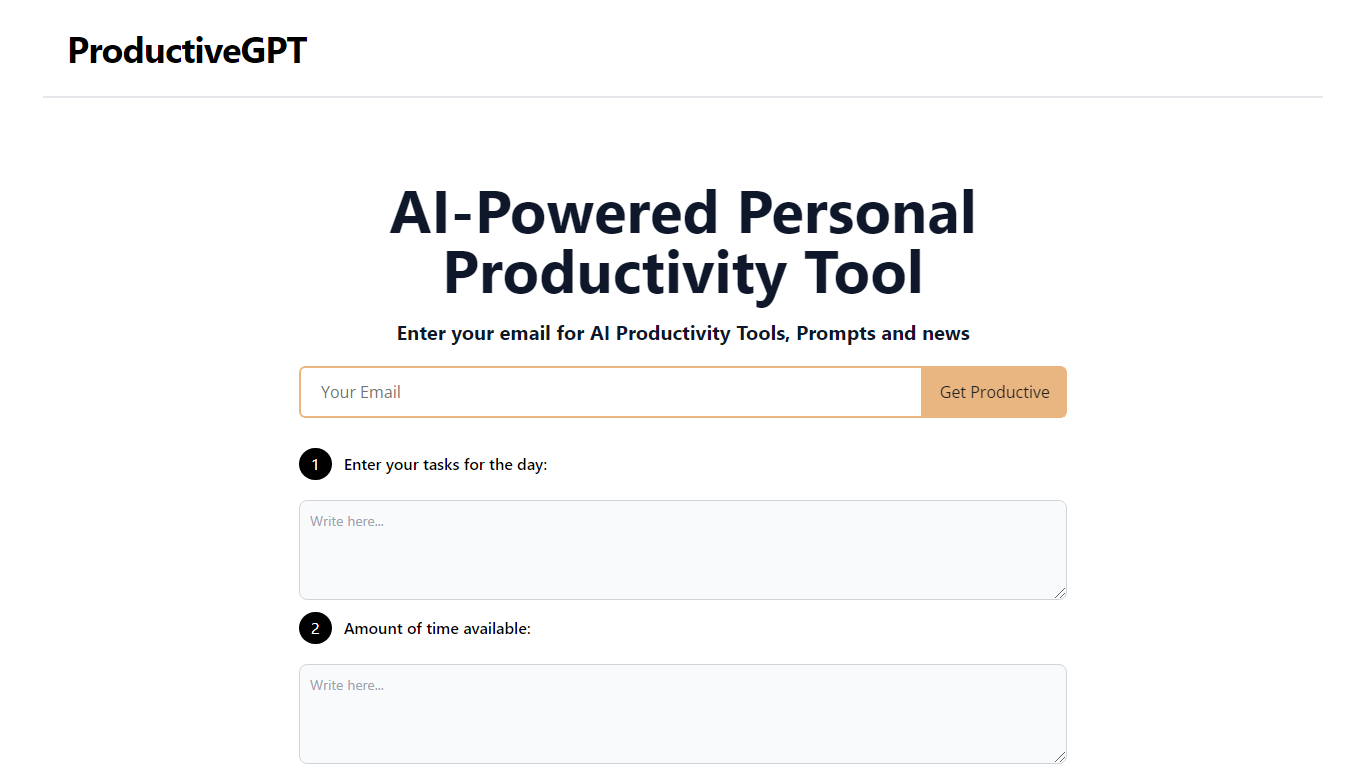
What is ProductiveGPT?
ProductiveGPT is an AI-powered personal productivity tool designed to enhance daily task management. By simply entering your email, you can stay updated with the latest AI productivity tools, prompts, and news. The platform allows users to input their tasks for the day and specify the amount of time available for these tasks. Additionally, there's an option to include a rest period, ensuring a balanced approach to daily activities. With the Generate function, ProductiveGPT, powered by the OpenAI GPT-3 API, creates a personalized schedule tailored to your needs, optimizing your time and boosting efficiency.
Glitter AI Upvotes
ProductiveGPT Upvotes
Glitter AI Top Features
Record your screen with desktop app or browser extension and get a guide with screenshots and text automatically
Upload any existing video and convert it into a step-by-step guide with AI step detection
Translate guides into any of 99 languages with a single click
Export to PDF, HTML, Markdown, or embed in Confluence, Notion, Zendesk, and more
SOC 2 Type II certified with on-device blur to redact sensitive data before upload
ProductiveGPT Top Features
Personalized Scheduling: Receive a tailor-made plan for your day's tasks based on the time available.
AI-Powered Efficiency: Utilize the power of OpenAI GPT-3 API to optimize how you manage your daily activities.
Rest Period Inclusion: Have the option to incorporate breaks in your schedule for well-rounded productivity.
Productivity Updates: Access to the latest productivity tools prompts and news via email.
User-Centric Design: Easy input of tasks and time for a user-friendly experience enhancing your task management process.
Glitter AI Category
- Automation
ProductiveGPT Category
- Automation
Glitter AI Pricing Type
- Freemium
ProductiveGPT Pricing Type
- Free