Hyper Notepad vs Enhanced Journal
In the clash of Hyper Notepad vs Enhanced Journal, which AI Productivity tool emerges victorious? We assess reviews, pricing, alternatives, features, upvotes, and more.
When we put Hyper Notepad and Enhanced Journal head to head, which one emerges as the victor?
Let's take a closer look at Hyper Notepad and Enhanced Journal, both of which are AI-driven productivity tools, and see what sets them apart. The users have made their preference clear, Enhanced Journal leads in upvotes. Enhanced Journal has garnered 7 upvotes, and Hyper Notepad has garnered 6 upvotes.
You don't agree with the result? Cast your vote to help us decide!
Hyper Notepad


What is Hyper Notepad?
Hyper Notepad is a browser-based productivity notepad for writing, saving, and sharing notes without installing software. You open the page, start typing, and get a unique link to share the note with anyone. Notes are encrypted at rest, autosave as you type, and work on desktop or mobile browsers.
Unlike Google Docs or Notion, Hyper Notepad stays intentionally lightweight. There are no workspaces, databases, or collaboration threads. You trade team features for zero-friction sharing, optional password locks, and auto-expiring notes that delete themselves after a set time.
It suits students, freelancers, and teams who need a quick scratchpad or a shareable doc without accounts. Writers who want rich text, code blocks, and optional Premium extras like tables, image embeds, and custom themes can upgrade when the free tier is not enough.
Enhanced Journal
What is Enhanced Journal?
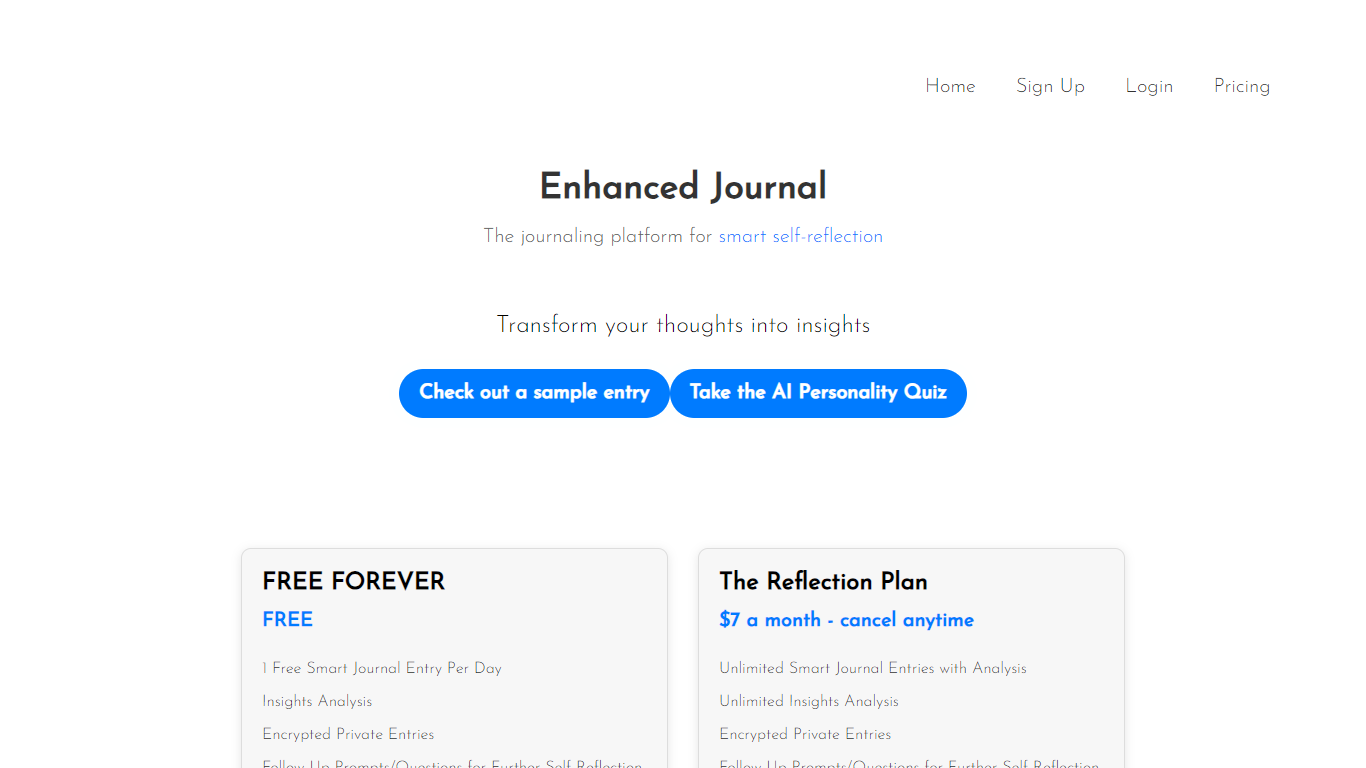
Enhanced Journal turns finished journal entries into written insights and follow-up questions you can act on. You write private entries in your browser, mark them complete, and the app analyzes what you wrote for biases, contradictions, and reflection patterns. The free tier includes one analyzed entry per day, so daily reflection becomes structured feedback instead of an unstructured log. It fits the productivity category because the output is meant to change how you think, not just store what happened.
Most journaling apps stop at storage or mood tracking. Enhanced Journal focuses on what happens after you finish writing. Its analysis looks for biases, contradictions, and reflection patterns in completed entries, then surfaces follow-up prompts tied to what you actually wrote. The free tier gives you one analyzed entry per day, which is a narrower bet than open-ended note apps that never comment back.
The sample entry on the site follows an entrepreneur juggling startup work, social plans, and focus struggles, which matches how the product frames its value. The paid Reflection Plan adds unlimited entries and a 30-day data-driven analysis layer for people who journal regularly. Sign-up runs through Google or email/password, and the privacy policy states entries are encrypted and not used for ad targeting.
Hyper Notepad Upvotes
Enhanced Journal Upvotes
Hyper Notepad Top Features
Create and share unlimited notes with unique links, no account required
Notes encrypt at rest with optional password protection and auto-expiry timers
Premium adds image uploads, tables, live inline math, and custom themes from $3.99 per month
Rich text editor with code blocks, autosave, and download or print support
Light and dark mode with cross-device access when you sign in
Enhanced Journal Top Features
Free Forever tier includes 1 smart journal entry with full analysis per day
The Reflection Plan costs $7 per month and can be canceled anytime
Completing an entry triggers insights on biases, contradictions, and reflection patterns
Each analyzed entry includes follow-up questions tailored to what you wrote
Journal content is encrypted and not used for advertising, per the privacy policy
Reflection Plan subscribers get unlimited entries plus 30-day data-driven analysis
Hyper Notepad Category
- Productivity
Enhanced Journal Category
- Productivity
Hyper Notepad Pricing Type
- Freemium
Enhanced Journal Pricing Type
- Freemium