Hyper Notepad vs Finito
Compare Hyper Notepad vs Finito and see which AI Productivity tool is better when we compare features, reviews, pricing, alternatives, upvotes, etc.
Which one is better? Hyper Notepad or Finito?
When we compare Hyper Notepad with Finito, which are both AI-powered productivity tools, The upvote count shows a clear preference for Finito. The number of upvotes for Finito stands at 8, and for Hyper Notepad it's 6.
Does the result make you go "hmm"? Cast your vote and turn that frown upside down!
Hyper Notepad


What is Hyper Notepad?
Hyper Notepad is a browser-based productivity notepad for writing, saving, and sharing notes without installing software. You open the page, start typing, and get a unique link to share the note with anyone. Notes are encrypted at rest, autosave as you type, and work on desktop or mobile browsers.
Unlike Google Docs or Notion, Hyper Notepad stays intentionally lightweight. There are no workspaces, databases, or collaboration threads. You trade team features for zero-friction sharing, optional password locks, and auto-expiring notes that delete themselves after a set time.
It suits students, freelancers, and teams who need a quick scratchpad or a shareable doc without accounts. Writers who want rich text, code blocks, and optional Premium extras like tables, image embeds, and custom themes can upgrade when the free tier is not enough.
Finito
What is Finito?
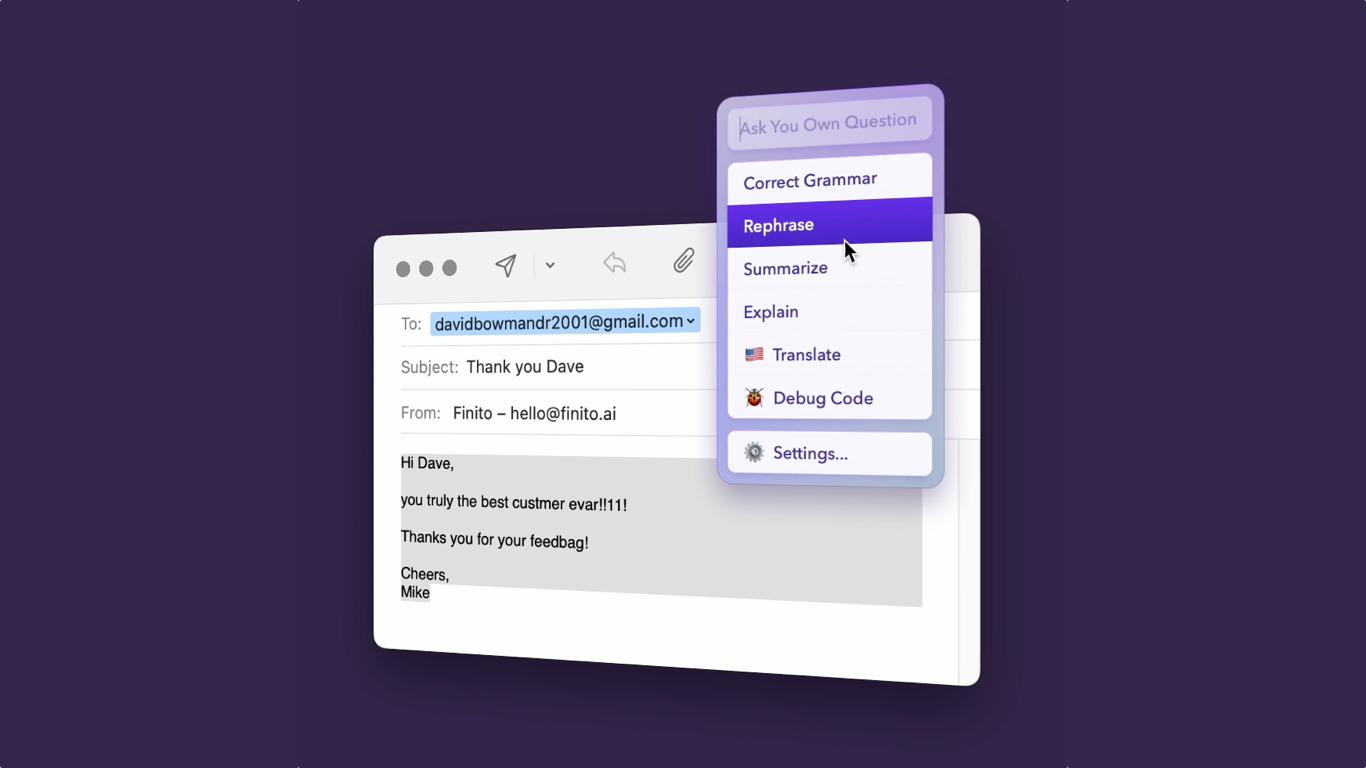
Finito puts ChatGPT inside any Mac or Windows program for quick text edits. Select copy in an email client, browser, chat app, or design tool, press the Control key, and a command list appears to fix grammar, rewrite copy, translate, brainstorm, or answer questions. You can replace the selection in place or ask Finito follow-up questions from the same overlay.
Compared with copying text into a ChatGPT tab, Finito stays inside the app you already have open. It runs through Mike Antonic's server to the ChatGPT API, counts word usage against your plan, and supports custom commands with your own shortcuts. That focus on in-context edits trades the flexibility of a full chat UI for speed when you only need a quick rewrite.
Writers, support reps, and founders on Mac or Windows use Finito for proofreading messages, polishing docs, and translating snippets without switching windows. The demo includes about 4,000 total words, while paid licenses include roughly 40,000 words per month with optional limit increases by emailing [email protected].
Hyper Notepad Upvotes
Finito Upvotes
Hyper Notepad Top Features
Create and share unlimited notes with unique links, no account required
Notes encrypt at rest with optional password protection and auto-expiry timers
Premium adds image uploads, tables, live inline math, and custom themes from $3.99 per month
Rich text editor with code blocks, autosave, and download or print support
Light and dark mode with cross-device access when you sign in
Finito Top Features
Summon Finito on selected text with the Control key in any Mac or Windows app
Built-in commands for grammar fixes, rewrites, translations, ideas, and Q&A via ChatGPT
Replace selected text in place with the AI-generated version from the overlay
Create custom commands and keyboard shortcuts inside Finito settings
Demo tier includes about 4,000 total words before purchase is required
Paid plans include about 40,000 words per month with monthly reset limits
Hyper Notepad Category
- Productivity
Finito Category
- Productivity
Hyper Notepad Pricing Type
- Freemium
Finito Pricing Type
- Freemium