iListing AI vs ReRoom AI
In the contest of iListing AI vs ReRoom AI, which AI Real Estate tool is the champion? We evaluate pricing, alternatives, upvotes, features, reviews, and more.
If you had to choose between iListing AI and ReRoom AI, which one would you go for?
When we examine iListing AI and ReRoom AI, both of which are AI-enabled real estate tools, what unique characteristics do we discover? Interestingly, both tools have managed to secure the same number of upvotes. You can help us determine the winner by casting your vote and tipping the scales in favor of one of the tools.
Disagree with the result? Upvote your favorite tool and help it win!
iListing AI


What is iListing AI?
iListing AI is inspection software built for independent inventory clerks and letting agencies in the UK. You capture a property by talking, photographing, and recording video in one pass, and the platform turns that stream into structured inventory and check-out reports.
The workflow is voice-first: you dictate room notes while taking photos, and the system fuses audio with images so descriptions land on the right items. During check-outs, Ghost Mode overlays the original check-in photo on your camera feed so you can match angles for deposit evidence. Pan-room video scans identify furniture, flooring, and condition in about 15 seconds, powered by Gemini 3.0 Pro.
Reports are formatted for UK tenancy deposit adjudication (TDS), with timestamps, geolocation, and audit trails. PDF output supports your branding, and the app stores data locally when signal drops, syncing once you are back online.
Inspecti v1.0 is in public beta with free access. Paid tiers cover pay-per-report clerks, full-time professionals, and agency teams managing multiple inspectors.
ReRoom AI
What is ReRoom AI?
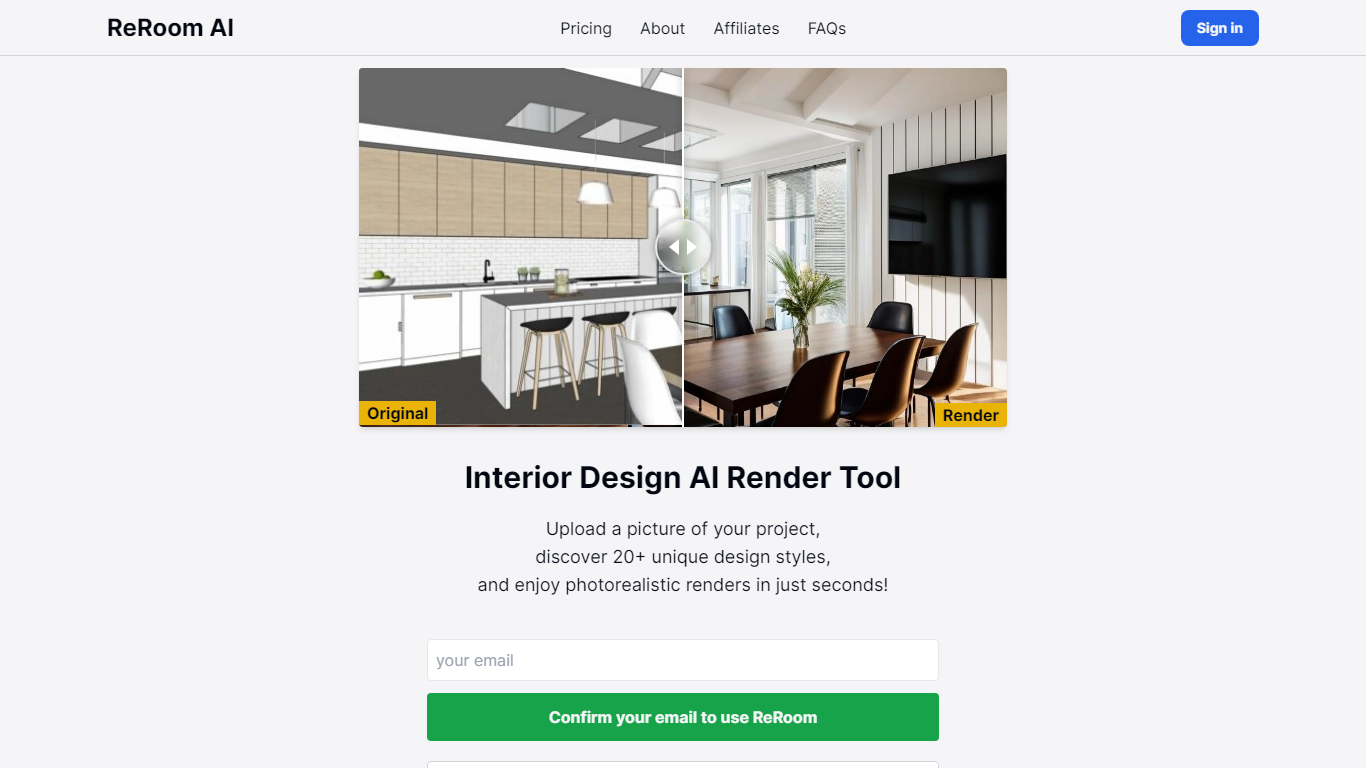
ReRoom AI turns interior photos, floor plans, SketchUp scenes, and clay models into photorealistic renders and virtual staging shots for real estate and design clients. You upload a source image, pick styles or prompts, and get presentation-ready interiors without a full 3D rebuild.
Compared with traditional rendering suites, ReRoom leans on fast AI passes with prompt control, 4x upscaling, and optional walkthrough video credits on paid plans. The free tier caps you at 3 watermarked renders per day, while paid plans unlock unlimited output, private mode, and commercial rights.
Interior designers, architects, and listing teams use it to pitch concepts, stage empty rooms, and refresh client decks. The about page cites 9,000+ daily renders across 150+ countries, with team billing and shared moodboards for agencies that need consistent styles.
iListing AI Upvotes
ReRoom AI Upvotes
iListing AI Top Features
Dictate room notes while shooting photos and the app maps observations to the right items
Ghost Mode overlays check-in photos on your camera during check-outs for matching angles
Pan-room video scans identify furniture, flooring, and condition in about 15 seconds
Stores inspection data locally offline and syncs automatically when you reconnect
Generates TDS-ready PDF reports with your branding, timestamps, and geolocation
ReRoom AI Top Features
Free trial includes 3 renders per day with theme-based styling
Paid plans offer unlimited renders with 4x image upscaling
Private rendering mode removes watermarks on Pro and Team tiers
Prompt-based customization plus annotation edits on uploaded images
Video generation credits turn still renders into walkthrough clips
Team plans add shared projects, moodboards, and centralized billing
Tutorial library covers floor plans, SketchUp scenes, and satellite urban concepts
iListing AI Category
- Real Estate
ReRoom AI Category
- Real Estate
iListing AI Pricing Type
- Freemium
ReRoom AI Pricing Type
- Freemium