InPixio vs InstructPix2Pix
Compare InPixio vs InstructPix2Pix and see which AI Photo Editing tool is better when we compare features, reviews, pricing, alternatives, upvotes, etc.
Which one is better? InPixio or InstructPix2Pix?
When we compare InPixio with InstructPix2Pix, which are both AI-powered photo editing tools, With more upvotes, InstructPix2Pix is the preferred choice. InstructPix2Pix has attracted 98 upvotes from aitools.fyi users, and InPixio has attracted 6 upvotes.
Not your cup of tea? Upvote your preferred tool and stir things up!
InPixio


What is InPixio?
InPixio lets you remove backgrounds, erase objects, swap skies, and polish photos through a free online editor, a Windows desktop app, and a mobile app. Upload an image, click remove background, and the AI separates hair and fine edges without manual masking.
Where heavyweight editors assume you already know layers and masks, InPixio sells speed for ecommerce sellers and casual creators. The free web tools handle quick crops and background cuts, while paid plans unlock HD downloads and premium features across the same interface on desktop and phone.
The site cites more than 10 million users and targets small business owners, social sellers, and beginners who need product photos, transparent PNGs, and social-ready edits. You can edit in the browser instantly or download the Windows app for offline work.
InstructPix2Pix
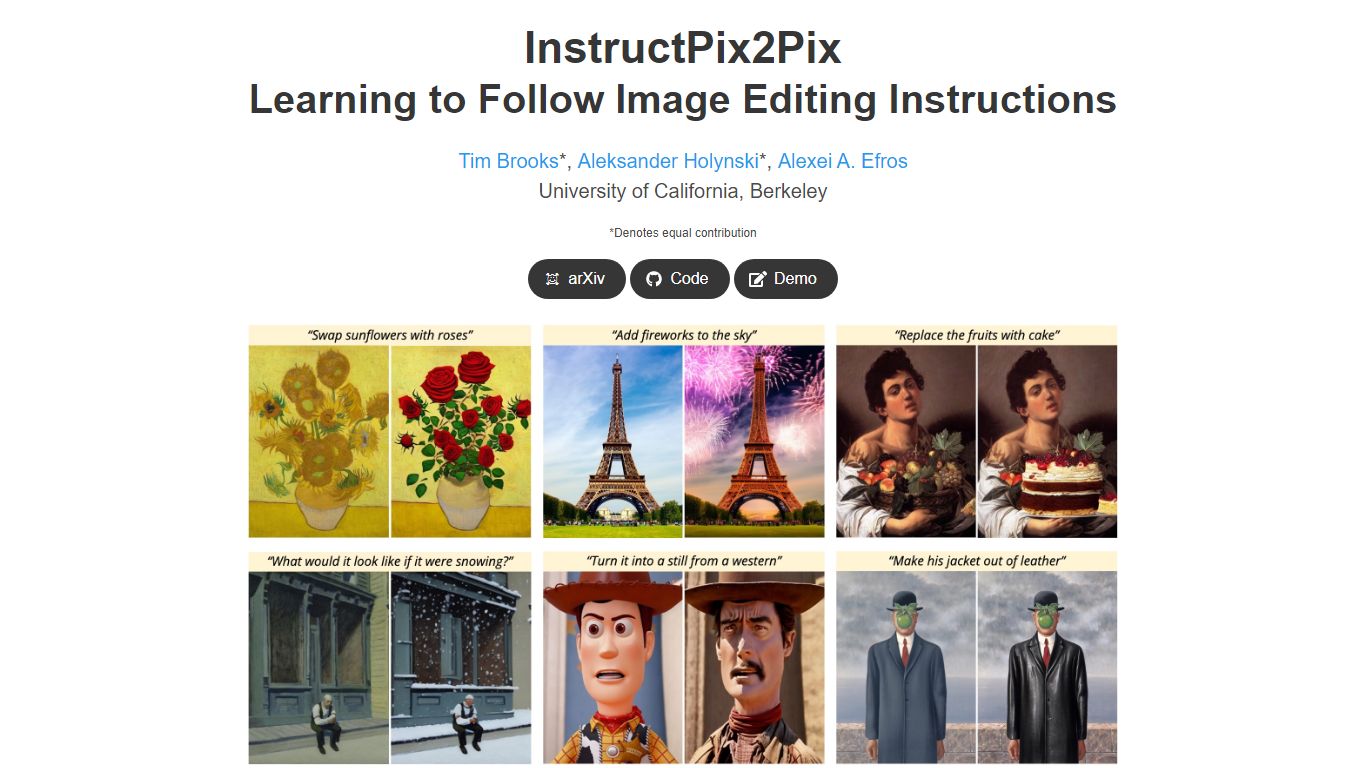
What is InstructPix2Pix?
InstructPix2Pix edits a photo from a plain-language instruction such as "make the sky sunset orange" or "turn this into a watercolor." You provide an input image and a short text command, and the model returns an edited version in seconds without training on that specific photo first. It was published as a CVPR 2023 Highlight by researchers at UC Berkeley.
Mask-based editors make you paint regions before changing anything. InstructPix2Pix runs a single forward pass from text alone, skipping per-image fine-tuning or inversion steps that slow other diffusion edit workflows. The trade-off shows up in the paper's failure cases: viewpoint changes, object swaps, and tight local edits remain weak spots.
The project ships open source code on GitHub and a Hugging Face demo space for trying edits in a browser. Training combined GPT-3 and Stable Diffusion to synthesize instruction pairs, and the released model generalizes to real photos up to about 768 pixels wide despite 256x256 training resolution.
InPixio Upvotes
InstructPix2Pix Upvotes
InPixio Top Features
One-click AI background remover handles hair and complex edges on JPG, PNG, and RAW files
Online editor runs in the browser with no install, while Windows software works offline
Magic eraser removes unwanted objects and reconstructs the background automatically
AI background generator swaps skies and dull backdrops for new scenes in seconds
Supports more than 50 image formats including JPEG, PNG, and RAW uploads
Mobile app mirrors quick edits for social posts and product photos on the go
InstructPix2Pix Top Features
Edit an uploaded image from a written instruction without manual masking or per-image fine-tuning
Runs edits in a forward pass and returns results in seconds rather than minutes-long inversion workflows
Generalizes to real photos up to about 768 pixels wide despite 256x256 training resolution
Open source code on github.com/timothybrooks/instruct-pix2pix with a Hugging Face demo space
Allows chained instructions where multiple sequential edits compound on the same photo
InPixio Category
- Photo Editing
InstructPix2Pix Category
- Photo Editing
InPixio Pricing Type
- Freemium
InstructPix2Pix Pricing Type
- Free