Journalie vs Video To Blog
When comparing Journalie vs Video To Blog, which AI Content Creation tool shines brighter? We look at pricing, alternatives, upvotes, features, reviews, and more.
Between Journalie and Video To Blog, which one is superior?
When we put Journalie and Video To Blog side by side, both being AI-powered content creation tools, Neither tool takes the lead, as they both have the same upvote count. Your vote matters! Help us decide the winner among aitools.fyi users by casting your vote.
Feeling rebellious? Cast your vote and shake things up!
Journalie
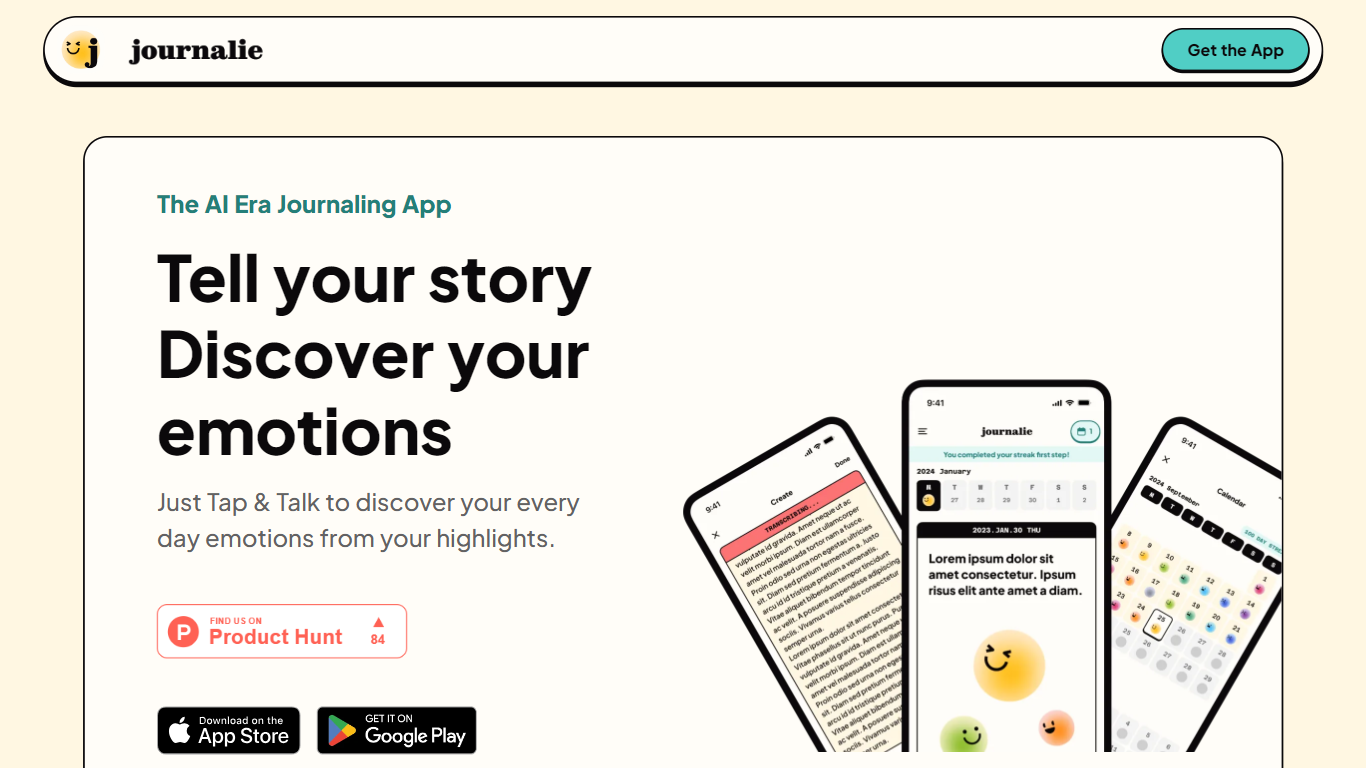

What is Journalie?
Journalie is a digital journaling app that combines the simplicity of traditional journaling with modern AI technology to help users capture their daily moments effortlessly. It transforms text and voice inputs into visually appealing journal entries, making the process engaging and personalized. The app is designed for everyone, from beginners to experienced journalers, offering an intuitive interface that encourages consistent reflection and self-expression.
The platform supports multiple input methods, including voice-to-text, allowing users to document their thoughts on the go without typing. Journalie also enhances entries with customizable visuals, helping users create a rich narrative of their life experiences. This visual storytelling approach makes journaling more enjoyable and helps users see their growth over time.
Journalie appeals to individuals seeking personal growth, mindfulness, and a creative outlet for their daily reflections. It also serves those who want to keep a digital record of their life events in a stylish and organized way. The app’s AI assists by suggesting prompts and organizing content, making journaling less daunting and more rewarding.
Technically, Journalie leverages AI-driven natural language processing to convert voice and text inputs into structured journal entries. It integrates multimedia elements to enrich the journaling experience, though specific technical frameworks are not detailed on the website. The app focuses on user privacy and data security, ensuring personal reflections remain confidential.
Overall, Journalie offers a fresh take on journaling by blending technology with creativity, making it easier and more fun to maintain a daily journal. It stands out by turning simple notes into visual stories, encouraging users to reflect and grow through their writing.
Video To Blog

What is Video To Blog?
Video To Blog turns spoken video and audio into publish-ready blog articles. Paste a YouTube link, upload a file, drop in a transcript, record audio, or connect a channel, and the service outputs structured posts with headings, screenshots, smart links, metadata, and calls to action you can send to a website, newsletter, or download as HTML, Markdown, PDF, or Word.
Transcript-to-ChatGPT workflows still leave you stitching screenshots, links, and publishing steps by hand. Video To Blog bundles those production tasks: auto screenshots from the source video, reusable CTA blocks, SEO and GEO formatting, YouTube upload automations, and a built-in Publications feature for hosting a blog plus email newsletter on a custom domain. The homepage cites 500,000+ articles created and a 4.8 average across 500+ reviews on Trustpilot, G2, and Capterra.
YouTube creators, podcasters, agencies, and teams publishing sermons or webinars are the target users. Pricing starts free with one monthly upload, scales to Business at $69 per month (yearly billing) for 50 videos, and every paid tier adds publications, website integrations, and longer runtime limits.
Journalie Upvotes
Video To Blog Upvotes
Journalie Top Features
🎙️ Voice-to-Text Input: Easily capture your thoughts hands-free anytime.
🖼️ Visual Storytelling: Transform entries into engaging visual narratives.
📝 AI-Powered Prompts: Get suggestions to overcome writer's block and inspire reflection.
📅 Daily Reminders: Stay consistent with gentle journaling prompts.
🔒 Privacy Focused: Keep your personal journal secure and confidential.
Video To Blog Top Features
Imports YouTube links, uploaded video/audio, transcripts, Google Drive files, and channel automations
Auto screenshots pull key visual moments from source videos into each article
Smart links and reusable CTA blocks insert internal and external links automatically
Publications host a blog, email newsletter, and custom domain without extra services
Free plan includes 1 monthly upload for videos up to 30 minutes with no credit card
Pro plan ($39/mo yearly) allows 15 monthly uploads up to 1.5 hours with 3 team members
Exports finished posts as HTML, Markdown, PDF, or Word and publishes to connected websites
Journalie Category
- Content Creation
Video To Blog Category
- Content Creation
Journalie Pricing Type
- Freemium
Video To Blog Pricing Type
- Freemium