Legasite vs Regex Generator By ClickUp
Dive into the comparison of Legasite vs Regex Generator By ClickUp and discover which AI Developer tool stands out. We examine alternatives, upvotes, features, reviews, pricing, and beyond.
When comparing Legasite and Regex Generator By ClickUp, which one rises above the other?
When we compare Legasite and Regex Generator By ClickUp, two exceptional developer tools powered by artificial intelligence, and place them side by side, several key similarities and differences come to light. The upvote count shows a clear preference for Regex Generator By ClickUp. Regex Generator By ClickUp has attracted 7 upvotes from aitools.fyi users, and Legasite has attracted 6 upvotes.
You don't agree with the result? Cast your vote to help us decide!
Legasite
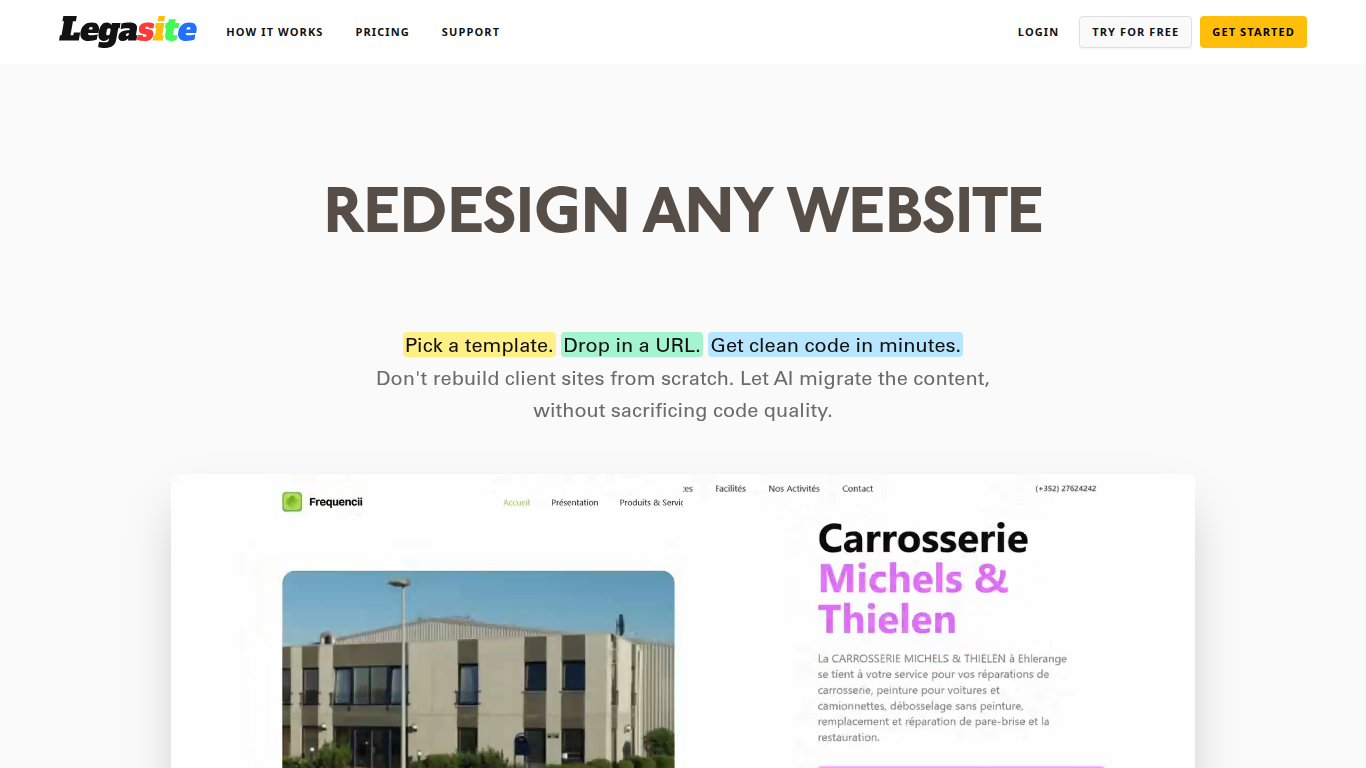

What is Legasite?
Legasite moves legacy websites into modern React and Next.js templates without rebuilding from scratch. You pick a template, drop in an existing site URL, and the platform extracts content, maps it to the layout, and generates downloadable source code in about 10 to 20 minutes.
The workflow centers on automated content extraction rather than manual copy-paste. Legasite pulls text, structure, and images from the source site, then populates a human-written template so the output follows component-based patterns with Tailwind CSS styling. You get a ZIP of real code you can deploy to Vercel, Netlify, or your own server.
It targets web agencies, freelance developers, and in-house dev teams handling client redesigns or internal UI modernization. The pitch is cutting migration grunt work so you spend time on customization and features instead of transferring content page by page.
Regex Generator By ClickUp

What is Regex Generator By ClickUp?
Regex Generator By ClickUp turns plain-language matching instructions into regular expressions through ClickUp Brain, the assistant built into ClickUp workspaces. You describe what text should match, such as emails, phone numbers, or URL fragments, in a Brain prompt and get a pattern you can paste into docs, code blocks, or validation scripts. It is a developer utility bundled with ClickUp rather than a standalone regex testing site.
Standalone regex debuggers let you iterate on patterns in isolation. Regex Generator By ClickUp works inside the same workspace where your tasks, specs, and docs already live, so Brain can read project context when you @mention it from a task or Doc. The trade-off is workspace-aware drafting in exchange for needing a ClickUp account and Brain access instead of a free browser-only tester.
Software developers, QA engineers, and workspace admins use it when they need validation patterns without memorizing regex syntax. Teams already running sprints in ClickUp can draft patterns during ticket work rather than switching to an external tool.
Legasite Upvotes
Regex Generator By ClickUp Upvotes
Legasite Top Features
Drop in a URL and get React or Next.js code in 10 to 20 minutes
Content, structure, and images pulled automatically from the old site
Download a full ZIP you can deploy anywhere with no platform lock-in
Free plan includes 3 demo credits for single-page previews on signup
Basic plan at $20 per month supports about 20 pages with downloadable code
Agency plan at $100 per month supports about 200 pages per month
Tokens reset monthly with roughly 500K tokens consumed per generated page
Regex Generator By ClickUp Top Features
ClickUp Brain returns real code you can copy, not just outline suggestions
Brain AI is $9 per user per month for unlimited Brain Assistant and @Brain Agent access
One Brain AI subscription covers Claude, ChatGPT, and Gemini chat inside ClickUp
Free Forever workspaces include trial AI access across chat, tasks, and docs
Brain AI includes 1,500 AI Super Credits per user each month
@Brain works from tasks, Docs, and Chat so you can request patterns in context
Legasite Category
- Developer
Regex Generator By ClickUp Category
- Developer
Legasite Pricing Type
- Freemium
Regex Generator By ClickUp Pricing Type
- Freemium