LINQ Me Up vs Programming-Helper
When comparing LINQ Me Up vs Programming-Helper, which AI Code Assistant tool shines brighter? We look at pricing, alternatives, upvotes, features, reviews, and more.
Between LINQ Me Up and Programming-Helper, which one is superior?
When we put LINQ Me Up and Programming-Helper side by side, both being AI-powered code assistant tools, LINQ Me Up is the clear winner in terms of upvotes. LINQ Me Up has received 6 upvotes from aitools.fyi users, while Programming-Helper has received 3 upvotes.
Disagree with the result? Upvote your favorite tool and help it win!
LINQ Me Up

What is LINQ Me Up?
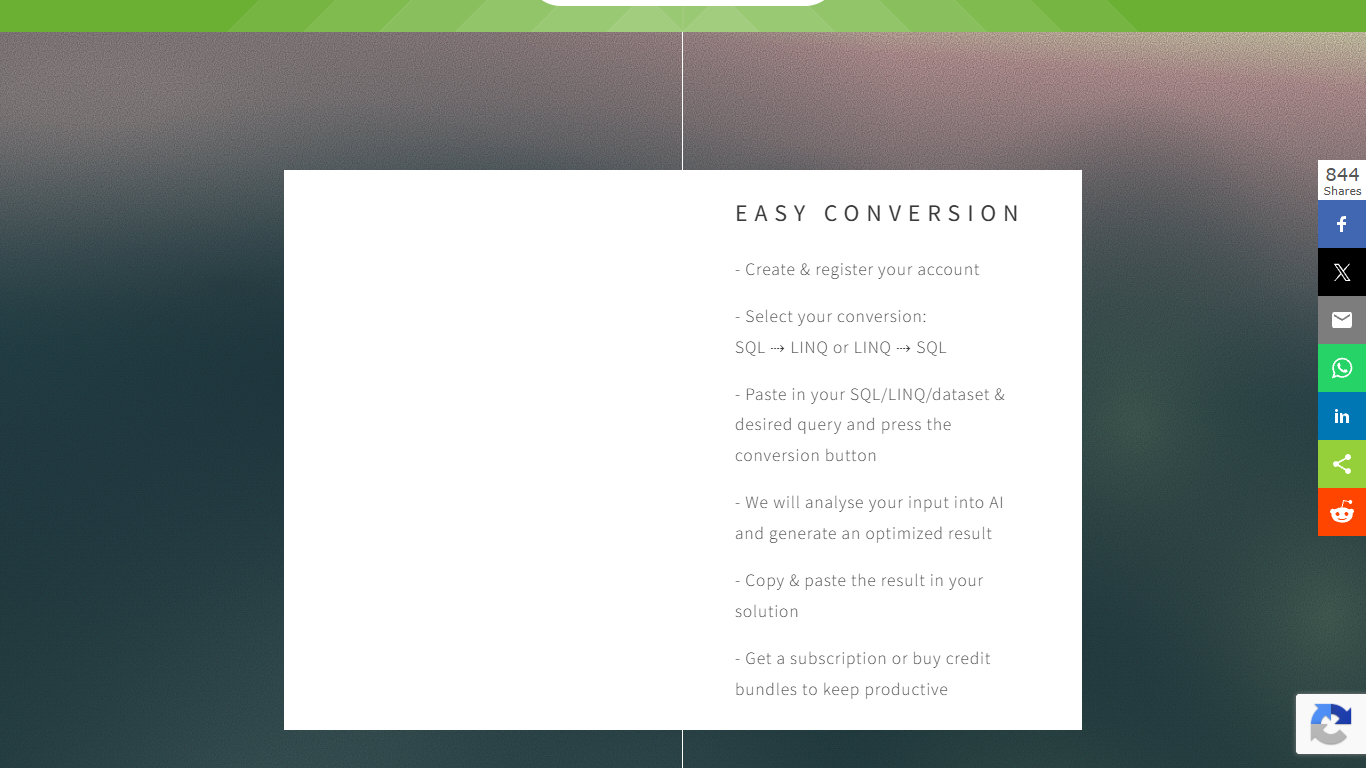
LINQ Me Up helps .NET developers convert SQL queries into LINQ code, turn LINQ back into SQL, and generate LINQ from dataset inputs like XML, JSON, and POCO objects. It targets C# and Visual Basic with both method and query syntax, so you are not stuck with rigid rule-based converters that miss context.
The conversion runs through an analysis step rather than simple syntax swapping, which the site positions as more flexible than traditional LINQ-to-SQL translators. You paste your SQL, LINQ, or sample dataset, pick the direction you need, and copy the generated code into your project.
Built for .NET developers migrating legacy SQL, prototyping data access layers, or learning LINQ syntax without hand-translating every query. Free credits let you try conversions before committing to a subscription or credit bundle.
Programming-Helper
What is Programming-Helper?
Programming-Helper is a browser-based code assistant that turns plain-English prompts into functions, SQL, HTML, regex, Git commands, and more. You pick a task like generate function or text to SQL, describe what you need, and the site returns code you can copy, with community generations visible to other users.
Most code assistants chase one workflow, usually chat inside an IDE. Programming-Helper spreads dozens of narrow generators across a single site, from docstring-to-function and fix invalid code to Linux command lookup and time-complexity analysis. That breadth trades deep project context for quick one-off answers.
It fits students, indie developers, and analysts who need a specific snippet without opening a full IDE copilot. The newer AI Studio bundles the tools behind one interface with workflows, collaboration, and one-click exports for heavier use.
LINQ Me Up Upvotes
Programming-Helper Upvotes
LINQ Me Up Top Features
Turn SQL SELECT statements into C# or VB LINQ in a few clicks
Reverse direction works too: paste LINQ and get SQL output
Feed it XML, JSON, or POCO sample data to generate tailored LINQ queries
Handles both method syntax and query syntax for C# and Visual Basic
Generated code is yours to use; the site says you own full rights to output
Programming-Helper Top Features
Generate functions from text descriptions across many programming languages
Text-to-SQL converts plain English into SQL commands
Translate code between programming languages from a description
Regex from description and regex-to-English explanation tools
Fix invalid code, add typing, and generate unit tests from existing code
AI Studio bundles all generators with workflows, collaboration, and one-click exports
LINQ Me Up Category
- Code Assistant
Programming-Helper Category
- Code Assistant
LINQ Me Up Pricing Type
- Freemium
Programming-Helper Pricing Type
- Freemium