Magic Brush AI vs Get Floor Plan
When comparing Magic Brush AI vs Get Floor Plan, which AI Design tool shines brighter? We look at pricing, alternatives, upvotes, features, reviews, and more.
In a comparison between Magic Brush AI and Get Floor Plan, which one comes out on top?
When we put Magic Brush AI and Get Floor Plan side by side, both being AI-powered design tools, Interestingly, both tools have managed to secure the same number of upvotes. Join the aitools.fyi users in deciding the winner by casting your vote.
Think we got it wrong? Cast your vote and show us who's boss!
Magic Brush AI


What is Magic Brush AI?
Magic Brush AI introduces an innovative AI-powered plugin specifically designed for Figma users who wish to enhance their design process. The Magic Brush AI plugin seamlessly integrates with Figma, allowing designers to generate and edit images directly within the application. If you're looking to speed up your design workflow and leverage artificial intelligence in your projects, Magic Brush AI offers a simple yet powerful solution. With easy installation and a user-friendly interface, Magic Brush expands creative possibilities without ever leaving your favorite design platform. Additionally, the community aspect is emphasized with an invitation to join their Discord, suggesting a focus on user engagement and support. Designed by Elie Toubiana from sunshine-filled Los Angeles, CA, Magic Brush AI is poised to transform how creatives interact with Figma and image editing.
Get Floor Plan
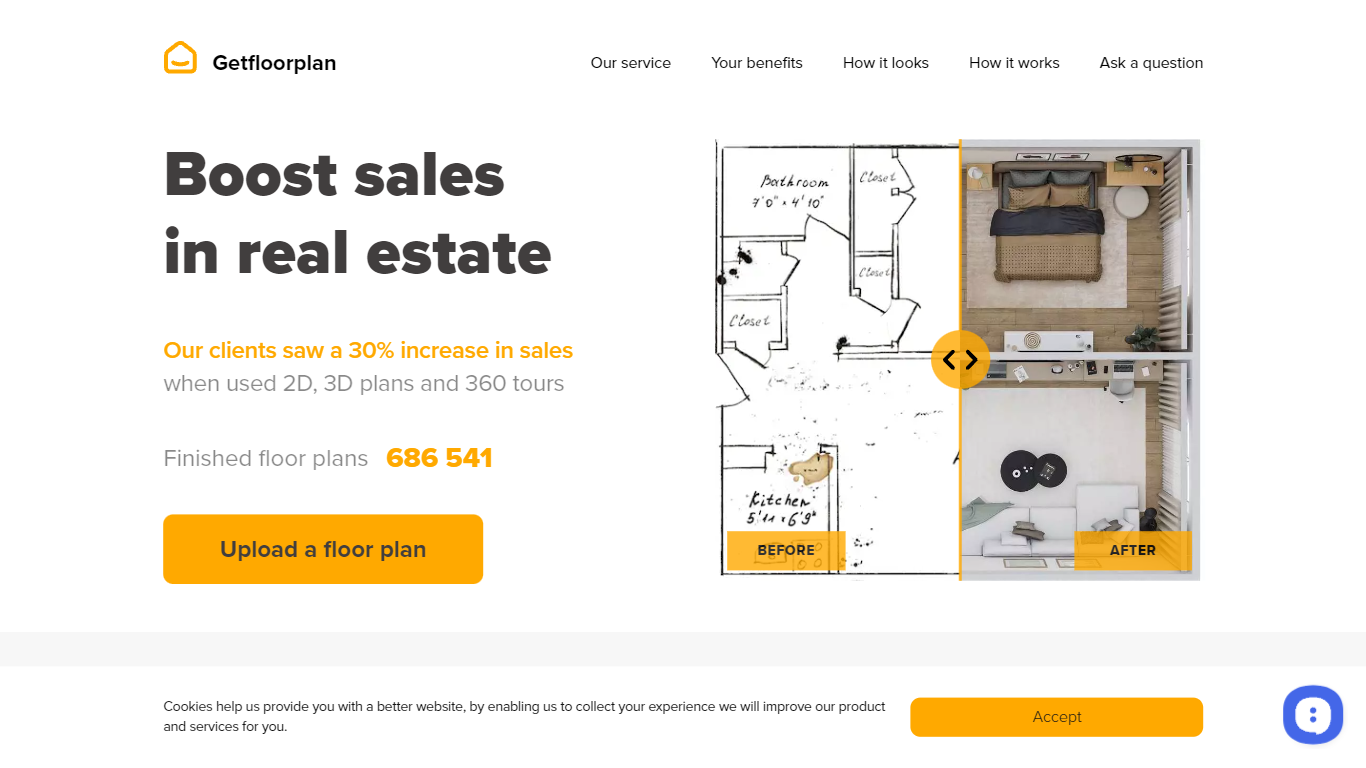
What is Get Floor Plan?
Get Floor Plan turns uploaded property layouts into finished marketing visuals for real estate teams. You submit a JPG, PNG, DWG, or PDF floor plan, pick an interior design style and visual set, and Getfloorplan delivers 2D plans, 3D views, renderings, and optional 360 tours within 24 hours. The workflow centers on selling or leasing space, not sketching rooms from a blank canvas.
Most floor plan software asks you to draw walls and place furniture yourself. Get Floor Plan flips that model: you hand off a flat layout and receive a branded visual bundle reviewed by a quality assurance team before delivery. Set prices start at $25 for 2D and 3D views, and agency tiers add white-label tours, multiple style variants, and editable FBX or GLB scenes for bulk apartment campaigns.
Property developers, real estate managers, and 3D digital agencies use Get Floor Plan for off-plan sales brochures, listing sites, and presentation decks. The site lists dedicated flows for developer construction projects, rental management portfolios, and marketing agencies that need 15 or more apartment visuals in a single day.
Magic Brush AI Upvotes
Get Floor Plan Upvotes
Magic Brush AI Top Features
AI Powered Plugin: A convenient Figma plugin that utilizes AI for image generation and editing.
Seamless Integration: Integrates with Figma for a streamlined design workflow.
Easy Installation: Simple process to install the plugin directly on Figma.
Community Support: Access to a Discord community for networking and support.
Frequent Updates: Continual improvements and feature additions to enhance user experience.
Get Floor Plan Top Features
Accepts JPG, PNG, DWG, or PDF uploads with one apartment or house floor per file
Visual sets from $25 (Basic 2D and 3D) up to $115 (Multi Set Pro with 3 styles)
Nine preset interior design styles including Scandy, Boho, Japandi, and Contemporary
24-hour delivery after rendering with a QA team review on every submitted layout
Optional 360 virtual tours, white-label branding, and FBX or GLB editable 3D models
Window views from nine presets or 200+ custom options including City, Garden, and Pool
Moneyback guarantee with refund requests returned in 3 to 7 business days
Magic Brush AI Category
- Design
Get Floor Plan Category
- Design
Magic Brush AI Pricing Type
- Freemium
Get Floor Plan Pricing Type
- Paid