Multilingual vs Bing Microsoft AI Translator
Explore the showdown between Multilingual vs Bing Microsoft AI Translator and find out which AI Translation tool wins. We analyze upvotes, features, reviews, pricing, alternatives, and more.
When comparing Multilingual and Bing Microsoft AI Translator, which one rises above the other?
When we contrast Multilingual with Bing Microsoft AI Translator, both of which are exceptional AI-operated translation tools, and place them side by side, we can spot several crucial similarities and divergences. With more upvotes, Bing Microsoft AI Translator is the preferred choice. The upvote count for Bing Microsoft AI Translator is 10, and for Multilingual it's 6.
Think we got it wrong? Cast your vote and show us who's boss!
Multilingual
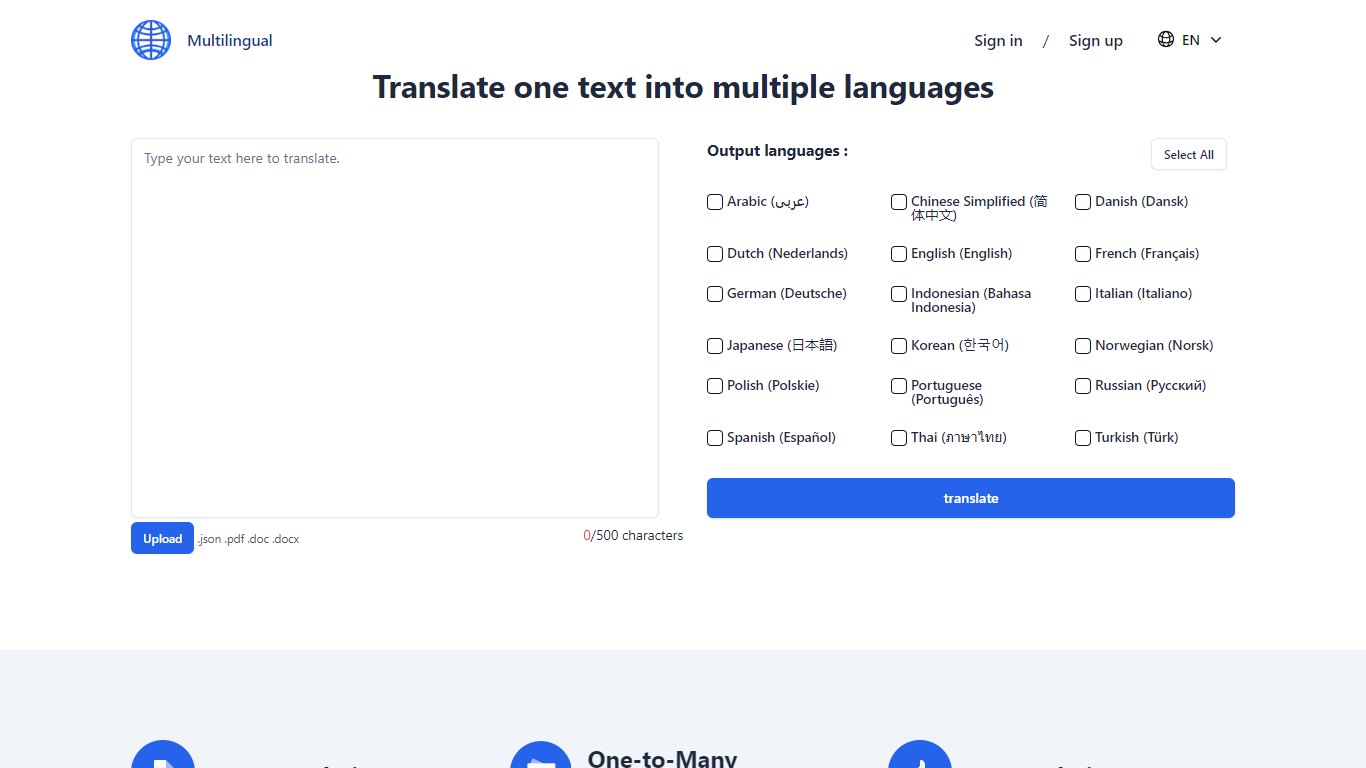

What is Multilingual?
Multilingual enables users to translate text directly in their browser using AI models that run locally on their device. It downloads compact neural translation models, allowing unlimited text translation without sending data to external servers. This approach ensures that sensitive content such as contracts or medical records remains private and secure.
What distinguishes Multilingual from typical online translators is its local-first design: all translation processing happens on the user's device rather than in the cloud. This eliminates risks associated with data uploads and removes usage limits common with cloud-based services. While local models may have varying accuracy compared to cloud solutions, Multilingual offers unmatched privacy and offline functionality.
The tool supports 26 languages with plans to expand to 200, and it includes automatic language detection that operates entirely offline once models are cached. Users can translate between non-English languages by routing translations through English locally. Multilingual requires no signup, imposes no character limits, and has no rate restrictions, making it ideal for travelers, professionals, and privacy-conscious users.
Future updates aim to add document translation, image OCR, speech-to-text, and text-to-speech features, all running locally to maintain privacy and offline capability. This roadmap reflects Multilingual's commitment to expanding its capabilities while preserving user data security and accessibility.
Bing Microsoft AI Translator

What is Bing Microsoft AI Translator?
Microsoft Translator on Bing is a free web translator for turning words and phrases between English and more than 100 languages. Paste text, pick languages from long dropdown lists, or let the page auto-detect the source language before you translate.
The Bing interface adds practical extras beyond basic text swap. You can listen to a translation, open an on-screen keyboard, capture or upload an image to translate text in photos, and regenerate results in Standard, Casual, or Formal tone. A phrase helper surfaces common expressions grouped by topics like travel, dining, and emergencies.
It fits travelers, students, and anyone who needs a quick translation in the browser without installing software. Navigation on the page also points to separate Microsoft Translator experiences for live conversation, mobile apps, and business use.
Multilingual Upvotes
Bing Microsoft AI Translator Upvotes
Multilingual Top Features
🛡️ 100% Private Translation: Your text never leaves your device, ensuring complete confidentiality.
🌐 Offline Capability: Download language models once and translate without internet access anytime.
🔄 Unlimited Use: No character limits or quotas; translate as much text as you need freely.
🗣️ Local Language Detection: Automatically identifies source language without sending data online.
📥 Supports 26 Languages: Translate between many languages with plans to add more regularly.
Bing Microsoft AI Translator Top Features
Auto-detect source language across more than 100 listed language options
Each translation request accepts up to 1,000 characters of input text
Regenerate results in Standard, Casual, or Formal tone with one click
Capture or upload an image to translate text found in photos
Speak to translate when typing is awkward on mobile or desktop
Listen to translations read aloud from the results panel
Browse common phrase sets for travel, dining, and emergencies
Multilingual Category
- Translation
Bing Microsoft AI Translator Category
- Translation
Multilingual Pricing Type
- Free
Bing Microsoft AI Translator Pricing Type
- Free