Open Assistant vs CommanderGPT
When comparing Open Assistant vs CommanderGPT, which AI All In One tool shines brighter? We look at pricing, alternatives, upvotes, features, reviews, and more.
In a comparison between Open Assistant and CommanderGPT, which one comes out on top?
When we put Open Assistant and CommanderGPT side by side, both being AI-powered all in one tools, The upvote count reveals a draw, with both tools earning the same number of upvotes. You can help us determine the winner by casting your vote and tipping the scales in favor of one of the tools.
Don't agree with the result? Cast your vote and be a part of the decision-making process!
Open Assistant

What is Open Assistant?
Explore the advanced capabilities of Open Assistant with an immersive, elegant, and user-friendly interface, designed to streamline your digital workflow efficiently. The platform incorporates an extensive color palette, supporting a wide range of visual preferences and themes, with particular attention given to color contrasts and aesthetics to suit every user's taste. Open Assistant carefully tunes typography to ensure readability and user comfort, utilizing a thoughtful variety of font sizes and weights. With precise border and size definitions across components, users experience consistency, and harmony throughout the interface. The platform's thoughtful use of shadows and radii provides an intuitive sense of depth and hierarchy, enhancing user focus and interaction. Open Assistant is dedicated to creating an aesthetically pleasing, customizable, and inclusive environment for every user's need.
CommanderGPT
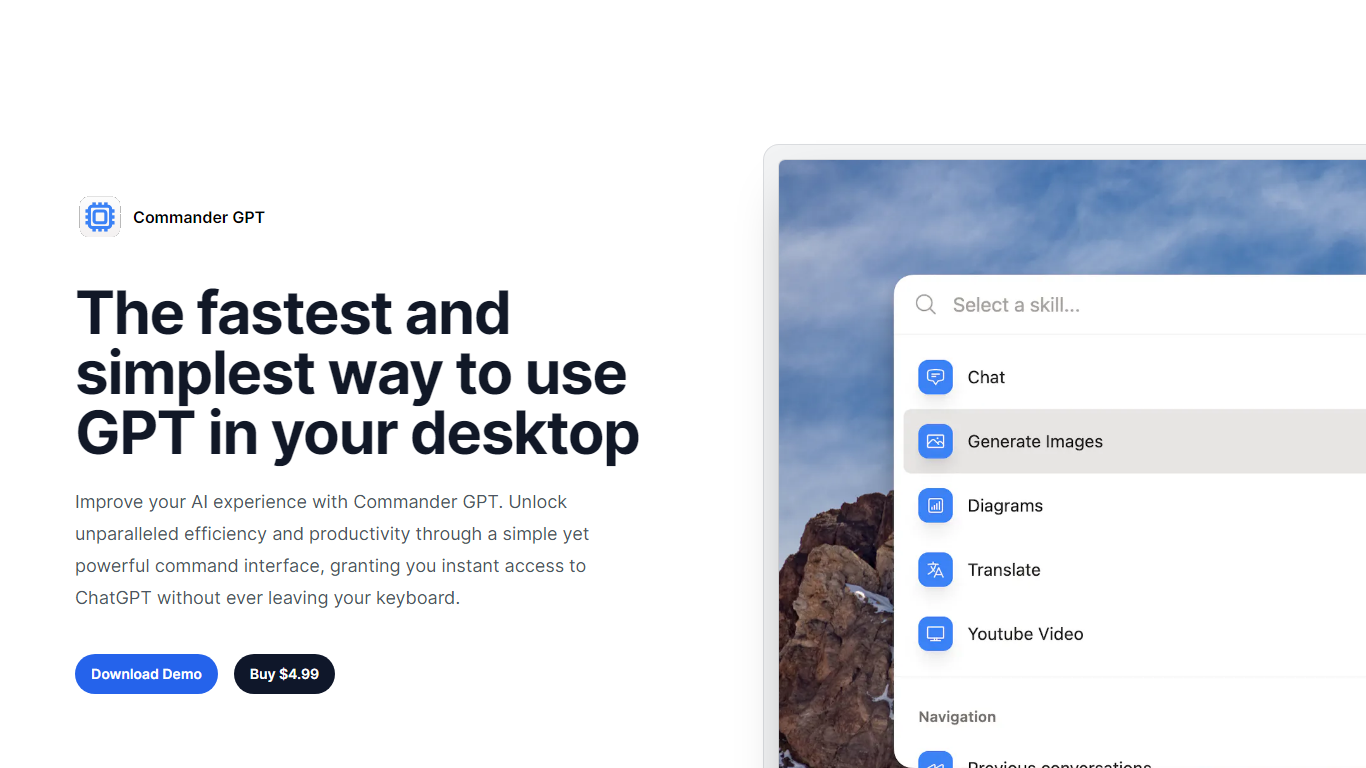
What is CommanderGPT?
Experience a revolution in desktop AI with CommanderGPT, the ultimate tool to boost your productivity and streamline your workflow. CommanderGPT is designed to be the fastest and simplest way to integrate GPT functionality into your desktop environment, enabling you to perform various AI-powered tasks without disrupting your focus.
With a sleek command interface, you can enjoy instant access to ChatGPT, generate images using OpenAI's Dalle model, translate text into multiple languages, and even get answers from a YouTube video transcript - all with a simple command overlay that doesn't interrupt your work. The versatility of CommanderGPT extends to providing an effortless translation service and creative image generation, making it a valuable addition to your day-to-day tools.
The convenience continues with CommanderGPT's ability to remember your session history, and it offers customization options that let you tailor how the AI assistant interacts with you. Its thoughtful design ensures it remains in the foreground, keeping it readily accessible at all times with just a single hotkey combo: Command+Shift+G.
CommanderGPT is available for a modest price of $4.99, and you can even try out a demo before you purchase. Created by Nicolás López Jullian, this nifty assistant is protected by copyright laws and is dedicated to enhancing your AI experience on desktop.
Open Assistant Upvotes
CommanderGPT Upvotes
Open Assistant Top Features
Consistent Aesthetics: A carefully selected color palette ensures an aesthetically pleasing interface for all users.
Optimized Readability: The use of specific font sizes and weights is designed to provide maximum comfort and readability.
Design Consistency: Precise definitions of borders and component sizing result in a harmonious and consistent user experience.
Intuitive Interaction: Thoughtful application of shadows and radii guides users seamlessly through the depth of the platform.
Customization Options: The interface supports extensive customization catering to a diverse range of user preferences.
CommanderGPT Top Features
Instant ChatGPT Access: Use a simple command to access ChatGPT on top of any app you're using.
Image Generation: Create images instantly using OpenAI's Dalle model with a single click.
Text Translation: Easily translate any selected text into multiple languages using GPT.
YouTube Video Answers: Provide a YouTube video URL and get answers based on the video's transcript.
Convenient Workflow: Commander GPT opens in front of other windows and can be accessed with a single hotkey maintaining a local session history and allowing command customization.
Open Assistant Category
- All In One
CommanderGPT Category
- All In One
Open Assistant Pricing Type
- Freemium
CommanderGPT Pricing Type
- Paid