PhotoAid's AI Image Enlarger vs Generated Photos
When comparing PhotoAid's AI Image Enlarger vs Generated Photos, which AI Photo Editing tool shines brighter? We look at pricing, alternatives, upvotes, features, reviews, and more.
In a comparison between PhotoAid's AI Image Enlarger and Generated Photos, which one comes out on top?
When we put PhotoAid's AI Image Enlarger and Generated Photos side by side, both being AI-powered photo editing tools, The upvote count is neck and neck for both PhotoAid's AI Image Enlarger and Generated Photos. You can help us determine the winner by casting your vote and tipping the scales in favor of one of the tools.
Want to flip the script? Upvote your favorite tool and change the game!
PhotoAid's AI Image Enlarger


What is PhotoAid's AI Image Enlarger?
PhotoAid's AI Image Enlarger upscales photos in the browser without a software download. You upload a JPEG, WEBP, or PNG file up to 30MB or 10,000 by 10,000 pixels, pick a 1x or 2x zoom level, and the tool doubles dimensions while smoothing detail instead of leaving blocky pixels.
Standard resize tools stretch pixels and blur faces fast. PhotoAid's upscaler uses AI smoothing tuned especially for portraits, so a 1000 by 1000 px image can become 2000 by 2000 px with fewer artifacts than a basic bicubic stretch.
The enlarger is free and hosted by PhotoAiD, the same team behind passport and visa photo tools on photoaid.com. They released it as a standalone browser utility alongside their biometric photo pipeline, with multilingual site options and links back to other PhotoAid tools.
PhotoAid's AI Image Enlarger fits photographers, ecommerce sellers, and anyone who needs a quick upscale for profile shots or product images. It also helps travelers who already use PhotoAid for passport photos and want a separate enlargement step in the same ecosystem.
Generated Photos
What is Generated Photos?
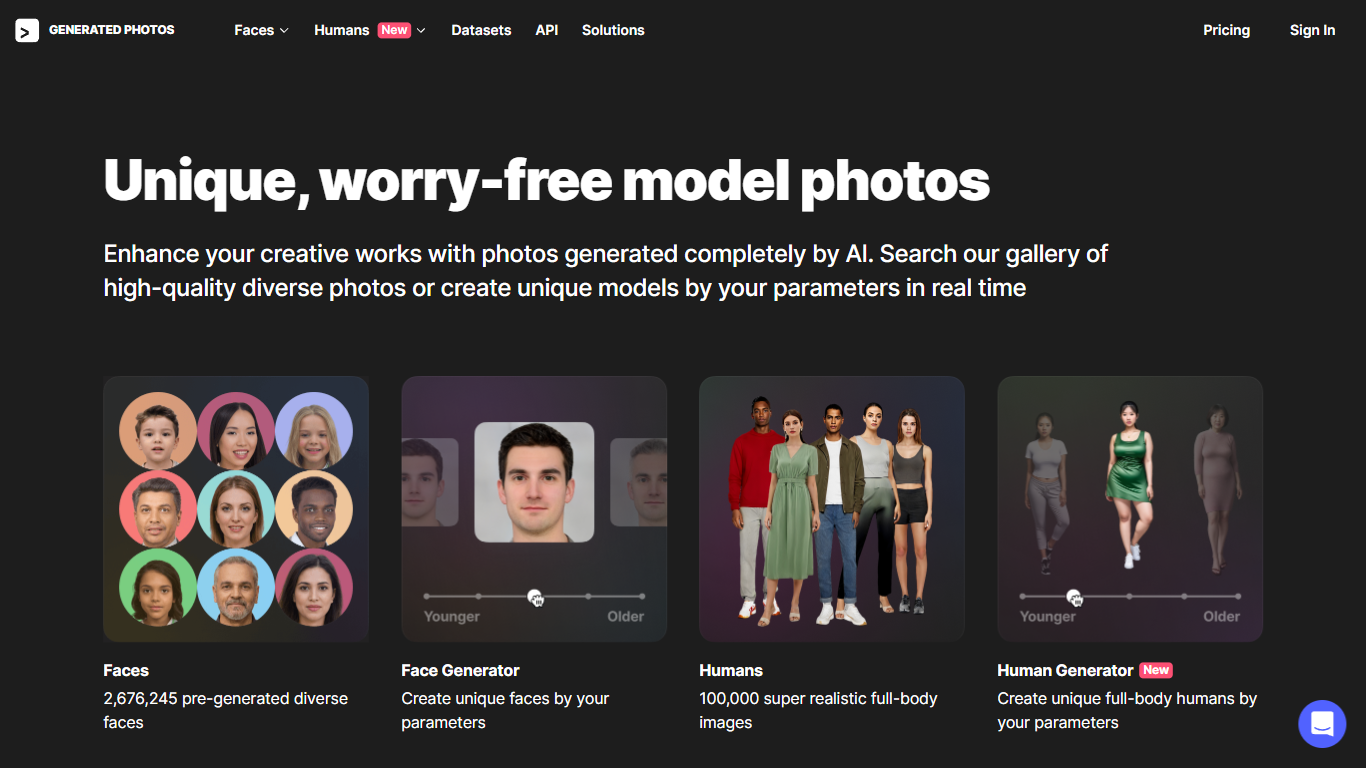
Generated Photos sells AI-created model images for design, marketing, research, and machine learning teams that need royalty-safe human photos. The catalog lists 2.6 million pre-generated faces plus 167,000 full-body humans you can browse, filter, or regenerate with custom parameters. Face Generator and Human Generator tools build new portraits on demand without a photo shoot.
Stock photo sites license real models with release forms and recurring fees. Generated Photos trains its own synthetic humans, so downloads ship without model releases and scale through bulk pricing or API access. That trade-off suits ad mockups and dataset work, but the faces can still look synthetic close up compared with studio photography.
Designers, game studios, and researchers use the Faces and Humans databases, Anonymizer uploads, and custom datasets for training data. Subscriptions run $199 per year per product line with 15 monthly downloads, while pay-as-you-go bulk tiers drop to $1 per image above 1,000 photos. Enterprise buyers can request custom datasets and API integration from the business page.
PhotoAid's AI Image Enlarger Upvotes
Generated Photos Upvotes
PhotoAid's AI Image Enlarger Top Features
2x zoom doubles image dimensions, for example 1000 by 1000 px to 2000 by 2000 px
Maximum upload size is 30MB or 10,000 by 10,000 pixels
Supports JPEG, WEBP, and PNG input formats
Browser-based workflow requires no desktop software download
AI upscaler emphasizes face photos but handles other image types
Free access with share and tell-friends prompts on the tool page
Multilingual PhotoAid site lists 15 language options in the footer
Generated Photos Top Features
2.6 million pre-generated diverse faces in the Faces database
167,000 ready-made full-body humans in the Humans catalog
Face Generator and Human Generator for custom parameter-based portraits
Bulk download tiers from $9 down to $1 per photo above 1,000 images
API access for Generated Photos and Anonymizer integrations
PhotoAid's AI Image Enlarger Category
- Photo Editing
Generated Photos Category
- Photo Editing
PhotoAid's AI Image Enlarger Pricing Type
- Free
Generated Photos Pricing Type
- Freemium