PhotoAid's AI Image Enlarger vs Green Screen AI
Dive into the comparison of PhotoAid's AI Image Enlarger vs Green Screen AI and discover which AI Photo Editing tool stands out. We examine alternatives, upvotes, features, reviews, pricing, and beyond.
In a comparison between PhotoAid's AI Image Enlarger and Green Screen AI, which one comes out on top?
When we compare PhotoAid's AI Image Enlarger and Green Screen AI, two exceptional photo editing tools powered by artificial intelligence, and place them side by side, several key similarities and differences come to light. Green Screen AI is the clear winner in terms of upvotes. The number of upvotes for Green Screen AI stands at 7, and for PhotoAid's AI Image Enlarger it's 6.
Feeling rebellious? Cast your vote and shake things up!
PhotoAid's AI Image Enlarger


What is PhotoAid's AI Image Enlarger?
PhotoAid's AI Image Enlarger upscales photos in the browser without a software download. You upload a JPEG, WEBP, or PNG file up to 30MB or 10,000 by 10,000 pixels, pick a 1x or 2x zoom level, and the tool doubles dimensions while smoothing detail instead of leaving blocky pixels.
Standard resize tools stretch pixels and blur faces fast. PhotoAid's upscaler uses AI smoothing tuned especially for portraits, so a 1000 by 1000 px image can become 2000 by 2000 px with fewer artifacts than a basic bicubic stretch.
The enlarger is free and hosted by PhotoAiD, the same team behind passport and visa photo tools on photoaid.com. They released it as a standalone browser utility alongside their biometric photo pipeline, with multilingual site options and links back to other PhotoAid tools.
PhotoAid's AI Image Enlarger fits photographers, ecommerce sellers, and anyone who needs a quick upscale for profile shots or product images. It also helps travelers who already use PhotoAid for passport photos and want a separate enlargement step in the same ecosystem.
Green Screen AI
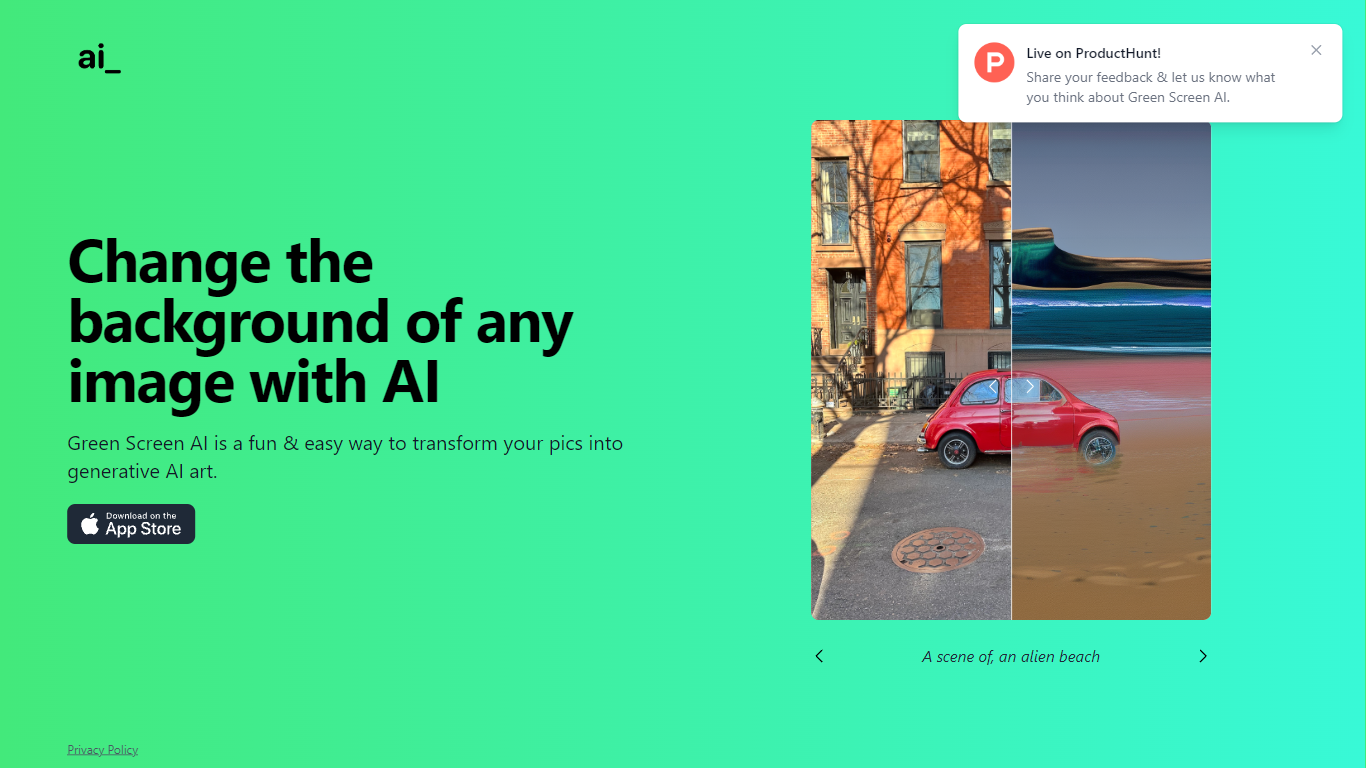
What is Green Screen AI?
Green Screen AI swaps the background of a photo for a generative scene you describe in text, no physical green screen required. Upload a picture, type a prompt like "an alien beach," and the site replaces the backdrop with AI-generated art.
Dedicated keying software expects studio lighting and manual masks. Green Screen AI targets casual creators who want a one-step background swap in the browser, with a Product Hunt launch page collecting community feedback on the experience.
Social creators, hobby photographers, and anyone making quick profile or post images can use it when they want a fun scene change without opening Photoshop. The marketing site keeps the workflow short: upload, prompt, and share the result.
PhotoAid's AI Image Enlarger Upvotes
Green Screen AI Upvotes
PhotoAid's AI Image Enlarger Top Features
2x zoom doubles image dimensions, for example 1000 by 1000 px to 2000 by 2000 px
Maximum upload size is 30MB or 10,000 by 10,000 pixels
Supports JPEG, WEBP, and PNG input formats
Browser-based workflow requires no desktop software download
AI upscaler emphasizes face photos but handles other image types
Free access with share and tell-friends prompts on the tool page
Multilingual PhotoAid site lists 15 language options in the footer
Green Screen AI Top Features
Replaces image backgrounds using text prompts such as "an alien beach"
Runs in the browser at greenscreenai.com with no physical green screen
Generates unique AI art backgrounds for each upload
Product Hunt launch page for community feedback
Preview image hosted at greenscreenai.com/assets/preview.png
PhotoAid's AI Image Enlarger Category
- Photo Editing
Green Screen AI Category
- Photo Editing
PhotoAid's AI Image Enlarger Pricing Type
- Free
Green Screen AI Pricing Type
- Free