Pica AI vs PhotoAid's AI Image Enlarger
Dive into the comparison of Pica AI vs PhotoAid's AI Image Enlarger and discover which AI Photo Editing tool stands out. We examine alternatives, upvotes, features, reviews, pricing, and beyond.
When comparing Pica AI and PhotoAid's AI Image Enlarger, which one rises above the other?
When we compare Pica AI and PhotoAid's AI Image Enlarger, two exceptional photo editing tools powered by artificial intelligence, and place them side by side, several key similarities and differences come to light. The users have made their preference clear, Pica AI leads in upvotes. The upvote count for Pica AI is 7, and for PhotoAid's AI Image Enlarger it's 6.
Don't agree with the result? Cast your vote and be a part of the decision-making process!
Pica AI
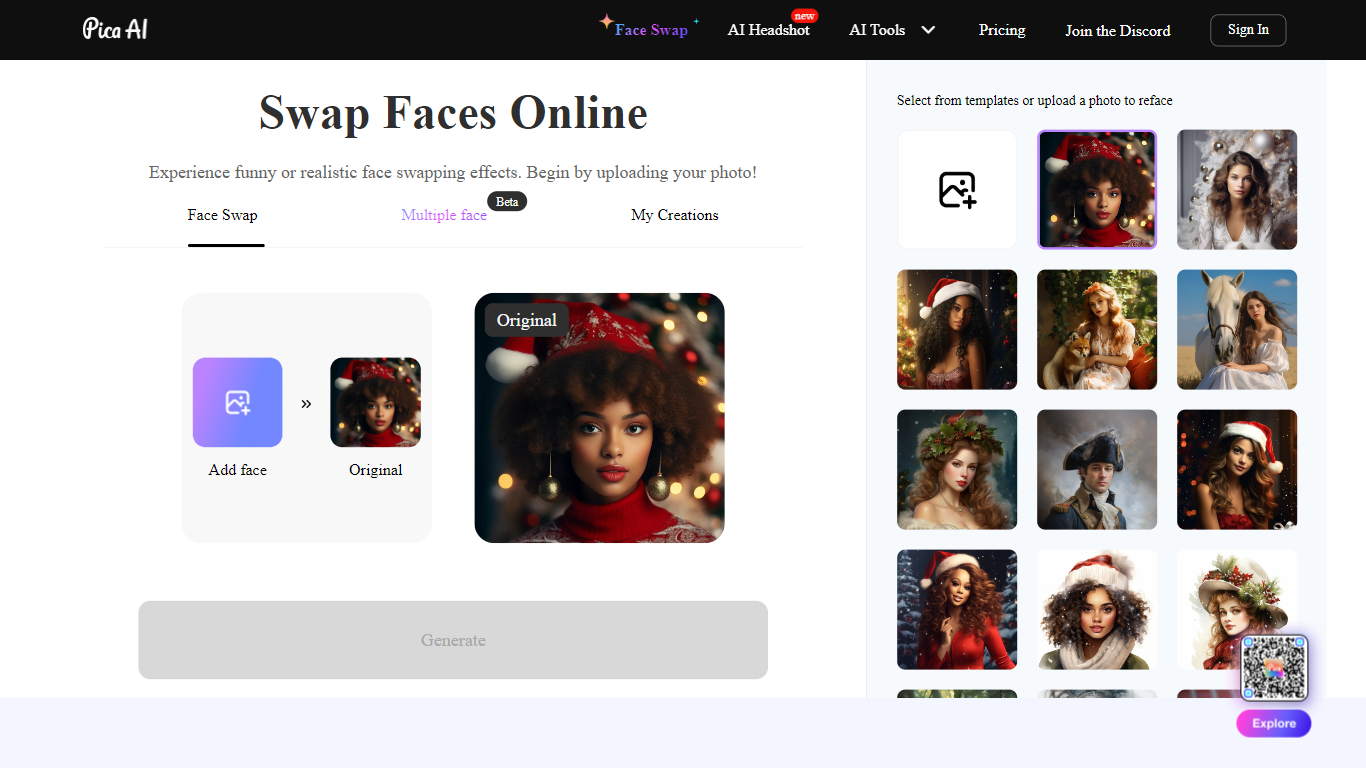

What is Pica AI?
Pica AI Face Swapper offers an innovative online tool for users to effortlessly swap faces in photos, creating entertaining or realistic effects. With a straightforward three-step process, the platform enables smooth integration of any face into various templates or custom photos. First, users upload a clear, front-facing photo of their face, ideally a high-quality headshot. Next, a body photo is selected from the provided options or uploaded by the user, ensuring matching angles and lighting for the best outcome. Finally, with the click of a button, Pica AI's advanced algorithms work to generate a flawless face swap, allowing the user to preview and then download the final image. This seamless experience is enhanced by Pica AI's comprehensive library of templates, allowing users to become anything from a historical figure to a celebrity companion, or to simply have fun with quirky yearbook photo mashups. The face swap tool is praised for its speed, ease of use, and ability to bring creative concepts to life without the need for manual adjustments or professional software skills.
PhotoAid's AI Image Enlarger

What is PhotoAid's AI Image Enlarger?
PhotoAid's AI Image Enlarger upscales photos in the browser without a software download. You upload a JPEG, WEBP, or PNG file up to 30MB or 10,000 by 10,000 pixels, pick a 1x or 2x zoom level, and the tool doubles dimensions while smoothing detail instead of leaving blocky pixels.
Standard resize tools stretch pixels and blur faces fast. PhotoAid's upscaler uses AI smoothing tuned especially for portraits, so a 1000 by 1000 px image can become 2000 by 2000 px with fewer artifacts than a basic bicubic stretch.
The enlarger is free and hosted by PhotoAiD, the same team behind passport and visa photo tools on photoaid.com. They released it as a standalone browser utility alongside their biometric photo pipeline, with multilingual site options and links back to other PhotoAid tools.
PhotoAid's AI Image Enlarger fits photographers, ecommerce sellers, and anyone who needs a quick upscale for profile shots or product images. It also helps travelers who already use PhotoAid for passport photos and want a separate enlargement step in the same ecosystem.
Pica AI Upvotes
PhotoAid's AI Image Enlarger Upvotes
Pica AI Top Features
Easy-to-Use Interface: A user-friendly platform that allows quick and effortless face swapping online.
High-Quality Results: Seamless integration of swapped faces using advanced algorithms for realistic effects.
Extensive Template Library: Access to a broad collection of templates to experiment with different personas or scenarios.
Ultra-Fast Processing: Fast generation of swapped face photos with no manual adjustments required.
Cross-Platform Compatibility: Whether it’s an online tool or mobile app switch faces across devices for on-the-go creativity.
PhotoAid's AI Image Enlarger Top Features
2x zoom doubles image dimensions, for example 1000 by 1000 px to 2000 by 2000 px
Maximum upload size is 30MB or 10,000 by 10,000 pixels
Supports JPEG, WEBP, and PNG input formats
Browser-based workflow requires no desktop software download
AI upscaler emphasizes face photos but handles other image types
Free access with share and tell-friends prompts on the tool page
Multilingual PhotoAid site lists 15 language options in the footer
Pica AI Category
- Photo Editing
PhotoAid's AI Image Enlarger Category
- Photo Editing
Pica AI Pricing Type
- Freemium
PhotoAid's AI Image Enlarger Pricing Type
- Free