PimEyes vs ChatGPT for Search Engines
Dive into the comparison of PimEyes vs ChatGPT for Search Engines and discover which AI Search Engine tool stands out. We examine alternatives, upvotes, features, reviews, pricing, and beyond.
In a comparison between PimEyes and ChatGPT for Search Engines, which one comes out on top?
When we compare PimEyes and ChatGPT for Search Engines, two exceptional search engine tools powered by artificial intelligence, and place them side by side, several key similarities and differences come to light. Interestingly, both tools have managed to secure the same number of upvotes. The power is in your hands! Cast your vote and have a say in deciding the winner.
Not your cup of tea? Upvote your preferred tool and stir things up!
PimEyes
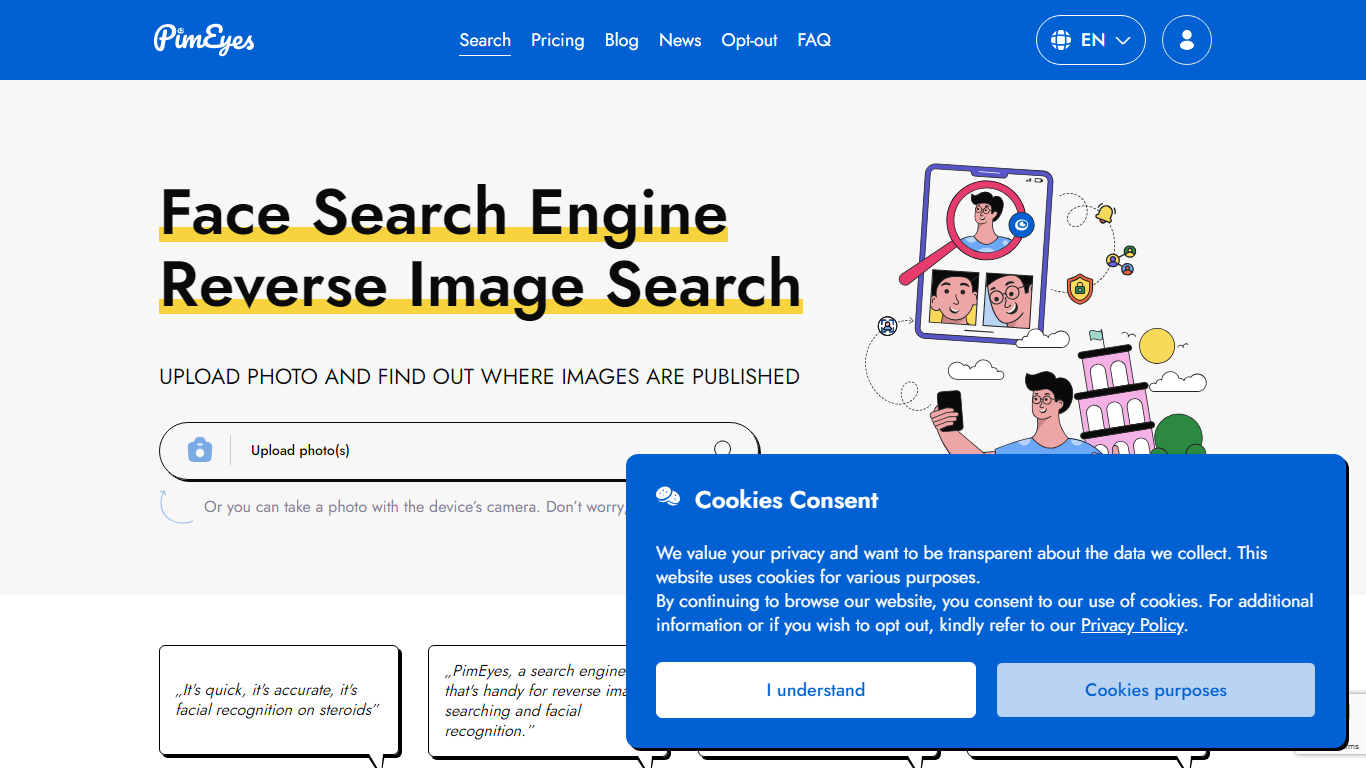

What is PimEyes?
Upload a photo and PimEyes scans the open web for matching faces in seconds. The reverse image search engine compares your picture against billions of indexed images, then returns source links so you can see where your face appears online. You can upload up to 5 photos at 8 MB each, use the camera capture option, and start with a free search from the homepage.
Generic reverse image search matches pixels and logos. PimEyes focuses on facial recognition across the open web, with monitoring alerts, optional takedown guidance, and an opt-out flow if you do not want your face indexed. Paid tiers add blur-free results, higher daily search limits, and AI-generated reports, which matters when you are tracking unauthorized reuse rather than hunting for a similar stock photo.
Creators audit copyright on photos and designs. Everyday users check their digital footprint. Public figures and PR teams set alerts for new appearances. Legal and security teams run higher-volume investigations through Advanced and OSINT offerings.
PimEyes advertises 99.5% search accuracy, GDPR compliance, SSL encryption, and more than 500,000 users on the pricing page.
ChatGPT for Search Engines

What is ChatGPT for Search Engines?
ChatGPT for Search Engines is a browser extension that shows ChatGPT answers alongside results from Google, Bing, DuckDuckGo, Ecosia, and Baidu. Install it in Chrome, Firefox, or Edge, run a search, and a ChatGPT panel appears next to the results with a natural-language summary or direct answer to your query. You can trigger it manually, always show it, or activate it with a question mark.
Unlike opening ChatGPT in a separate tab, this extension keeps AI context on the same page as your search results. It adds code syntax highlighting for technical answers, 70 plus prompt templates for SEO, ads, and content writing, and a choice between a popup panel or standalone page. You can use the free web API or connect your own OpenAI API key for more stable responses.
Researchers, developers, marketers, and students use it to get quick explanations without leaving their search workflow. The Chrome listing shows over 200,000 users, and the extension is free with optional paid API usage if you bring your own OpenAI key.
PimEyes Upvotes
ChatGPT for Search Engines Upvotes
PimEyes Top Features
Searches more than 10 billion images with a marketed 99.5% accuracy rate
Returns face matches in under 5 seconds with up to 5 photos per upload at 8 MB each
Open Plus unlocks up to 75 daily searches and 10 PimEyes Alerts
PROtect tier raises limits to 125 daily searches and 20 alerts with AI reports
Advanced plan offers unlimited daily searches and 500 active PimEyes Alerts
Opt-out page lets you exclude your face from PimEyes search results
Optional takedown agent support on PROtect for removal guidance on external sites
ChatGPT for Search Engines Top Features
Shows ChatGPT answers alongside Google, Bing, DuckDuckGo, Ecosia, and Baidu results
70 plus built-in prompt templates covering SEO, ads, video scripts, and blog outlines
Code syntax highlighting in technical ChatGPT responses
Three trigger modes: always show, manual activation, or question-mark shortcut
Choose between a popup panel or standalone page for ChatGPT output
Free to install with optional OpenAI API key for more stable responses
PimEyes Category
- Search Engine
ChatGPT for Search Engines Category
- Search Engine
PimEyes Pricing Type
- Freemium
ChatGPT for Search Engines Pricing Type
- Free