Pixelcode vs ChatGitHub
In the face-off between Pixelcode vs ChatGitHub, which AI Code Assistant tool takes the crown? We scrutinize features, alternatives, upvotes, reviews, pricing, and more.
In a face-off between Pixelcode and ChatGitHub, which one takes the crown?
If we were to analyze Pixelcode and ChatGitHub, both of which are AI-powered code assistant tools, what would we find? There's no clear winner in terms of upvotes, as both tools have received the same number. Your vote matters! Help us decide the winner among aitools.fyi users by casting your vote.
Not your cup of tea? Upvote your preferred tool and stir things up!
Pixelcode


What is Pixelcode?
Pixelcode turns code screenshots, YouTube frames, images, and PDFs into editable source text through a Chrome extension. Click the extension, crop the snippet you need, and the extracted code lands on your clipboard formatted for your IDE instead of forcing a manual retype.
Generic OCR tools flatten indentation and miss language syntax. Pixelcode targets developer workflows with automatic language detection across 30 plus languages, precision cropping from a few lines to long blocks, and optional unlimited extraction when you connect your own ChatGPT API key on the $35 lifetime tier instead of buying screenshot credits.
Developers learning from video tutorials, reviewing legacy PDF docs, or capturing snippets from blog images use Pixelcode when they want paste-ready code without rebuilding formatting by hand.
ChatGitHub
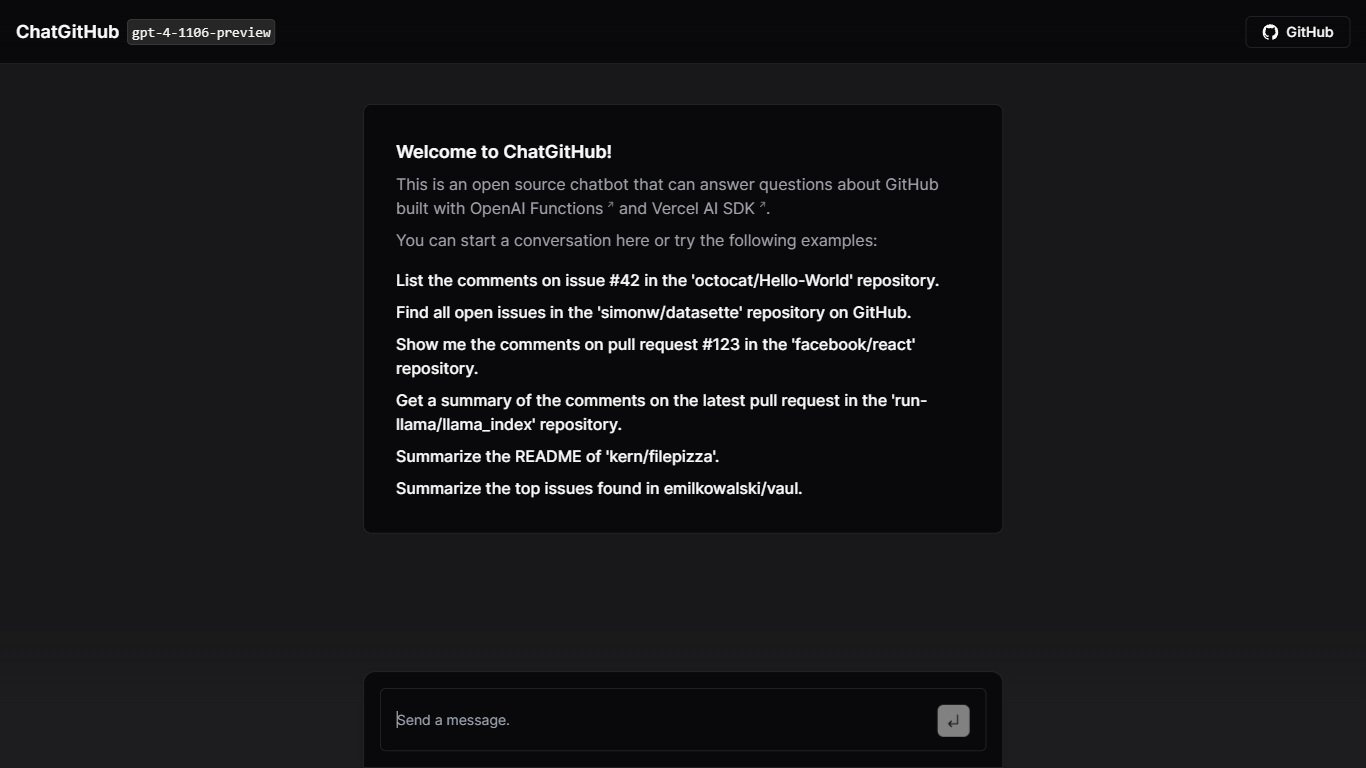
What is ChatGitHub?
ChatGitHub is an open-source chatbot designed to answer queries about GitHub. It utilizes OpenAI Functions and Vercel AI SDK for its operations. Users can engage with ChatGitHub to perform tasks like listing comments on specific issues or pull requests in various GitHub repositories, finding open issues in selected repositories, summarizing comments on pull requests, and summarizing READMEs or top issues in particular repositories.
In short, ChatGitHub efficiently connects users with GitHub's extensive information, enabling smoother interactions. It's ideal for regular GitHub users seeking a more conversational and user-friendly approach.
Pixelcode Upvotes
ChatGitHub Upvotes
Pixelcode Top Features
Chrome extension captures and crops code directly in the browser with clipboard output
Recognizes 30+ programming languages including JavaScript, Python, Java, Swift, and Ruby
Pay-per-use lifetime plan costs $15 with 20 free screenshots and $8 per 100 additional captures
Unlimited lifetime tier at $35 routes extraction through your own ChatGPT API key
Processes code from YouTube video frames, static images, and PDF documents
API keys stay on your device and are not stored on Pixelcode servers per the FAQ
ChatGitHub Top Features
Natural Language Processing: ChatGitHub allows users to interact with GitHub using natural language, making it easier to navigate and use GitHub's functionalities.
Repository Information Access: Users can easily obtain detailed information about GitHub repositories, including issues, pull requests, and comments.
Action Performance on Repositories: The chatbot enables users to perform various actions on GitHub repositories, enhancing user interaction and productivity.
Information Retrieval: ChatGitHub provides a convenient way to access and retrieve information from GitHub without manually navigating the platform.
Summarization Capabilities: The tool assists users in summarizing large pieces of text related to GitHub repositories, aiding in quick comprehension of extensive data.
Pixelcode Category
- Code Assistant
ChatGitHub Category
- Code Assistant
Pixelcode Pricing Type
- Paid
ChatGitHub Pricing Type
- Freemium