Pixelcode vs Code Translator
Compare Pixelcode vs Code Translator and see which AI Code Assistant tool is better when we compare features, reviews, pricing, alternatives, upvotes, etc.
Which one is better? Pixelcode or Code Translator?
When we compare Pixelcode with Code Translator, which are both AI-powered code assistant tools, The community has spoken, Code Translator leads with more upvotes. The upvote count for Code Translator is 7, and for Pixelcode it's 6.
Disagree with the result? Upvote your favorite tool and help it win!
Pixelcode


What is Pixelcode?
Pixelcode turns code screenshots, YouTube frames, images, and PDFs into editable source text through a Chrome extension. Click the extension, crop the snippet you need, and the extracted code lands on your clipboard formatted for your IDE instead of forcing a manual retype.
Generic OCR tools flatten indentation and miss language syntax. Pixelcode targets developer workflows with automatic language detection across 30 plus languages, precision cropping from a few lines to long blocks, and optional unlimited extraction when you connect your own ChatGPT API key on the $35 lifetime tier instead of buying screenshot credits.
Developers learning from video tutorials, reviewing legacy PDF docs, or capturing snippets from blog images use Pixelcode when they want paste-ready code without rebuilding formatting by hand.
Code Translator
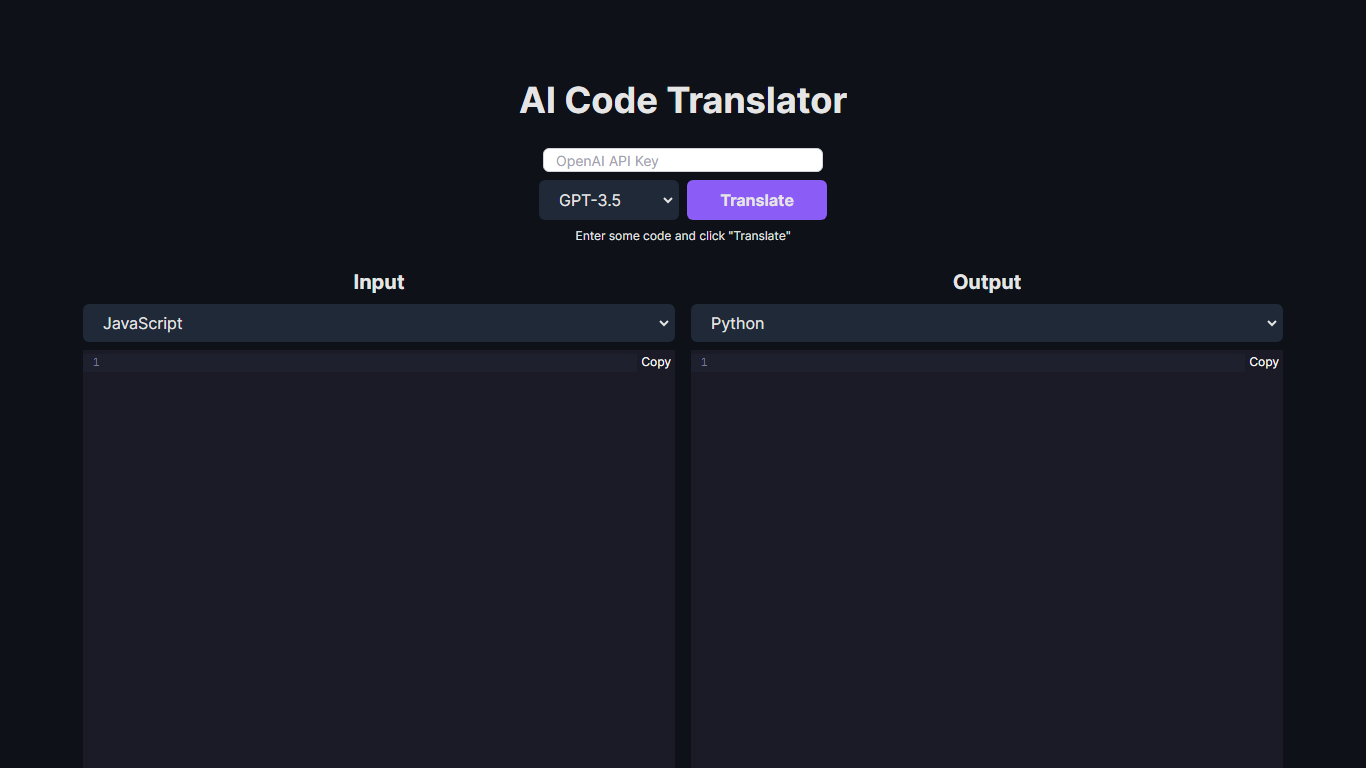
What is Code Translator?
Unlock the potential of code conversion with our cutting-edge AI Code Translator. This dynamic tool bridges the gap between different programming languages, making it a breeze for developers to translate code snippets with ease. With support for a wide array of languages including Assembly, C++, Python, Java, and many more, the AI-driven translator is the ultimate companion for code enthusiasts and professionals.
Experience the power of GPT-3.5 and GPT-4 technology as you effortlessly convert code from one syntax to another. Whether you're looking to translate code for educational purposes, cross-platform development, or simply to understand a new language syntax, our Code Translator is tailored to meet your needs. Just "Enter some code and click 'Translate'" for instant results. With user-friendly design and the ability to copy outputs directly, coding has never been more accessible.
Pixelcode Upvotes
Code Translator Upvotes
Pixelcode Top Features
Chrome extension captures and crops code directly in the browser with clipboard output
Recognizes 30+ programming languages including JavaScript, Python, Java, Swift, and Ruby
Pay-per-use lifetime plan costs $15 with 20 free screenshots and $8 per 100 additional captures
Unlimited lifetime tier at $35 routes extraction through your own ChatGPT API key
Processes code from YouTube video frames, static images, and PDF documents
API keys stay on your device and are not stored on Pixelcode servers per the FAQ
Code Translator Top Features
Efficient Translation: Quick and accurate translation across a vast selection of programming languages.
Cutting-Edge Technology: Powered by the advanced AI models of GPT-3.5 and GPT-4.
User-Friendly Interface: Simple "Enter and Translate" process for seamless user experience.
Wide Language Support: From mainstream languages like Java and Python to niche ones like COBOL and Racket.
Instant Copy Functionality: Easy to copy translated code for immediate use or further development.
Pixelcode Category
- Code Assistant
Code Translator Category
- Code Assistant
Pixelcode Pricing Type
- Paid
Code Translator Pricing Type
- Free