Pixelcode vs Copilot Chat
In the battle of Pixelcode vs Copilot Chat, which AI Code Assistant tool comes out on top? We compare reviews, pricing, alternatives, upvotes, features, and more.
Between Pixelcode and Copilot Chat, which one is superior?
Upon comparing Pixelcode with Copilot Chat, which are both AI-powered code assistant tools, The upvote count reveals a draw, with both tools earning the same number of upvotes. Your vote matters! Help us decide the winner among aitools.fyi users by casting your vote.
Want to flip the script? Upvote your favorite tool and change the game!
Pixelcode


What is Pixelcode?
Pixelcode turns code screenshots, YouTube frames, images, and PDFs into editable source text through a Chrome extension. Click the extension, crop the snippet you need, and the extracted code lands on your clipboard formatted for your IDE instead of forcing a manual retype.
Generic OCR tools flatten indentation and miss language syntax. Pixelcode targets developer workflows with automatic language detection across 30 plus languages, precision cropping from a few lines to long blocks, and optional unlimited extraction when you connect your own ChatGPT API key on the $35 lifetime tier instead of buying screenshot credits.
Developers learning from video tutorials, reviewing legacy PDF docs, or capturing snippets from blog images use Pixelcode when they want paste-ready code without rebuilding formatting by hand.
Copilot Chat
What is Copilot Chat?
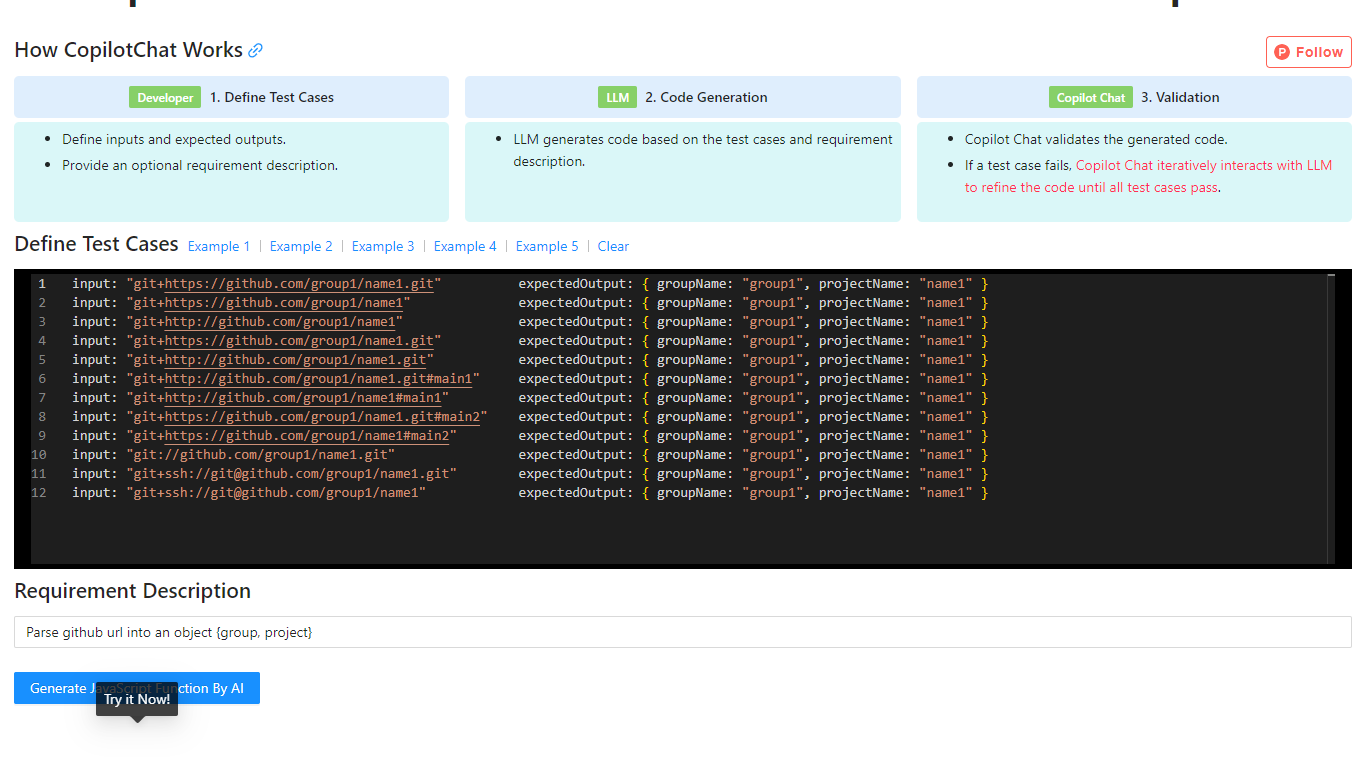
Copilot Chat is a test-driven code generation tool that helps developers produce JavaScript functions from input-output test cases. You define inputs, expected outputs, and an optional requirement description, then the tool uses an LLM to generate code and validate it against your tests.
If a test fails, Copilot Chat iteratively refines the generated code with the model until every case passes. The site includes worked examples for tasks like parsing GitHub URLs, parsing CSS color strings, and capitalizing words in a string.
The workflow is inspired by test-driven development and flow-engineering ideas similar to TypeChat and AlphaCodium, focusing on repeatable validation instead of one-shot prompt output.
Pixelcode Upvotes
Copilot Chat Upvotes
Pixelcode Top Features
Chrome extension captures and crops code directly in the browser with clipboard output
Recognizes 30+ programming languages including JavaScript, Python, Java, Swift, and Ruby
Pay-per-use lifetime plan costs $15 with 20 free screenshots and $8 per 100 additional captures
Unlimited lifetime tier at $35 routes extraction through your own ChatGPT API key
Processes code from YouTube video frames, static images, and PDF documents
API keys stay on your device and are not stored on Pixelcode servers per the FAQ
Copilot Chat Top Features
Define input and expected output test cases before code is generated
Uses an LLM to generate JavaScript based on your tests and requirement notes
Automatically validates generated code against every test case
Iteratively refines failed outputs until all tests pass
Includes built-in examples for Git URL parsing, CSS color parsing, and string manipulation
Pixelcode Category
- Code Assistant
Copilot Chat Category
- Code Assistant
Pixelcode Pricing Type
- Paid
Copilot Chat Pricing Type
- Free