Pixelcode vs SmartCoder
In the battle of Pixelcode vs SmartCoder, which AI Code Assistant tool comes out on top? We compare reviews, pricing, alternatives, upvotes, features, and more.
Between Pixelcode and SmartCoder, which one is superior?
Upon comparing Pixelcode with SmartCoder, which are both AI-powered code assistant tools, Neither tool takes the lead, as they both have the same upvote count. Since other aitools.fyi users could decide the winner, the ball is in your court now to cast your vote and help us determine the winner.
You don't agree with the result? Cast your vote to help us decide!
Pixelcode


What is Pixelcode?
Pixelcode turns code screenshots, YouTube frames, images, and PDFs into editable source text through a Chrome extension. Click the extension, crop the snippet you need, and the extracted code lands on your clipboard formatted for your IDE instead of forcing a manual retype.
Generic OCR tools flatten indentation and miss language syntax. Pixelcode targets developer workflows with automatic language detection across 30 plus languages, precision cropping from a few lines to long blocks, and optional unlimited extraction when you connect your own ChatGPT API key on the $35 lifetime tier instead of buying screenshot credits.
Developers learning from video tutorials, reviewing legacy PDF docs, or capturing snippets from blog images use Pixelcode when they want paste-ready code without rebuilding formatting by hand.
SmartCoder
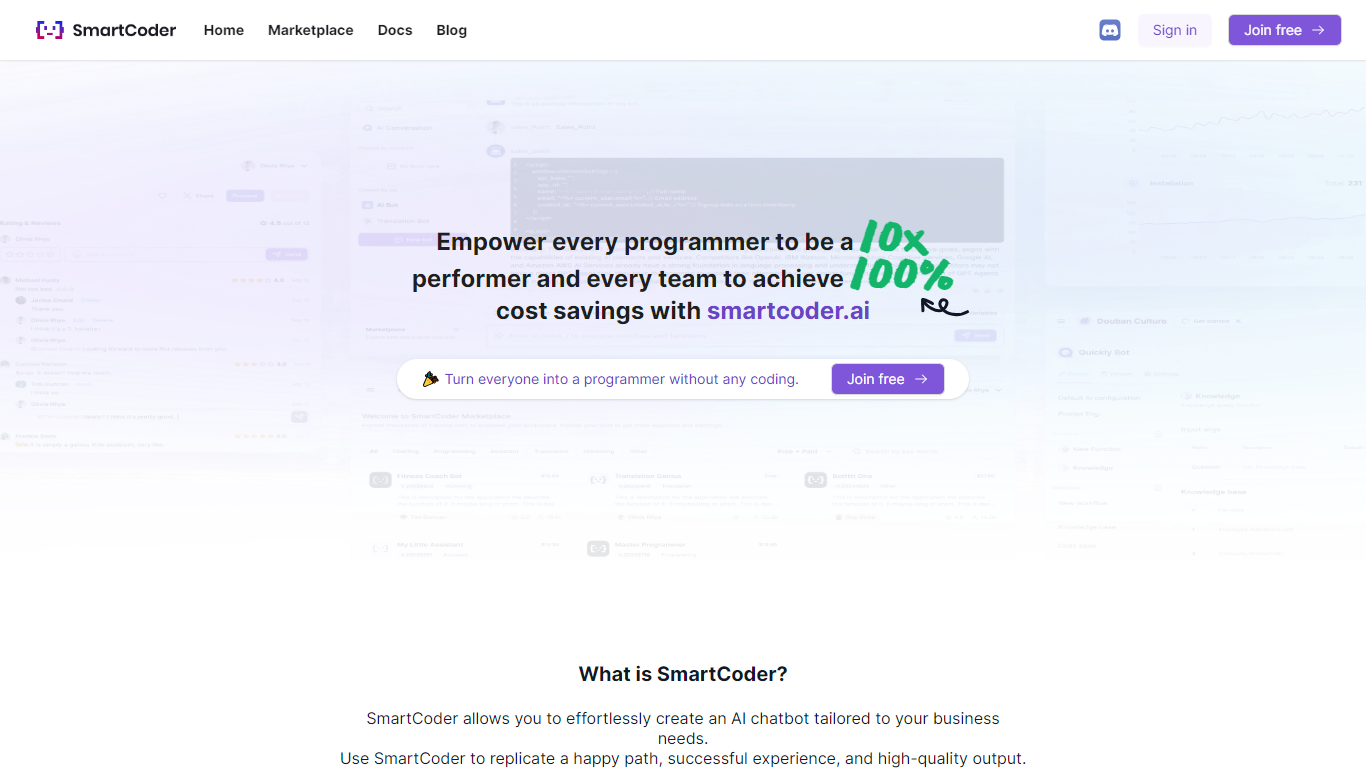
What is SmartCoder?
SmartCoder is your go-to platform for all your coding needs. Whether you're looking to enhance your coding skills, find relevant documentation, or explore a wide array of digital tools, SmartCoder offers a seamless experience. With a user-friendly interface, the platform invites both novices and seasoned developers to sign in or join for free and dive into a diverse marketplace.
The integrated blog section keeps you up-to-date with the latest trends and insights in the coding world. SmartCoder is designed to facilitate easy navigation, ensuring that users reach their desired content with minimal effort. From useful Docs for learning and troubleshooting to a thriving marketplace with numerous options, everything you need is just a click away. Engage with a community of like-minded individuals and leverage the full potential of SmartCoder's offerings to elevate your coding projects to new heights.
Pixelcode Upvotes
SmartCoder Upvotes
Pixelcode Top Features
Chrome extension captures and crops code directly in the browser with clipboard output
Recognizes 30+ programming languages including JavaScript, Python, Java, Swift, and Ruby
Pay-per-use lifetime plan costs $15 with 20 free screenshots and $8 per 100 additional captures
Unlimited lifetime tier at $35 routes extraction through your own ChatGPT API key
Processes code from YouTube video frames, static images, and PDF documents
API keys stay on your device and are not stored on Pixelcode servers per the FAQ
SmartCoder Top Features
Easy Navigation: Straightforward access to marketplace, documentation, and blog.
Free Sign-In and Membership: Quick sign-in or joining options, available for free.
Diverse Marketplace: A wide range of tools and resources for coders.
Educational Docs: Comprehensive documentation for learning and problem-solving.
Engaging Blog: Stay informed with articles on the latest coding trends and tips.
Pixelcode Category
- Code Assistant
SmartCoder Category
- Code Assistant
Pixelcode Pricing Type
- Paid
SmartCoder Pricing Type
- Freemium