Pixelcode vs tldrdev.ai
When comparing Pixelcode vs tldrdev.ai, which AI Code Assistant tool shines brighter? We look at pricing, alternatives, upvotes, features, reviews, and more.
In a comparison between Pixelcode and tldrdev.ai, which one comes out on top?
When we put Pixelcode and tldrdev.ai side by side, both being AI-powered code assistant tools, Interestingly, both tools have managed to secure the same number of upvotes. The power is in your hands! Cast your vote and have a say in deciding the winner.
Feeling rebellious? Cast your vote and shake things up!
Pixelcode


What is Pixelcode?
Pixelcode turns code screenshots, YouTube frames, images, and PDFs into editable source text through a Chrome extension. Click the extension, crop the snippet you need, and the extracted code lands on your clipboard formatted for your IDE instead of forcing a manual retype.
Generic OCR tools flatten indentation and miss language syntax. Pixelcode targets developer workflows with automatic language detection across 30 plus languages, precision cropping from a few lines to long blocks, and optional unlimited extraction when you connect your own ChatGPT API key on the $35 lifetime tier instead of buying screenshot credits.
Developers learning from video tutorials, reviewing legacy PDF docs, or capturing snippets from blog images use Pixelcode when they want paste-ready code without rebuilding formatting by hand.
tldrdev.ai
What is tldrdev.ai?
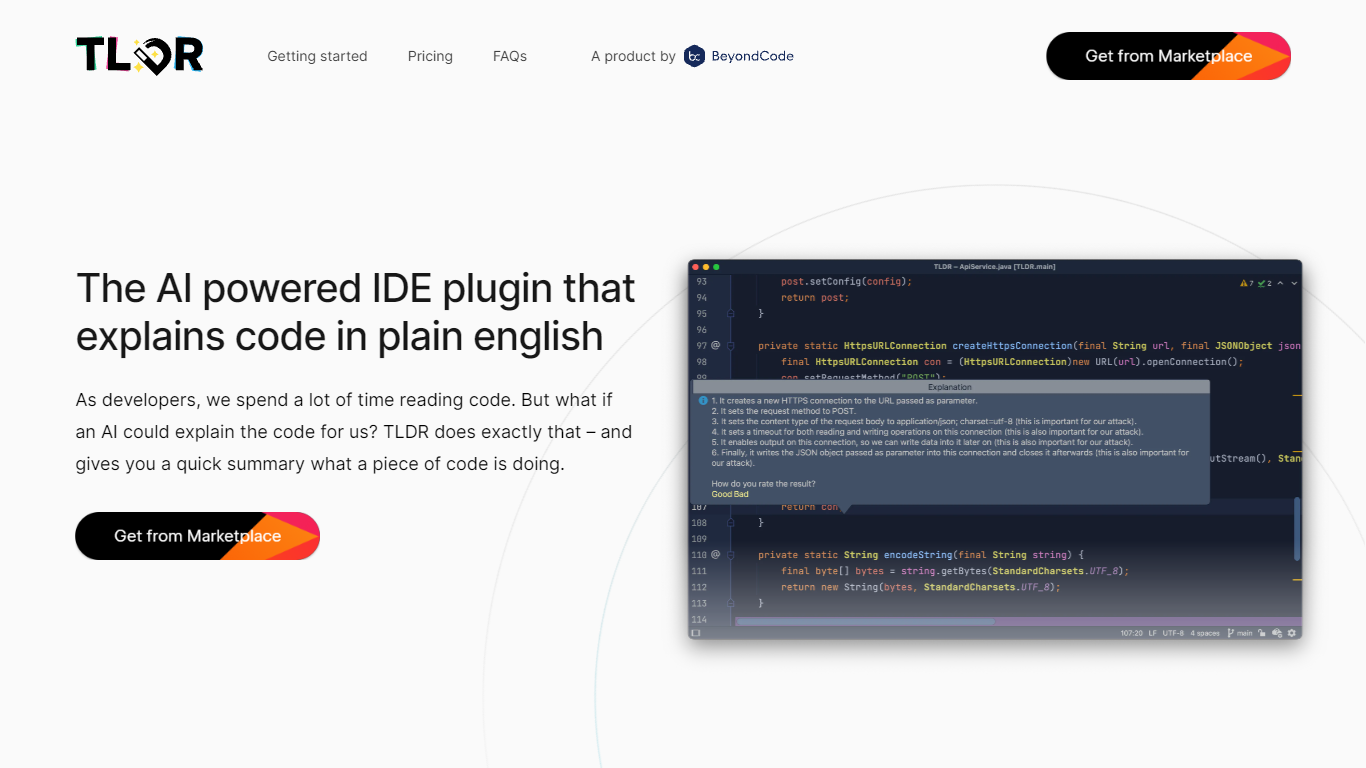
TLDR is a JetBrains IDE plugin that sends selected code to an AI backend and returns a plain English explanation. You highlight a method, SQL query, or regular expression inside IntelliJ, PhpStorm, WebStorm, or another JetBrains editor, then trigger TLDR via shortcut or right-click to get a readable summary of what the code does.
Unlike browser-based code explainers, TLDR lives inside the IDE where you already read code. It targets the specific pain points the team calls out on tldrdev.ai: regex you inherited, SQL joins you did not write, and unfamiliar methods in a new codebase. The free tier caps you at 3 explanations per day; paid Individual and Organization plans raise those limits through the JetBrains Marketplace.
Developers who work primarily in JetBrains IDEs and regularly hit unfamiliar code blocks are the core audience. The plugin supports most programming languages, though the team notes HTML and markup explanations are less useful. Beyond Code GmbH built TLDR and sells it alongside their other developer tools.
Pixelcode Upvotes
tldrdev.ai Upvotes
Pixelcode Top Features
Chrome extension captures and crops code directly in the browser with clipboard output
Recognizes 30+ programming languages including JavaScript, Python, Java, Swift, and Ruby
Pay-per-use lifetime plan costs $15 with 20 free screenshots and $8 per 100 additional captures
Unlimited lifetime tier at $35 routes extraction through your own ChatGPT API key
Processes code from YouTube video frames, static images, and PDF documents
API keys stay on your device and are not stored on Pixelcode servers per the FAQ
tldrdev.ai Top Features
Free tier includes 3 code explanations per day inside any JetBrains IDE
Individual plan costs $4.90 per month or $49 per year per user via JetBrains Marketplace
Explains selected methods, SQL queries, and regular expressions without leaving the editor
Organization plan at $9.90 per month or $99 per year adds priority email support
Supports most programming languages with rare exceptions reported to the team
Installs directly from JetBrains plugin ID 20050 with billing handled through the marketplace
Pixelcode Category
- Code Assistant
tldrdev.ai Category
- Code Assistant
Pixelcode Pricing Type
- Paid
tldrdev.ai Pricing Type
- Freemium