Pixelgen vs Virtual Face
In the battle of Pixelgen vs Virtual Face, which AI Design tool comes out on top? We compare reviews, pricing, alternatives, upvotes, features, and more.
Between Pixelgen and Virtual Face, which one is superior?
Upon comparing Pixelgen with Virtual Face, which are both AI-powered design tools, The upvote count reveals a draw, with both tools earning the same number of upvotes. Your vote matters! Help us decide the winner among aitools.fyi users by casting your vote.
Want to flip the script? Upvote your favorite tool and change the game!
Pixelgen


What is Pixelgen?
Pixelgen is a forward-thinking platform that enables users to craft and manipulate pixel-based images with ease. With a focus on simplicity and user experience, Pixelgen presents a set of intuitive tools designed for both novices and professionals seeking to create, edit, or enhance their digital graphics.
The software features a user-friendly interface that simplifies the process of generating pixel art, providing an array of functionalities from basic editing to more advanced features for detailed and intricate designs.
Whether you're a game developer needing sprites for your game, a digital artist exploring the pixel art style, or a hobbyist looking to express creativity, Pixelgen offers the perfect blend of accessibility and power to bring your pixel creations to life.
Virtual Face
What is Virtual Face?
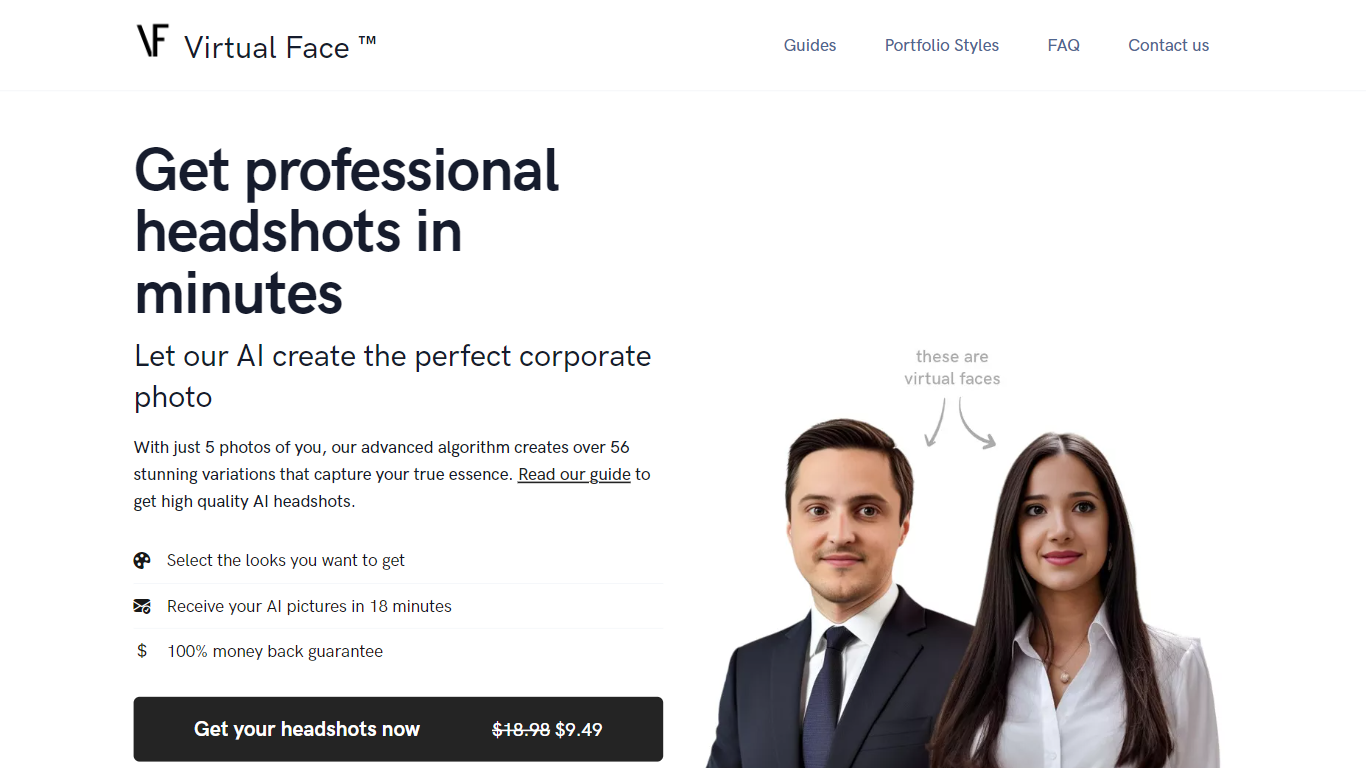
Virtual Face turns five selfies into a batch of polished corporate headshots without a studio booking. Pick portrait styles like suit in the office or sweater in the forest, upload varied photos of yourself, and the service fine-tunes a personal model that returns dozens of LinkedIn-ready images in about 20 minutes.
Headshot apps usually trade speed for generic faces. Virtual Face asks for outfit, background, and expression variety in uploads so Dreambooth-style fine-tuning learns you rather than a repeated shirt or backdrop. A 100% money-back guarantee applies when uploads meet that variation bar, which is stricter than most one-click avatar generators.
Job seekers, freelancers, and remote workers use it when they need a professional photo for LinkedIn, resumes, or team pages but lack time for a photographer. Uploaded source files are deleted after seven days, payments run through Stripe, and finished headshots belong to the customer for print or web.
Pixelgen Upvotes
Virtual Face Upvotes
Pixelgen Top Features
Intuitive Design: A user-friendly interface that caters to both beginners and professionals.
Pixel Art Creation: Allows for the crafting of pixel-based imagery, perfect for game developers and artists.
Advanced Editing Tools: Offers a variety of editing options for creating detailed and intricate designs.
Accessibility: Designed to be accessible to users with different skill levels.
Versatility: Suitable for various creative projects, including game design and digital art.
Virtual Face Top Features
Upload 5 photos and receive 56+ headshot variations in about 20 minutes
Promotional price listed at $9.49 versus a $18.98 list price on the homepage
Seven portrait style packs including suit in the city and sweater in the forest
Supports JPEG, PNG, WebP, HEIC, AVIF, and TIFF uploads
Uploaded source photos auto-delete from servers after 7 days
100% money-back guarantee when uploads show outfit and background variation
Pixelgen Category
- Design
Virtual Face Category
- Design
Pixelgen Pricing Type
- Freemium
Virtual Face Pricing Type
- Paid