Pomo.rhythm vs audyo.ai
In the clash of Pomo.rhythm vs audyo.ai, which AI Audio Generation tool emerges victorious? We assess reviews, pricing, alternatives, features, upvotes, and more.
When we put Pomo.rhythm and audyo.ai head to head, which one emerges as the victor?
Let's take a closer look at Pomo.rhythm and audyo.ai, both of which are AI-driven audio generation tools, and see what sets them apart. Both tools have received the same number of upvotes from aitools.fyi users. Since other aitools.fyi users could decide the winner, the ball is in your court now to cast your vote and help us determine the winner.
Does the result make you go "hmm"? Cast your vote and turn that frown upside down!
Pomo.rhythm


What is Pomo.rhythm?
Elevate your productivity with Pomo.rhythm, where the power of the Pomodoro Technique meets the energizing influence of music. Crafted for those who seek a harmonious blend of focus and motivation, Pomo.rhythm introduces a seamless, rhythmic backdrop to your work sessions. By dividing your tasks into efficient, timed intervals accompanied by music specifically chosen to keep you in the zone, Pomo.rhythm offers a unique solution to managing time and enhancing concentration. Experience the synchronous dance of time management and auditory stimulation with Pomo.rhythm – your ally in achieving a balanced and effective work rhythm.
audyo.ai
What is audyo.ai?
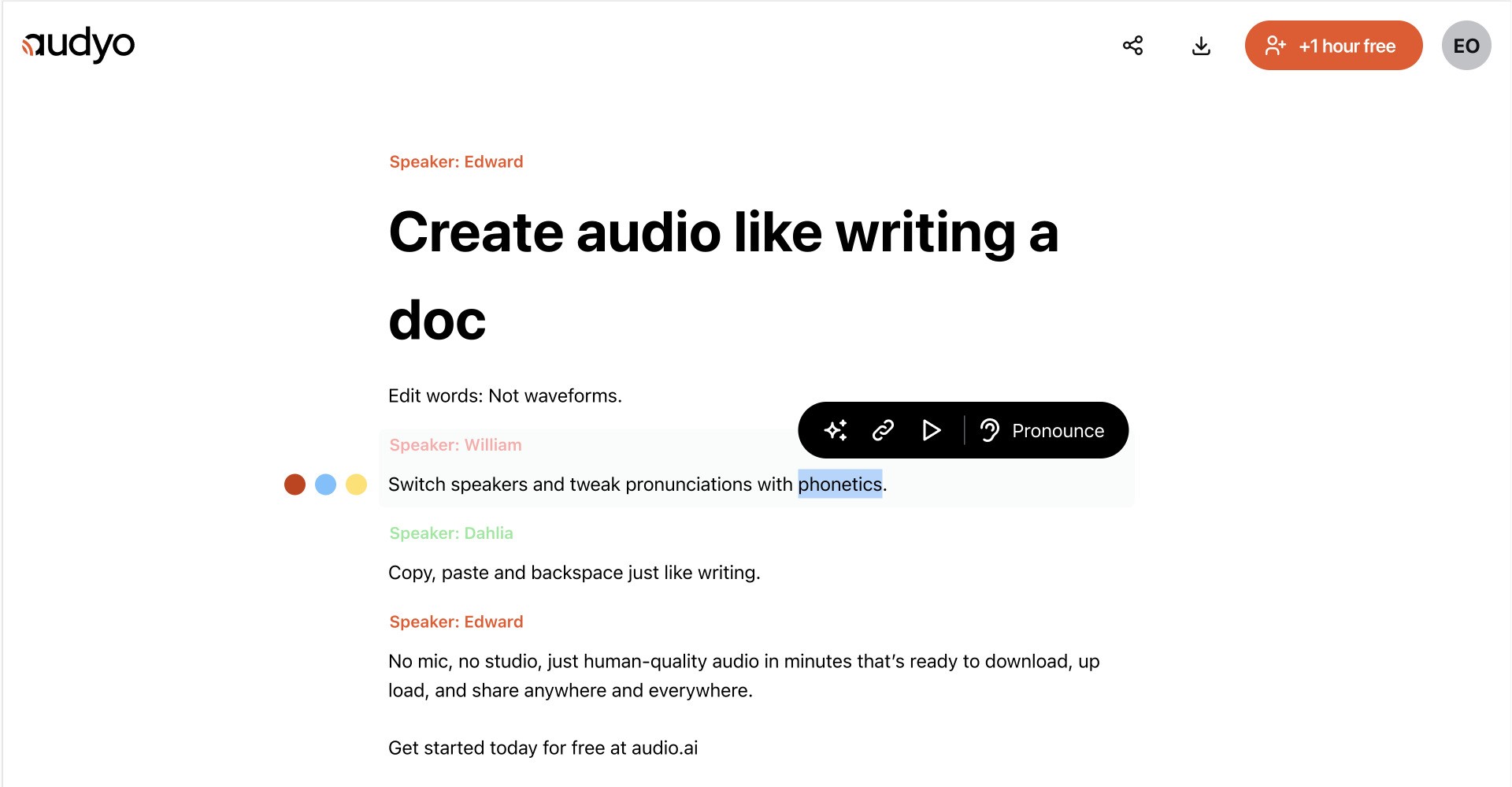
Audyo converts typed text into downloadable speech through a document-style editor. You write or paste a script, choose from 100+ voices across languages and accents, and export audio for videos, podcasts, presentations, and other projects without recording in a studio.
Most audio tools make you trim waveforms and re-record when a line changes. Audyo keeps the script as the source of truth, so you revise text, swap speakers, and regenerate audio without touching a timeline. That text-first workflow fits creators who treat narration like a draft, not a one-take studio session.
You can build multi-voice conversations, mix languages in one project, set custom pronunciations with phonetics, format scripts with Markdown, and use the built-in assistant to refine copy before generating audio. Audyo lists support for English, French, Spanish, German, Italian, Brazilian Portuguese, Japanese, Korean, Chinese, Hindi, Arabic, Turkish, and Russian, with use cases such as voice-overs, podcasts, audiobooks, and video narration.
Pomo.rhythm Upvotes
audyo.ai Upvotes
Pomo.rhythm Top Features
Enhanced Focus: Utilizes the Pomodoro Technique to maximize concentration.
Musical Motivation: Incorporates music to stimulate productivity during work sessions.
Time Management: Helps to efficiently divide and manage work intervals.
Concentration Boost: Uses rhythmic sounds to maintain attention and reduce distractions.
Balanced Work Sessions: Provides a rhythmic backdrop for a more enjoyable and effective task management experience.
audyo.ai Top Features
Choose from 100+ voices across 13 supported languages and regional accents
Edit scripts like a document instead of trimming audio waveforms
Generate up to 15 minutes of audio on the free plan before upgrading
Swap speakers quickly to build multi-voice conversations
Buy one-time audio hour packs from $3 with no subscription required
Export finished MP3 audio for videos, podcasts, and presentations
Pomo.rhythm Category
- Audio Generation
audyo.ai Category
- Audio Generation
Pomo.rhythm Pricing Type
- Freemium
audyo.ai Pricing Type
- Freemium