Rows vs Spreadsheet.com
Compare Rows vs Spreadsheet.com and see which AI Excel tool is better when we compare features, reviews, pricing, alternatives, upvotes, etc.
Which one is better? Rows or Spreadsheet.com?
When we compare Rows with Spreadsheet.com, which are both AI-powered excel tools, The upvote count is neck and neck for both Rows and Spreadsheet.com. You can help us determine the winner by casting your vote and tipping the scales in favor of one of the tools.
Does the result make you go "hmm"? Cast your vote and turn that frown upside down!
Rows


What is Rows?
Rows is a cloud spreadsheet built for teams that want to analyze business data without SQL, BI dashboards, or manual copy-paste workflows. You connect sources like analytics tools, ad platforms, bank accounts, and databases, then ask questions in plain language to build reports, models, and charts inside a familiar grid.
The product positions itself as an AI data analyst: you can extract tables from PDFs and images, merge datasets, run forecasts, and automate refreshes on a schedule. Rows also supports real-time collaboration, embeddable reports, and interactive forms so spreadsheets can be shared outside a traditional workbook.
Rows has joined Superhuman, and the site now points new users toward Coda as part of that transition. The Rows product, docs, templates, and integrations remain available at rows.com for existing workflows and sign-up.
Founded in 2016 with offices in Porto and Berlin, Rows targets business teams, marketers, and analysts who already think in spreadsheets but need live data connections and AI-assisted analysis in one place.
Spreadsheet.com
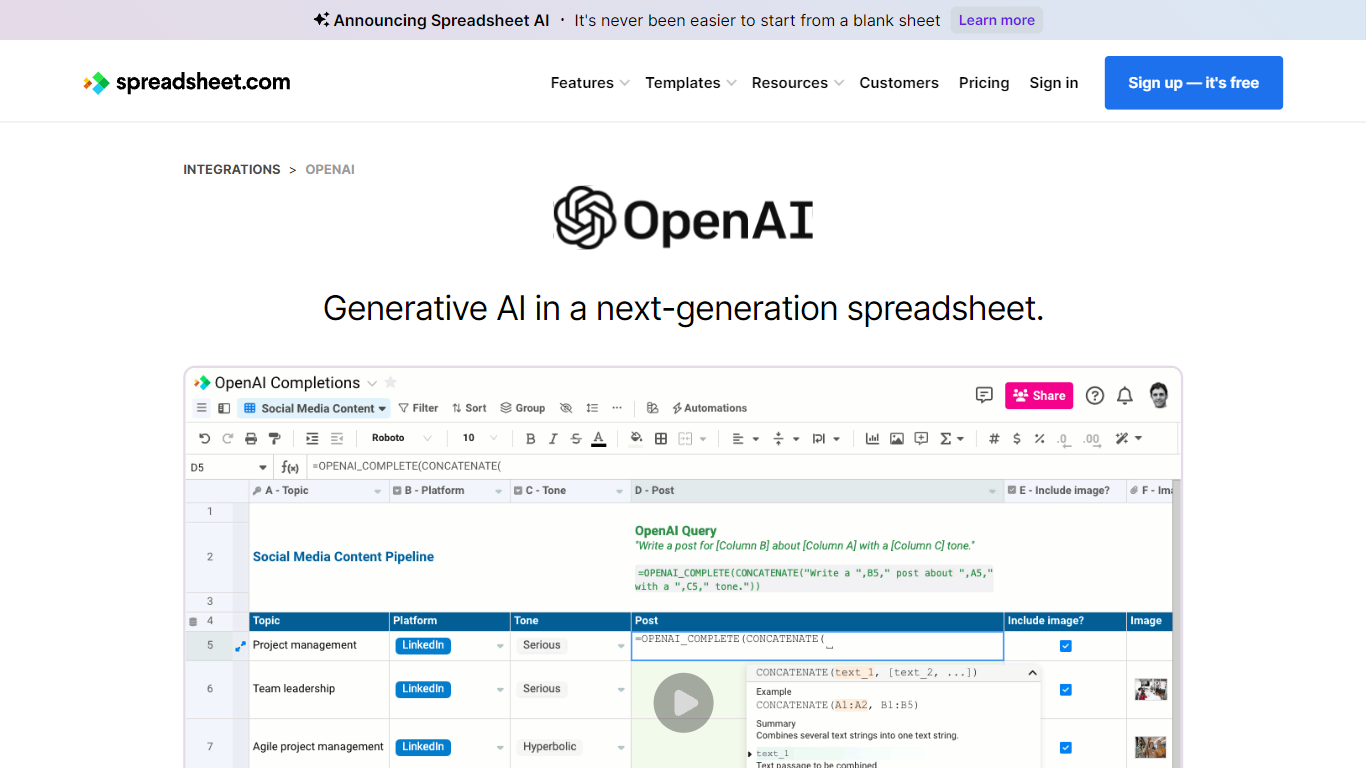
What is Spreadsheet.com?
The collaboration between OpenAI and Spreadsheet.com introduces the power of generative AI into the realm of spreadsheets, transforming the traditional spreadsheet experience. With this integration, users can now utilize the advanced technology behind ChatGPT to generate content and answer queries based on their spreadsheet data. This innovative feature simplifies data management, analysis, and reporting, making it accessible to users with any level of technical expertise. Spreadsheet.com’s next-generation platform allows for building no-code solutions like Project Management, CRM, ATS, and ERP systems. It enhances productivity with tailored views for sheets, Gantt charts, Kanban boards, forms, and calendars. Plus, the platform supports a vast array of integrations and automation to streamline processes. The service caters to various business needs and offers specialized templates for a quick start. Whether it's for project planning, sales management, or personal organization, Spreadsheet.com’s versatile features open up new possibilities for work management.
Rows Upvotes
Spreadsheet.com Upvotes
Rows Top Features
Ask questions in plain language to build reports, fix formulas, and create charts without writing SQL
Import live data from 50+ integrations including GA4, Google Ads, Facebook Ads, Stripe, and Snowflake
Extract tables from PDFs, invoices, and screenshots with AI vision into editable spreadsheet rows
Automate data table refreshes on daily or per-minute schedules depending on your plan
Embed charts, calculators, and dashboards on websites, Notion docs, and other pages
Built-in Python analysis for cohorts, forecasts, and advanced stats without writing code manually
RowsX Chrome extension imports tables from websites in one click
Real-time collaboration with workspaces, folders, guest access, and version history
Spreadsheet.com Top Features
Generative AI Integration: Leverage the power of OpenAI in spreadsheets for content generation and data queries.
No-Code Solutions: Create complex applications for Project Management CRM and more without any coding required.
Interactive Views: Organize and visualize your data with custom sheet views Gantt Kanban calendar and form views.
Robust Automations: Set up no-code automations to streamline repetitive tasks and workflows.
Comprehensive Templates: Access over 200 pre-made templates for various industries and use cases to get started quickly.
Rows Category
- Excel
Spreadsheet.com Category
- Excel
Rows Pricing Type
- Freemium
Spreadsheet.com Pricing Type
- Freemium