SearchGPT vs ChatGPT for Search Engines
In the contest of SearchGPT vs ChatGPT for Search Engines, which AI Search Engine tool is the champion? We evaluate pricing, alternatives, upvotes, features, reviews, and more.
If you had to choose between SearchGPT and ChatGPT for Search Engines, which one would you go for?
When we examine SearchGPT and ChatGPT for Search Engines, both of which are AI-enabled search engine tools, what unique characteristics do we discover? The users have made their preference clear, ChatGPT for Search Engines leads in upvotes. ChatGPT for Search Engines has been upvoted 7 times by aitools.fyi users, and SearchGPT has been upvoted 6 times.
Not your cup of tea? Upvote your preferred tool and stir things up!
SearchGPT

What is SearchGPT?
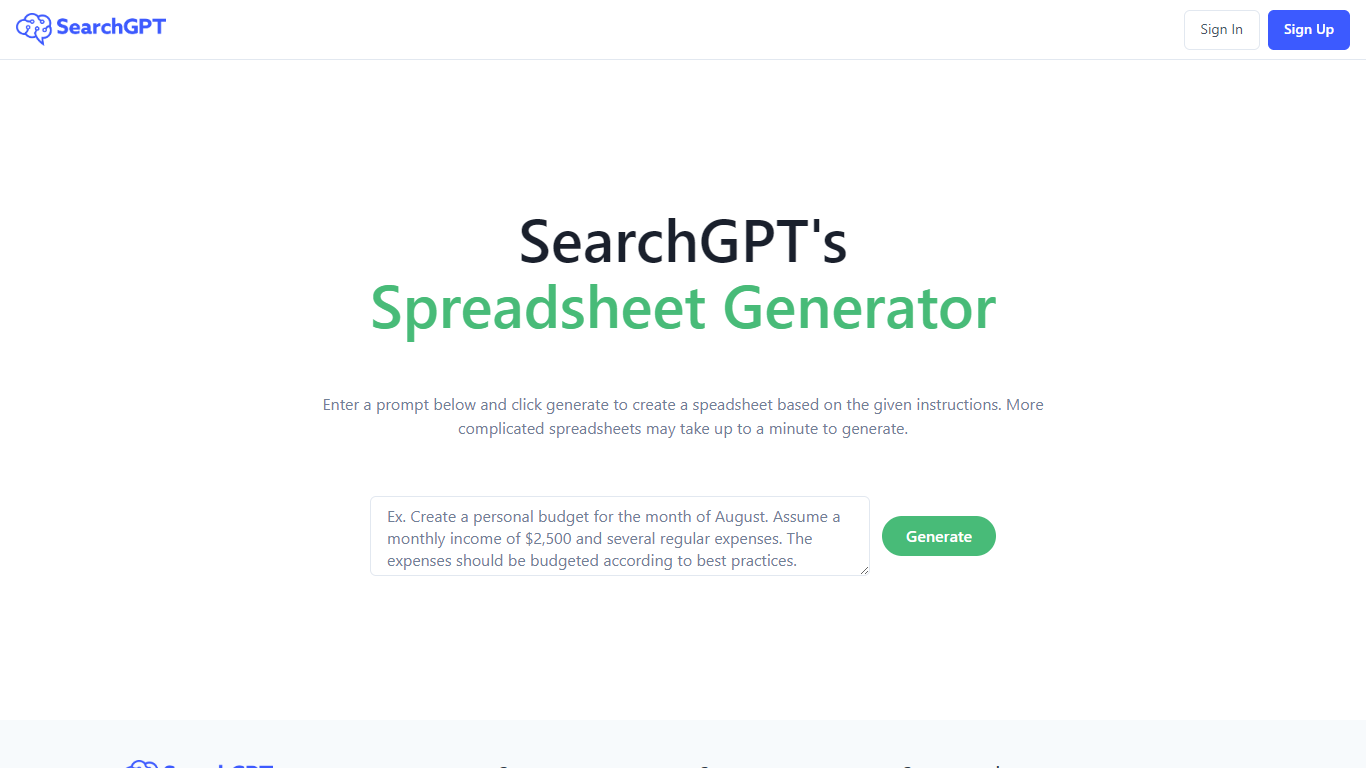
SearchGPT at searchgpt.ai is a spreadsheet generator from Owens Laboratories. You describe the table you want in a prompt, hit Generate, and the site builds a spreadsheet from your instructions instead of making you lay out rows and columns by hand.
The homepage workflow is built around that single prompt box. Simple requests return quickly, while more complicated spreadsheet layouts can take up to a minute to finish generating.
Sign in and sign up run through the site's auth pages, so you need an account before you can use the generator. The product is aimed at anyone who wants spreadsheet output from plain-language directions rather than manual setup in Excel or Google Sheets.
ChatGPT for Search Engines

What is ChatGPT for Search Engines?
ChatGPT for Search Engines is a browser extension that shows ChatGPT answers alongside results from Google, Bing, DuckDuckGo, Ecosia, and Baidu. Install it in Chrome, Firefox, or Edge, run a search, and a ChatGPT panel appears next to the results with a natural-language summary or direct answer to your query. You can trigger it manually, always show it, or activate it with a question mark.
Unlike opening ChatGPT in a separate tab, this extension keeps AI context on the same page as your search results. It adds code syntax highlighting for technical answers, 70 plus prompt templates for SEO, ads, and content writing, and a choice between a popup panel or standalone page. You can use the free web API or connect your own OpenAI API key for more stable responses.
Researchers, developers, marketers, and students use it to get quick explanations without leaving their search workflow. The Chrome listing shows over 200,000 users, and the extension is free with optional paid API usage if you bring your own OpenAI key.
SearchGPT Upvotes
ChatGPT for Search Engines Upvotes
SearchGPT Top Features
Type what you need in a prompt and get a spreadsheet built from your instructions
More complex spreadsheet requests can take up to a minute to generate
Single Generate button drives the whole homepage workflow
Sign in and sign up through the site auth system before generating
Light and dark theme options on the interface
ChatGPT for Search Engines Top Features
Shows ChatGPT answers alongside Google, Bing, DuckDuckGo, Ecosia, and Baidu results
70 plus built-in prompt templates covering SEO, ads, video scripts, and blog outlines
Code syntax highlighting in technical ChatGPT responses
Three trigger modes: always show, manual activation, or question-mark shortcut
Choose between a popup panel or standalone page for ChatGPT output
Free to install with optional OpenAI API key for more stable responses
SearchGPT Category
- Search Engine
ChatGPT for Search Engines Category
- Search Engine
SearchGPT Pricing Type
- Freemium
ChatGPT for Search Engines Pricing Type
- Free