slAItor vs Bing Microsoft AI Translator
When comparing slAItor vs Bing Microsoft AI Translator, which AI Translation tool shines brighter? We look at pricing, alternatives, upvotes, features, reviews, and more.
In a comparison between slAItor and Bing Microsoft AI Translator, which one comes out on top?
When we put slAItor and Bing Microsoft AI Translator side by side, both being AI-powered translation tools, The users have made their preference clear, Bing Microsoft AI Translator leads in upvotes. Bing Microsoft AI Translator has received 10 upvotes from aitools.fyi users, while slAItor has received 6 upvotes.
You don't agree with the result? Cast your vote to help us decide!
slAItor

What is slAItor?
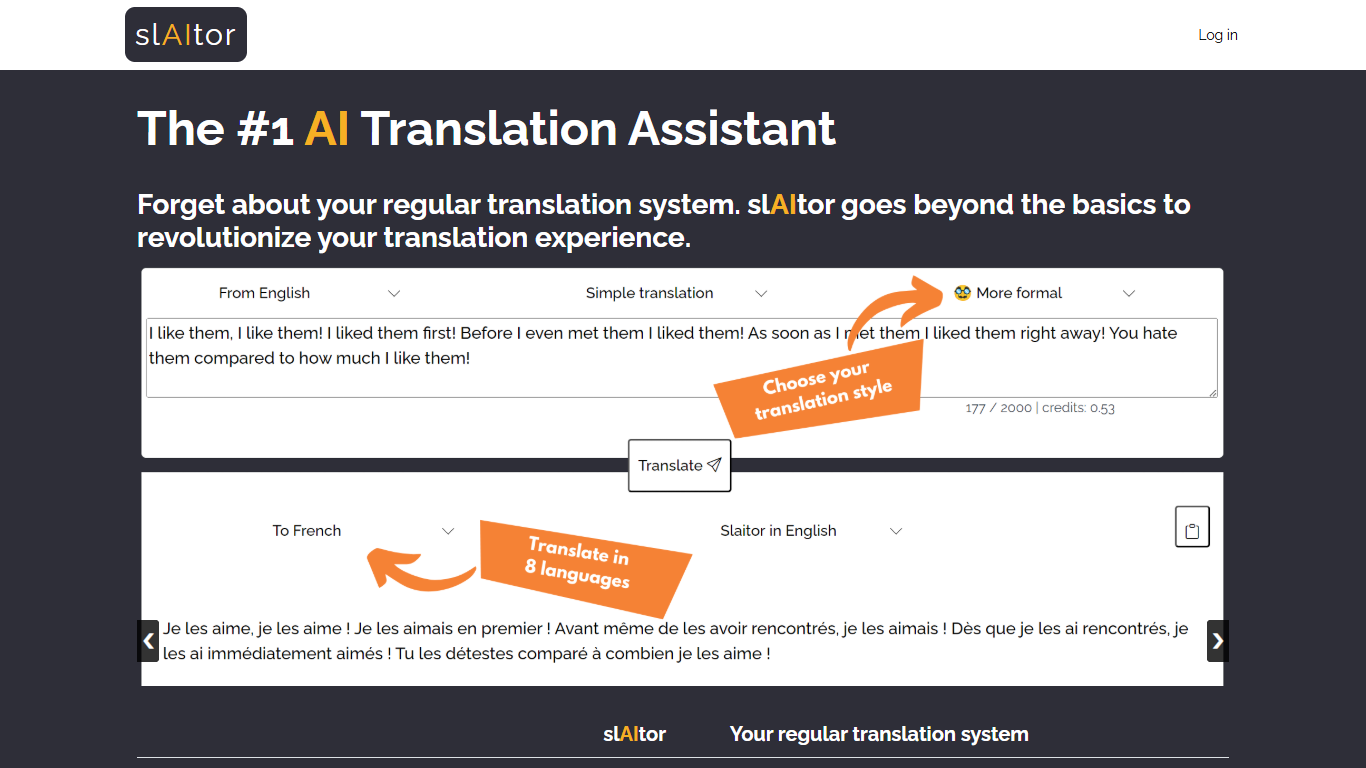
slAItor is an online translation assistant built around large language models from the GPT family, combined with standard machine translation pipelines. Instead of returning a single translated string, it is designed for people who want more context around a translation: explanations, alternatives, style adjustments, and error checking.
The product targets language learners, translators, and professionals who need more than a quick paste-and-go result. Benjamin Marie, who holds a Ph.D. in machine translation and has spent more than a decade in MT research, built slAItor to explore what becomes possible when GPT-style models sit at the center of a translation workflow.
slAItor supports 28 language pairs across Chinese, English, French, German, Italian, Japanese, Portuguese, and Spanish. The site is upfront that raw translation quality can trail established systems in some cases, but positions itself on price and on features like step-by-step explanations, paraphrasing, and a checker mode that reviews your own drafts.
Bing Microsoft AI Translator

What is Bing Microsoft AI Translator?
Microsoft Translator on Bing is a free web translator for turning words and phrases between English and more than 100 languages. Paste text, pick languages from long dropdown lists, or let the page auto-detect the source language before you translate.
The Bing interface adds practical extras beyond basic text swap. You can listen to a translation, open an on-screen keyboard, capture or upload an image to translate text in photos, and regenerate results in Standard, Casual, or Formal tone. A phrase helper surfaces common expressions grouped by topics like travel, dining, and emergencies.
It fits travelers, students, and anyone who needs a quick translation in the browser without installing software. Navigation on the page also points to separate Microsoft Translator experiences for live conversation, mobile apps, and business use.
slAItor Upvotes
Bing Microsoft AI Translator Upvotes
slAItor Top Features
Translates across 28 language pairs spanning eight major languages
Step-by-step and checker modes cost 3 credits per 1,000 characters
Monthly plan lists at $25 for 800 credits with commercial-use rights
Paraphraser and style calibrator offer up to five alternative phrasings
Minimum query cost is 0.1 credit per translation request
Bing Microsoft AI Translator Top Features
Auto-detect source language across more than 100 listed language options
Each translation request accepts up to 1,000 characters of input text
Regenerate results in Standard, Casual, or Formal tone with one click
Capture or upload an image to translate text found in photos
Speak to translate when typing is awkward on mobile or desktop
Listen to translations read aloud from the results panel
Browse common phrase sets for travel, dining, and emergencies
slAItor Category
- Translation
Bing Microsoft AI Translator Category
- Translation
slAItor Pricing Type
- Paid
Bing Microsoft AI Translator Pricing Type
- Free