SQLFlash vs SQL Chat
Explore the showdown between SQLFlash vs SQL Chat and find out which AI SQL tool wins. We analyze upvotes, features, reviews, pricing, alternatives, and more.
When comparing SQLFlash and SQL Chat, which one rises above the other?
When we contrast SQLFlash with SQL Chat, both of which are exceptional AI-operated sql tools, and place them side by side, we can spot several crucial similarities and divergences. SQLFlash stands out as the clear frontrunner in terms of upvotes. The upvote count for SQLFlash is 8, and for SQL Chat it's 6.
Disagree with the result? Upvote your favorite tool and help it win!
SQLFlash

What is SQLFlash?
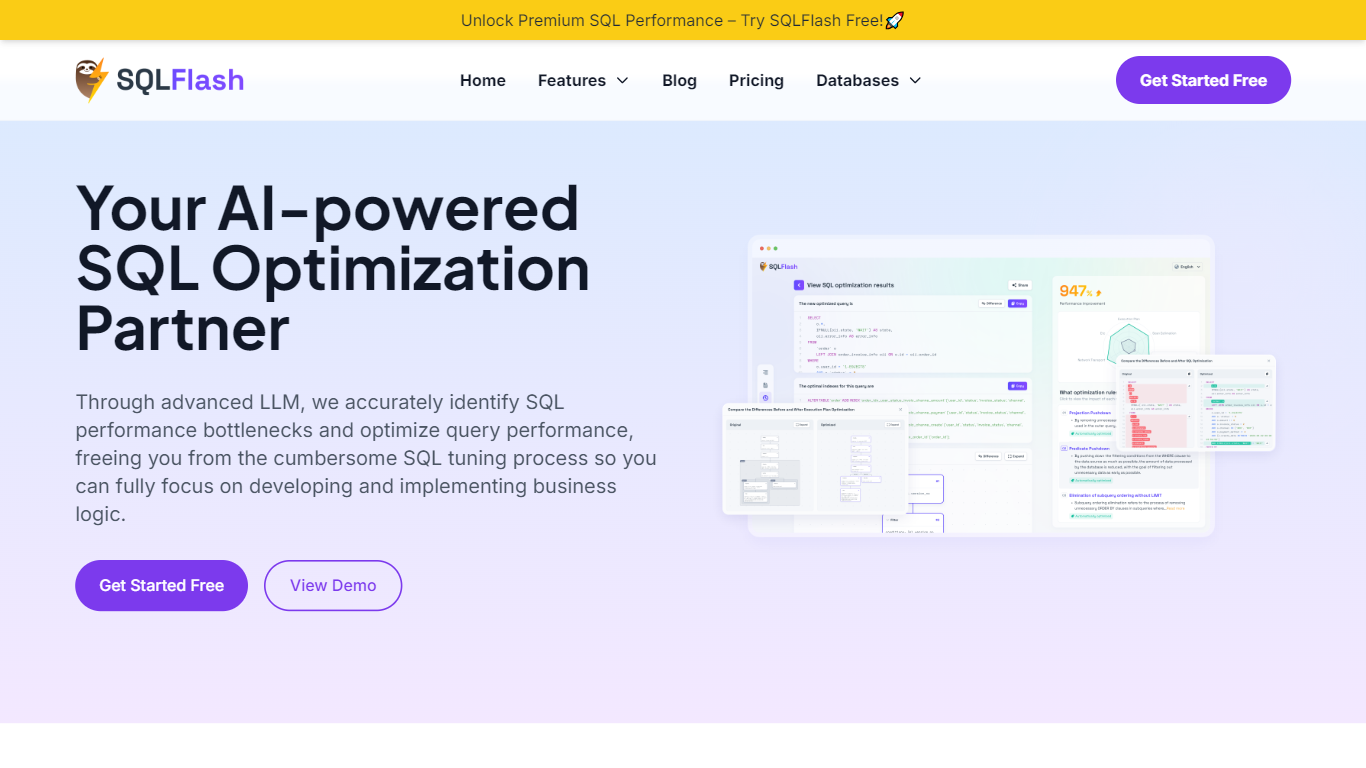
SQLFlash rewrites slow queries, recommends indexes, and explains every change in plain language. You paste a statement or upload a MyBatis XML mapping, and it returns an optimized version with a diff viewer, query plan breakdown, and performance score. It supports MySQL, PostgreSQL, Oracle, SQL Server, MariaDB, TiDB, and other relational engines without needing database credentials.
Most SQL tuners either need live access to your database or hand you a rewritten query with no context. SQLFlash takes the opposite approach: it works on the text alone, uses a two-stage rule filter to match optimization patterns, and documents each rewrite step in a journal you can audit. That trade-off means you validate results in your own test environment, but you never grant read access to production data.
Developers, DBAs, and platform teams use SQLFlash when legacy queries slow down apps, when MyBatis XML files pile up without review, or when a database migration changes execution plans overnight. Case studies on the site cover e-commerce product pages, banking dashboards, restaurant order history, and school course progress queries.
SQL Chat

What is SQL Chat?
SQL Chat is a chat-based SQL client and editor designed to simplify database interaction for developers, data analysts, and database administrators. It offers a conversational interface that lets users write, edit, and run SQL queries in a chat format, making database management more intuitive and less tedious. The tool supports popular SQL databases like Postgres, MySQL, and SQL Server, ensuring broad compatibility. It remembers previous conversation context, allowing users to build on earlier queries and provide follow-up corrections, which enhances workflow continuity. Connection settings are stored locally in the browser, improving security and user control. SQL Chat aims to reduce the complexity of writing SQL by providing examples, schema explanations, and step-by-step guidance within the chat. While it streamlines many tasks, users should be aware that it may occasionally generate incorrect or biased information, so verification remains important. Overall, SQL Chat offers a fresh approach to SQL editing by combining the familiarity of chat interfaces with powerful database management features.
SQLFlash Upvotes
SQL Chat Upvotes
SQLFlash Top Features
Optimize any SQL statement in two steps with zero database configuration
Two-stage intelligent filter applies 31+ optimization rules across MySQL, PostgreSQL, Oracle, and SQL Server
Dual-pane SQL diff viewer with query plan explainer and optimization step journal
MyBatis XML auto-rewrite for teams running Java persistence layers
Starter plan covers 20 SQL queries and 10 XML files per month at $18.80
Free tier includes 1 SQL query and 1 XML file per month with no credit card
SQL Chat Top Features
💬 Conversational SQL queries with memory of past interactions
🔄 Easy follow-up corrections to refine query results
🔒 Local browser storage for secure connection settings
📚 Provides example schemas and SQL usage guidance
⚙️ Supports multiple databases: Postgres, MySQL, SQL Server
SQLFlash Category
- SQL
SQL Chat Category
- SQL
SQLFlash Pricing Type
- Freemium
SQL Chat Pricing Type
- Freemium