ThumbnailCreator vs Outfit Anyone
When comparing ThumbnailCreator vs Outfit Anyone, which AI Image Generation tool shines brighter? We look at pricing, alternatives, upvotes, features, reviews, and more.
In a comparison between ThumbnailCreator and Outfit Anyone, which one comes out on top?
When we put ThumbnailCreator and Outfit Anyone side by side, both being AI-powered image generation tools, The users have made their preference clear, ThumbnailCreator leads in upvotes. ThumbnailCreator has garnered 100 upvotes, and Outfit Anyone has garnered 6 upvotes.
Disagree with the result? Upvote your favorite tool and help it win!
ThumbnailCreator


What is ThumbnailCreator?
ThumbnailCreator turns a YouTube video link or text prompt into click-ready thumbnail images in about 30 seconds. Paste a URL and the tool reads the transcript, scans key frames, and returns multiple layout concepts tuned to your video topic. YouTube creators use it when they need fresh cover art without opening Photoshop or hiring a designer for every upload.
Unlike template editors like Canva, ThumbnailCreator starts from your actual video content rather than blank canvases. It also bundles face swap, expression morphing, and an AI Viral Clips workflow that cuts long uploads into Shorts and Reels hooks, features most general design tools do not ship in one subscription.
Solo creators posting one or two videos a week can stay on the Starter plan at $17 per month, while agencies managing multiple channels move to Teams for batch variations and API access. The site lists 15,000+ active creators and a 7-day trial with 10 free credits, no credit card required on signup.
Outfit Anyone
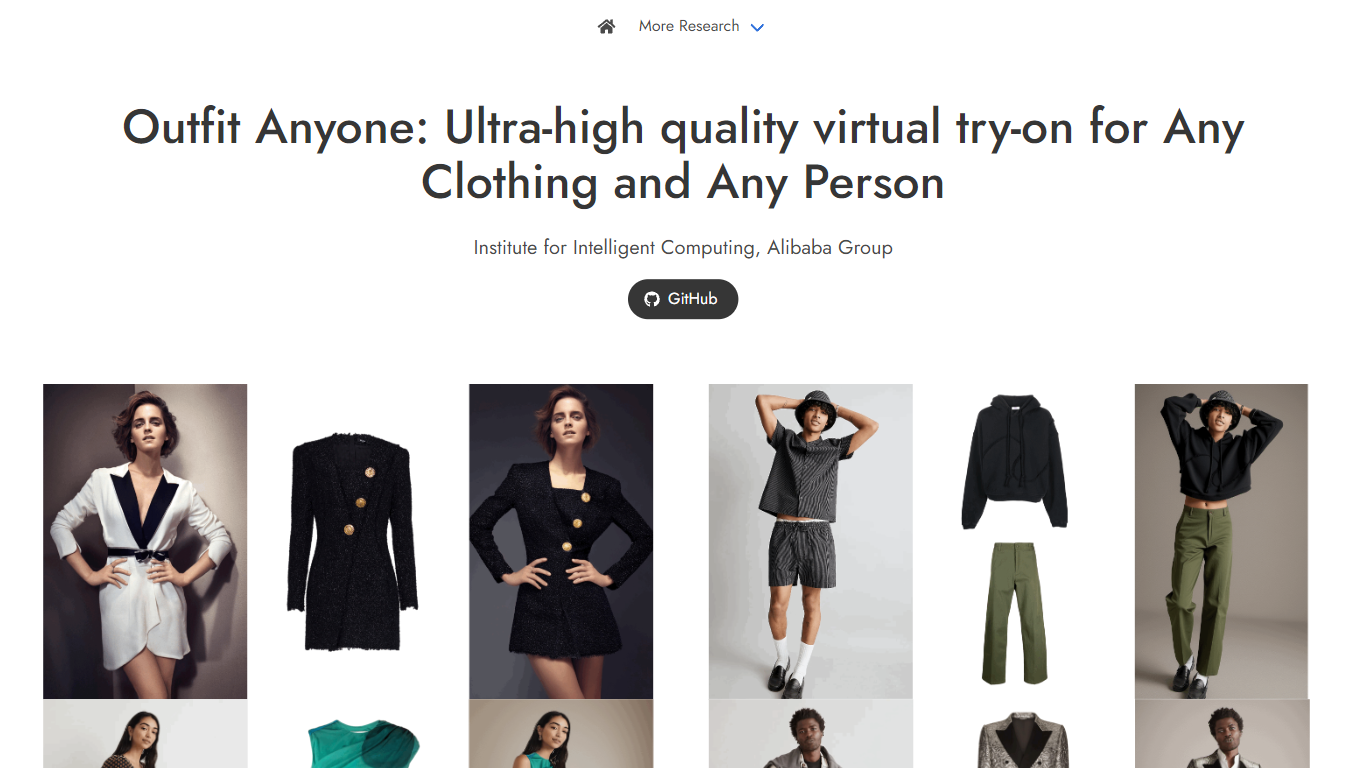
What is Outfit Anyone?
Outfit Anyone generates virtual try-on images that place any garment onto any person using a two-stream conditional diffusion model. Developed by Alibaba's Institute for Intelligent Computing, it combines a Zero-shot Try-on Network with a Post-hoc Refiner that sharpens clothing and skin texture in the output.
Most virtual try-on demos produce blurry fabric or lose detail at the seams. Outfit Anyone separates model and garment processing into parallel streams that merge in a fusion network, which handles pose changes and body shape variation better than single-stream approaches. It also works on anime characters and in-the-wild photos, not just studio model shots.
Researchers, fashion tech developers, and curious users can try the free Hugging Face demo with preset models and clothing uploads. The demo blocks custom person photos for privacy, so it shows how garments look on AI models rather than on your own image.
ThumbnailCreator Upvotes
Outfit Anyone Upvotes
ThumbnailCreator Top Features
Paste a YouTube URL and get multiple thumbnail concepts in about 30 seconds
1 credit equals 1 AI thumbnail; Lite plan starts at $8 per month after a 7-day trial
Creator plan at $33 per month includes Advanced Face Training and person swap
Auto-Optimize and variation generator on Starter ($17/mo) and higher tiers
Export at YouTube-optimized resolution or upload directly to your channel
AI Viral Clips finds hook moments in long videos for Shorts, TikTok, and Reels
Outfit Anyone Top Features
Two-stream diffusion model with a Post-hoc Refiner for sharper clothing texture
Handles full outfits, individual garments, and bizarre fashion styles
Generalizes across body types including fit, curvy, and petite figures
Works on real-world photos and anime character images
Free Hugging Face demo with 2,800+ community likes
Integrates with Animate Anyone for outfit changes in motion video
ThumbnailCreator Category
- Image Generation
Outfit Anyone Category
- Image Generation
ThumbnailCreator Pricing Type
- Freemium
Outfit Anyone Pricing Type
- Free