TinaMind vs Hemingway Editor
When comparing TinaMind vs Hemingway Editor, which AI Writing Assistant tool shines brighter? We look at pricing, alternatives, upvotes, features, reviews, and more.
Between TinaMind and Hemingway Editor, which one is superior?
When we put TinaMind and Hemingway Editor side by side, both being AI-powered writing assistant tools, Neither tool takes the lead, as they both have the same upvote count. Your vote matters! Help us decide the winner among aitools.fyi users by casting your vote.
Think we got it wrong? Cast your vote and show us who's boss!
TinaMind


What is TinaMind?
TinaMind is an all-in-one workspace for thinking, writing, and collaborating. The platform centers on WiseInks, a unified app for chat, mind maps, whiteboards, and documents, plus Chrome extensions and TubeLens, a YouTube learning assistant that keeps research and creation in one ecosystem.
WiseInks combines four modules you can switch between without losing context: conversational AI that remembers your files, XMind-compatible mind maps, infinite whiteboards for real-time collaboration, and smart documents with collaborative editing. The idea is to move from brainstorm to visual plan to finished output in one place.
The TinaMind browser extension turns any webpage into a working surface. It summarizes articles, builds mind maps from page content, translates text, drafts emails, analyzes PDF and Office documents, and connects to GPT, Gemini, and Claude through a library of 800+ prompts.
TubeLens extends that workflow to YouTube with structured video summaries, mind maps from video content, comment sentiment analysis, and natural-language video search. Videos of any length or language are supported.
TinaMind, Inc. built the platform for professionals, creators, students, and teams who want research, brainstorming, and content output together rather than across separate chat, notes, and design tools.
Hemingway Editor
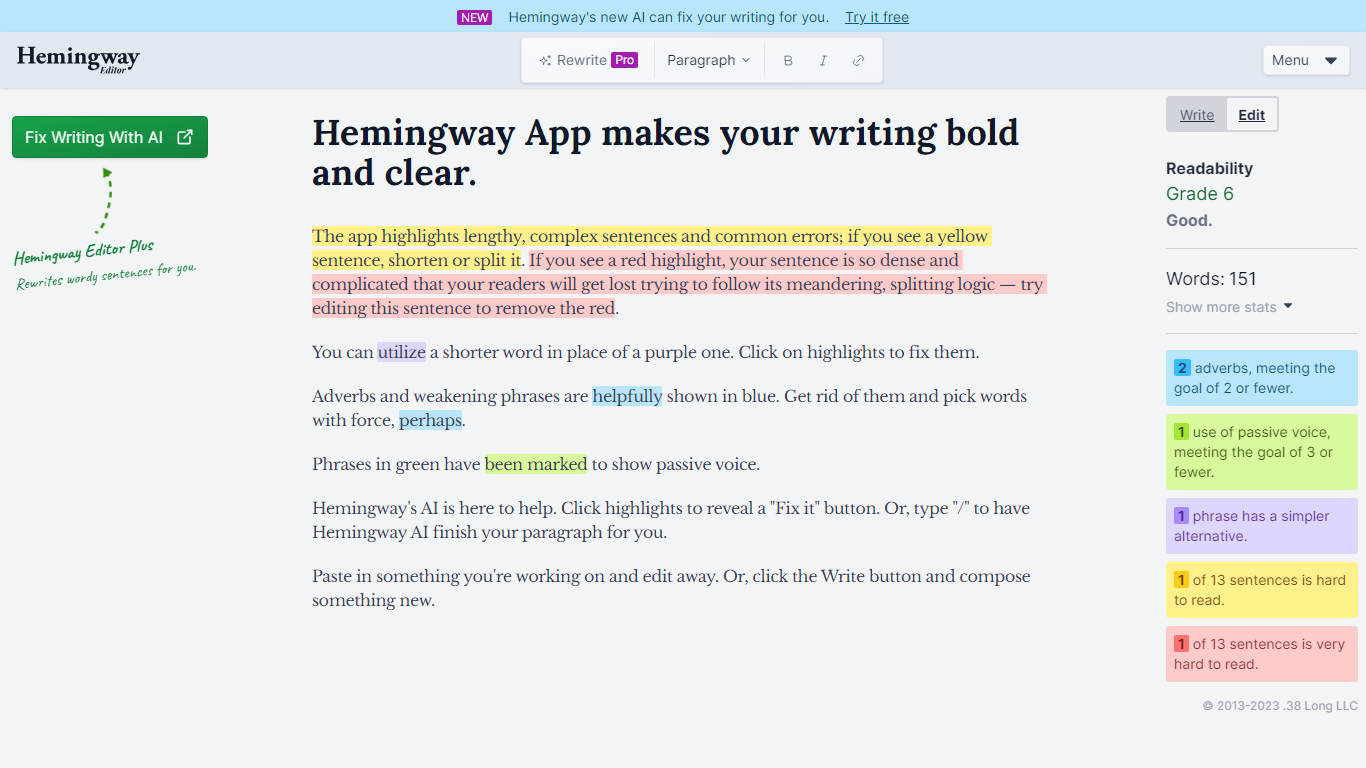
What is Hemingway Editor?
The Hemingway Editor is a cutting-edge tool designed for writers seeking to enhance their writing with clarity and boldness. The application is intuitively crafted to streamline the editing process, helping writers express their ideas in the most effective way possible. Its key focus is on simplifying sentence structures and identifying common errors that can obscure or dilute the intended message. Writers of all backgrounds can find the Hemingway Editor particularly useful, whether crafting a novel, a blog post, or any form of written content that demands impact and readability.
TinaMind Upvotes
Hemingway Editor Upvotes
TinaMind Top Features
Four WiseInks modules in one workspace: chat, mind maps, whiteboards, and documents
XMind-compatible mind maps with export and import across your workflow
Chrome extension summarizes webpages, analyzes documents, and transcribes audio up to 20MB
TubeLens pulls structured summaries and mind maps from any YouTube video
800+ prompt library with one-click hooks into ChatGPT, Gemini, and Claude
Personal knowledge base links conversations, documents, and web research
Paid tiers unlock GPT-5, Gemini 3.1 Pro, and Claude 4.6 Sonnet for advanced queries
Hemingway Editor Top Features
Simplicity: Offers a straightforward user interface for ease of writing and editing.
Effectiveness: Sharpens sentence structures for impactful communication.
Error Identification: Highlights common writing errors for correction.
Versatility: Ideal for a wide range of writing projects.
Clarity Enhancement: Focuses on eliminating unnecessary complexity in writing.
TinaMind Category
- Writing Assistant
Hemingway Editor Category
- Writing Assistant
TinaMind Pricing Type
- Freemium
Hemingway Editor Pricing Type
- Freemium