Tune vs ZenPrompts
In the face-off between Tune vs ZenPrompts, which AI Model Generation tool takes the crown? We scrutinize features, alternatives, upvotes, reviews, pricing, and more.
In a face-off between Tune and ZenPrompts, which one takes the crown?
If we were to analyze Tune and ZenPrompts, both of which are AI-powered model generation tools, what would we find? Neither tool takes the lead, as they both have the same upvote count. Every vote counts! Cast yours and contribute to the decision of the winner.
Want to flip the script? Upvote your favorite tool and change the game!
Tune


What is Tune?
Tune is an enterprise GenAI stack from NimbleBox that helps teams fine-tune, deploy, and run open-source large language models on their own cloud or on-prem infrastructure. The platform centers on Tune Studio for model experimentation and fine-tuning, Tune Chat for customizable AI assistants, and professional services for organizations that want hands-on help.
Tune Studio gives developers a playground to test LLMs, save high-quality interaction datasets, fine-tune models on dedicated GPU hardware, and deploy through public APIs or inference engines like TGI, vLLM, and Triton. Supported base models include Llama 3.1, Qwen 2, Gemma 2, Mixtral, and others.
The company positions itself for enterprises that need data ownership, compliance, and flexibility beyond closed-source APIs. Tune reports SOC 2 Type 2, HIPAA, and ISO 27001 compliance, with options for dedicated cloud, user cloud, and on-premises deployment.
ZenPrompts
What is ZenPrompts?
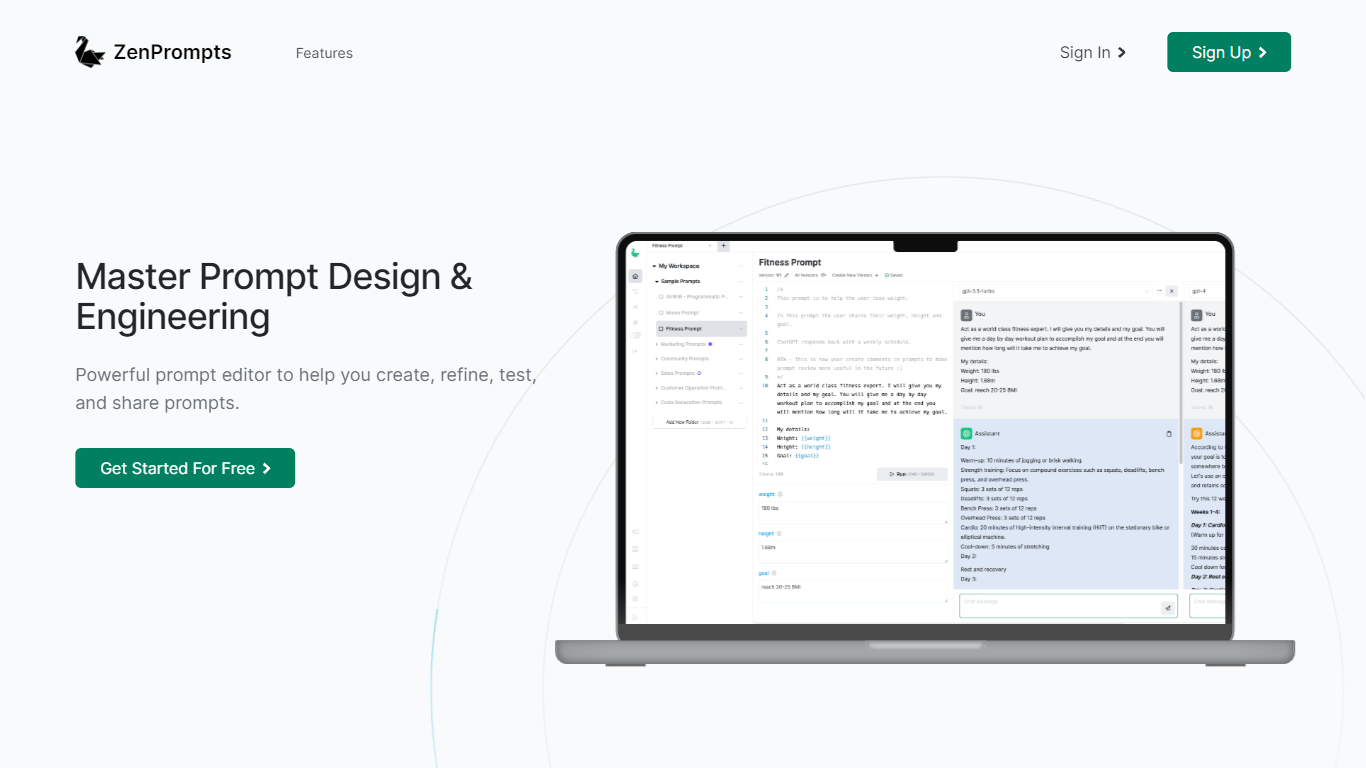
ZenPrompts is a cutting-edge platform designed to empower prompt engineers in the creation, refinement, testing, and sharing of sophisticated prompts for various OpenAI models. This user-friendly platform features a powerful prompt editor that makes it simple to compare prompts across multiple AI models, ensuring the selection of the most suitable one based on quality, cost, and performance. The service, which is free to use during its beta release, provides valuable tools for users to develop and showcase their prompt portfolio with a minimalist design that emphasizes their creativity.
With ZenPrompts, users can experiment with prompts without the concern of losing previous work, share their inventions with a broader community, and adopt the DRY (Don't Repeat Yourself) method for efficient prompt creation using dynamic variables. Additionally, users have the option to document prompts with comments for better organization and preservation of developmental insights. The platform's goal is to enhance the capabilities of prompt engineers and to display their skills in the era of Large Language Models and AI.
Tune Upvotes
ZenPrompts Upvotes
Tune Top Features
Fine-tune open-source LLMs like Llama 3.1, Qwen 2, Gemma 2, and Mixtral on dedicated GPU hardware
Deploy models through public APIs or inference stacks including TGI, vLLM, and Triton
Tune Studio playground to test models and save interaction datasets for training
Tune Chat for customizable AI assistants with document and web search support
Enterprise deployment on dedicated cloud, user cloud, or on-prem with SOC 2, HIPAA, and ISO 27001 compliance
ZenPrompts Top Features
Powerful Prompt Editor: A sophisticated editor to create refine test and share prompts efficiently.
Model Comparison: Ability to compare prompts across multiple OpenAI models to ensure the best fit for your needs.
Elegant Portfolio Presentation: A minimalist platform designed to showcase your prompt portfolio effectively.
Creative Experimentation: Experiment with prompts without the fear of losing previous versions.
Smart Use of Dynamic Variables: Utilize dynamic variables to streamline and make prompt structures more reusable with the DRY method.
Tune Category
- Model Generation
ZenPrompts Category
- Model Generation
Tune Pricing Type
- Freemium
ZenPrompts Pricing Type
- Freemium