VideomakerAI vs Timebolt
In the face-off between VideomakerAI vs Timebolt, which AI Video Editing tool takes the crown? We scrutinize features, alternatives, upvotes, reviews, pricing, and more.
When we put VideomakerAI and Timebolt head to head, which one emerges as the victor?
If we were to analyze VideomakerAI and Timebolt, both of which are AI-powered video editing tools, what would we find? The users have made their preference clear, Timebolt leads in upvotes. Timebolt has 18 upvotes, and VideomakerAI has 6 upvotes.
Not your cup of tea? Upvote your preferred tool and stir things up!
VideomakerAI

What is VideomakerAI?
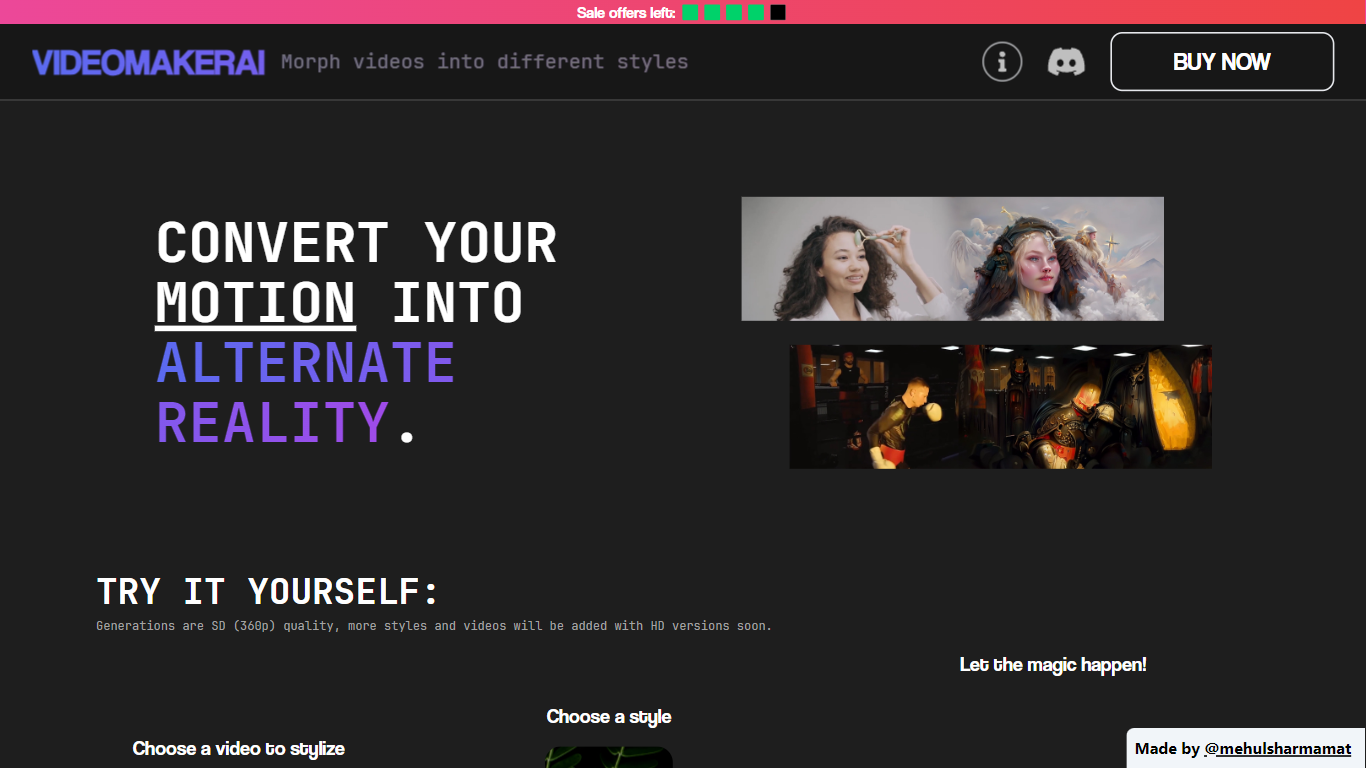
VideomakerAI offers an innovative solution to video editing by leveraging the power of artificial intelligence to morph videos into a variety of artistic styles. Whether you are looking to enhance music videos, add a creative touch to footage, or experiment with vlog edits, VideomakerAI provides a selection of styles to transform your motion into alternate realities. Starting with SD (360p) quality generations, the platform promises upcoming HD versions to further enrich user experience. The intuitive process simply requires users to choose a video, select a style from options like Nature, Horror, Robotic, and others to be added soon, then let VideomakerAI work its magic. Completed videos are conveniently delivered via email within 8-12 hours. What sets VideomakerAI apart is its offer of full refunds to the first five customers who are unsatisfied with the small generated video. Additionally, users can request custom styles via Discord. This approach not only ensures satisfaction but also introduces a community aspect to the AI video generation process.
Timebolt

What is Timebolt?
Timebolt is a desktop video editor built around waveform-first jump cuts for podcasts, interviews, and screen recordings. It strips silence, filler words, and bad takes with 0.01 second cut control, then exports timelines to Premiere Pro, Final Cut Pro, DaVinci Resolve, or Camtasia without re-cutting by hand.
Most text-based AI editors guess where pauses live and leave hundreds of missed cuts per hour. Timebolt measures the audio waveform first, which is why its benchmark claims zero mistakes left per hour while rivals like Descript and Gling still need manual cleanup. That trade-off favors editors who want frame-tight cuts over a chat-style transcript workflow.
Podcasters, YouTubers, and course creators use Timebolt to shrink raw talking-head footage before publishing. Post-production teams also route Riverside multicam sessions through Timebolt XML exports so senior editors finish polish work in their preferred NLE.
VideomakerAI Upvotes
Timebolt Upvotes
VideomakerAI Top Features
Style Diversity: Variety of styles available to transform your videos into different artistic themes.
AI-Powered: Utilize AI to effortlessly morph video aesthetics.
Continuous Updates: Promised addition of more styles and HD quality video options.
Free Trials: Join the Discord for a free 1-second stylized video preview.
Satisfaction Guarantee: Full refund for the first five sales if not satisfied with the generated preview.
Timebolt Top Features
0.01 second cut control on waveform-based silence removal
Processes an hour of footage in about 13 seconds for jump cuts
Exports XML timelines to Premiere Pro, Final Cut Pro, and DaVinci Resolve
UMCHECK removes filler words automatically from recorded speech
Free 4K screen capture tool for Mac and Windows
Benchmark reports zero missed cuts per hour versus hundreds on rival AI editors
VideomakerAI Category
- Video Editing
Timebolt Category
- Video Editing
VideomakerAI Pricing Type
- Freemium
Timebolt Pricing Type
- Freemium