Waifu2x.io vs AI Image Upscaler on AI Image Enlarger
In the clash of Waifu2x.io vs AI Image Upscaler on AI Image Enlarger, which AI Photo Editing tool emerges victorious? We assess reviews, pricing, alternatives, features, upvotes, and more.
If you had to choose between Waifu2x.io and AI Image Upscaler on AI Image Enlarger, which one would you go for?
Let's take a closer look at Waifu2x.io and AI Image Upscaler on AI Image Enlarger, both of which are AI-driven photo editing tools, and see what sets them apart. The upvote count reveals a draw, with both tools earning the same number of upvotes. Join the aitools.fyi users in deciding the winner by casting your vote.
Does the result make you go "hmm"? Cast your vote and turn that frown upside down!
Waifu2x.io

What is Waifu2x.io?
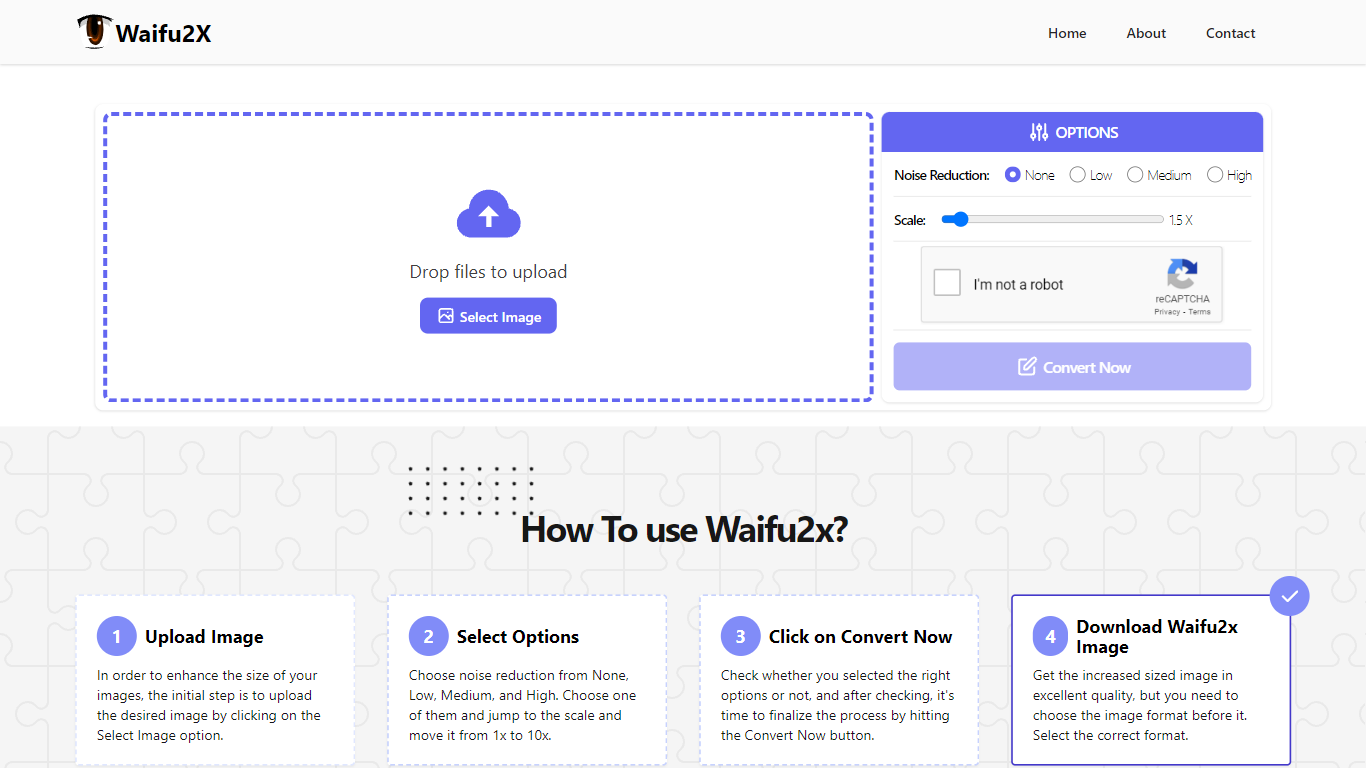
Waifu2x.io upscales and denoises images in the browser, with a workflow built around anime art, pixel art, and other illustrations that break when stretched with generic resizers. Upload a file, pick a noise reduction level and a scale up to 10x, then download the enlarged result.
Generic photo enlargers often smear flat color regions and line art. Waifu2x.io targets that weakness with processing tuned for illustrated images, and it reports 144K conversions, 12.8 TB of bandwidth served, and 48.3K users on the homepage.
Photo editors, manga readers, and game artists use it when they need a quick upscale without opening desktop software. The about page says the team has worked on image processing for six years and built Waifu2x.io to turn small noisy files into cleaner larger versions with minimal setup.
AI Image Upscaler on AI Image Enlarger

What is AI Image Upscaler on AI Image Enlarger?
This Imglarger photo editing tool enlarges JPG, PNG, or WebP images to 2x or 4x resolution in your browser. You upload a file up to 10 MB and 1024 px wide, pick a scale factor, and the model sharpens edges and textures for 4K screens, product catalogs, or social posts. It handles portraits, AI art, anime frames, and product shots without installing desktop software.
Standard resize tools stretch pixels and leave blurry blocks. Imglarger's upscaler rebuilds detail with a focused workflow: upload, choose 200% or 400%, preview side by side, then download. You give up local batch power on the free tier and must trust cloud processing, though files auto-delete within six hours.
E-commerce teams batch-prepare catalog assets on paid plans. Digital artists upscale Midjourney or Stable Diffusion outputs, and photographers rescue compressed client files before print runs.
Waifu2x.io Upvotes
AI Image Upscaler on AI Image Enlarger Upvotes
Waifu2x.io Top Features
Noise reduction levels: None, Low, Medium, and High
Image scaling up to 10x (Waifu10x) from the homepage controls
Drag-and-drop upload with instant browser-side conversion flow
144K image conversions and 12.8 TB bandwidth served per site stats
Format selection before download after conversion completes
Built by a team with six years of image processing experience
AI Image Upscaler on AI Image Enlarger Top Features
Upscale images to 200% or 400% with a single upload step
Accepts JPG, PNG, and WebP files up to 10 MB and 1024 px input width
Preview upscaled output beside the original before downloading
Batch upscale multiple images on paid plans starting at $4.99 per month
Processed files are automatically deleted within six hours
Dedicated anime upscaler and enlarger tools live on the same Imglarger site
Waifu2x.io Category
- Photo Editing
AI Image Upscaler on AI Image Enlarger Category
- Photo Editing
Waifu2x.io Pricing Type
- Free
AI Image Upscaler on AI Image Enlarger Pricing Type
- Freemium