Waifu2x.io vs InPixio
Compare Waifu2x.io vs InPixio and see which AI Photo Editing tool is better when we compare features, reviews, pricing, alternatives, upvotes, etc.
Which one is better? Waifu2x.io or InPixio?
When we compare Waifu2x.io with InPixio, which are both AI-powered photo editing tools, The upvote count reveals a draw, with both tools earning the same number of upvotes. The power is in your hands! Cast your vote and have a say in deciding the winner.
Disagree with the result? Upvote your favorite tool and help it win!
Waifu2x.io

What is Waifu2x.io?
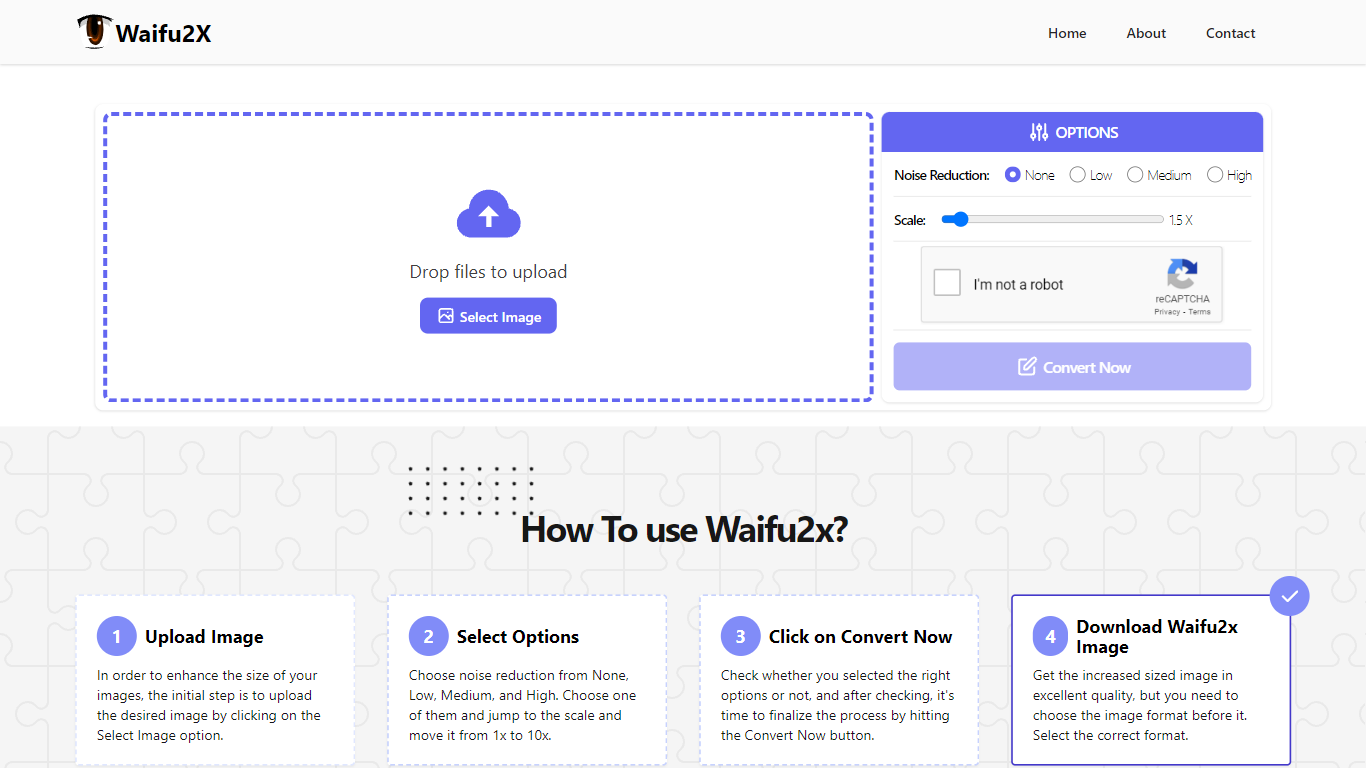
Waifu2x.io upscales and denoises images in the browser, with a workflow built around anime art, pixel art, and other illustrations that break when stretched with generic resizers. Upload a file, pick a noise reduction level and a scale up to 10x, then download the enlarged result.
Generic photo enlargers often smear flat color regions and line art. Waifu2x.io targets that weakness with processing tuned for illustrated images, and it reports 144K conversions, 12.8 TB of bandwidth served, and 48.3K users on the homepage.
Photo editors, manga readers, and game artists use it when they need a quick upscale without opening desktop software. The about page says the team has worked on image processing for six years and built Waifu2x.io to turn small noisy files into cleaner larger versions with minimal setup.
InPixio

What is InPixio?
InPixio lets you remove backgrounds, erase objects, swap skies, and polish photos through a free online editor, a Windows desktop app, and a mobile app. Upload an image, click remove background, and the AI separates hair and fine edges without manual masking.
Where heavyweight editors assume you already know layers and masks, InPixio sells speed for ecommerce sellers and casual creators. The free web tools handle quick crops and background cuts, while paid plans unlock HD downloads and premium features across the same interface on desktop and phone.
The site cites more than 10 million users and targets small business owners, social sellers, and beginners who need product photos, transparent PNGs, and social-ready edits. You can edit in the browser instantly or download the Windows app for offline work.
Waifu2x.io Upvotes
InPixio Upvotes
Waifu2x.io Top Features
Noise reduction levels: None, Low, Medium, and High
Image scaling up to 10x (Waifu10x) from the homepage controls
Drag-and-drop upload with instant browser-side conversion flow
144K image conversions and 12.8 TB bandwidth served per site stats
Format selection before download after conversion completes
Built by a team with six years of image processing experience
InPixio Top Features
One-click AI background remover handles hair and complex edges on JPG, PNG, and RAW files
Online editor runs in the browser with no install, while Windows software works offline
Magic eraser removes unwanted objects and reconstructs the background automatically
AI background generator swaps skies and dull backdrops for new scenes in seconds
Supports more than 50 image formats including JPEG, PNG, and RAW uploads
Mobile app mirrors quick edits for social posts and product photos on the go
Waifu2x.io Category
- Photo Editing
InPixio Category
- Photo Editing
Waifu2x.io Pricing Type
- Free
InPixio Pricing Type
- Freemium