
Last updated 08-21-2026
Category:
Reviews:
Join thousands of AI enthusiasts in the World of AI!
EduBrain
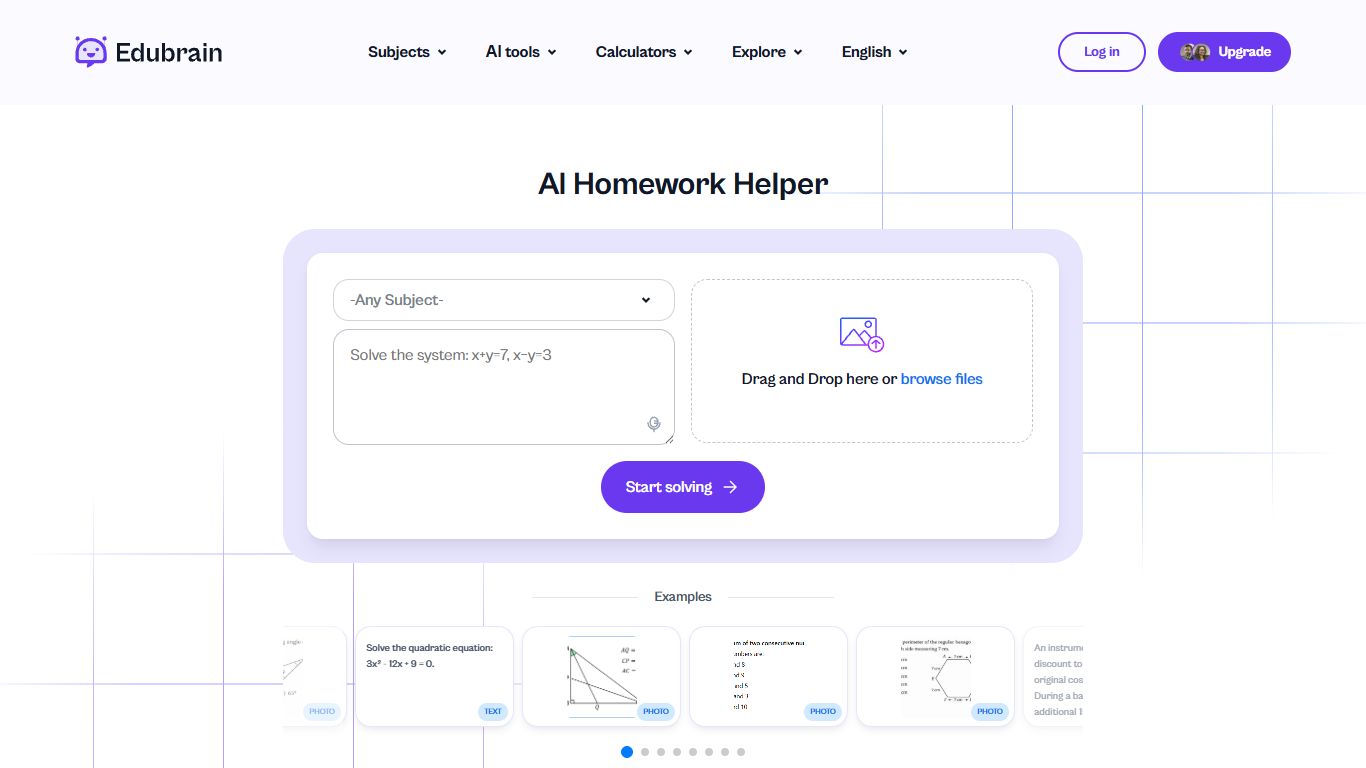
EduBrain is a free web-based education homework helper that covers 90+ subjects, from algebra and physics to history and Spanish. You paste a question, upload a photo or PDF, or record audio, and it returns step-by-step solutions without creating an account. The core solver sits alongside subject-specific pages, math calculators, citation generators, and study tools like flashcards and diagram makers.
Most homework apps focus on one subject or one input type. EduBrain runs the same upload-and-solve flow across math, STEM, humanities, and language pages, then adds optional human expert help for presentations and proofreading. The trade-off is clutter on the free tier: ads during use, a one-file upload cap (32 MB, formats txt/pdf/doc/png/jpeg/jpg), and a five-slide limit on AI-generated presentations unless you subscribe.
The site fits students from elementary through college, STEM majors who need formula breakdowns, international learners using eight interface languages, teachers building quizzes and notes between classes, and adult learners reviewing coursework. Privacy messaging says uploaded files are processed temporarily and removed after the task completes.
Upload homework as text (10,000 char max), PDF, image, or 25 MB audio without signing up
Covers 90+ subjects from calculus and physics to Spanish and accounting
AI-Plus plan removes ads and adds advanced reasoning for $3.99 per week
Built-in tools include flashcard maker, diagram generator, plagiarism checker, and citation generators
Free tier allows unlimited homework attempts but shows ads during use
Interface available in 8 languages including Spanish, French, German, and Arabic
No sign-up required for the free homework solver
Accepts photos, PDFs, scans, and audio recordings
Step-by-step breakdowns with optional detailed or quick answer modes
90+ subject pages plus calculators and citation tools on one site
Eight interface languages for international students
Free tier displays ads during use
AI uploads limited to one file at a time, 32 MB max
Full presentations require a paid plan after 5 free slides
No native mobile app listed; browser-only access
Is EduBrain free to use?
Yes, EduBrain offers a Free plan at $0 per week with unlimited homework attempts and access to all AI tools. The free tier includes ads. AI-Plus at $3.99 per week removes ads and unlocks advanced reasoning.
What file types can EduBrain accept?
EduBrain accepts typed questions up to 10,000 characters, plus one uploaded file per AI request in txt, pdf, doc, png, jpeg, or jpg format up to 32 MB. Audio recordings are supported with a 25 MB limit.
How much does EduBrain AI-Plus cost?
EduBrain AI-Plus costs $3.99 per week. The paid plan removes ads, enables advanced reasoning, and includes discounted access to human expert help for presentations, STEM support, and writing.
Can EduBrain solve calculus problems?
Yes, EduBrain has dedicated calculus, algebra, geometry, and statistics pages that break problems into step-by-step solutions. You can request detailed breakdowns, quick final answers, or formula displays.
Does EduBrain require an account?
No, EduBrain does not require sign-up to use the free homework helper. You can paste a question or upload a file and get answers immediately. Login is optional for subscription upgrades.
What study tools does EduBrain include beyond homework help?
EduBrain bundles flashcard maker, notes generator, quiz generator, diagram and flowchart generators, plagiarism checker, AI detector, paraphraser, and citation generators for APA, MLA, Chicago, and other formats.
How does EduBrain handle uploaded files?
EduBrain processes uploaded files only during the active task and removes them afterward. The site describes an anonymous study environment where data is not stored or tracked after processing completes.