
Last updated 08-21-2026
Category:
Reviews:
Join thousands of AI enthusiasts in the World of AI!
FindUpApp
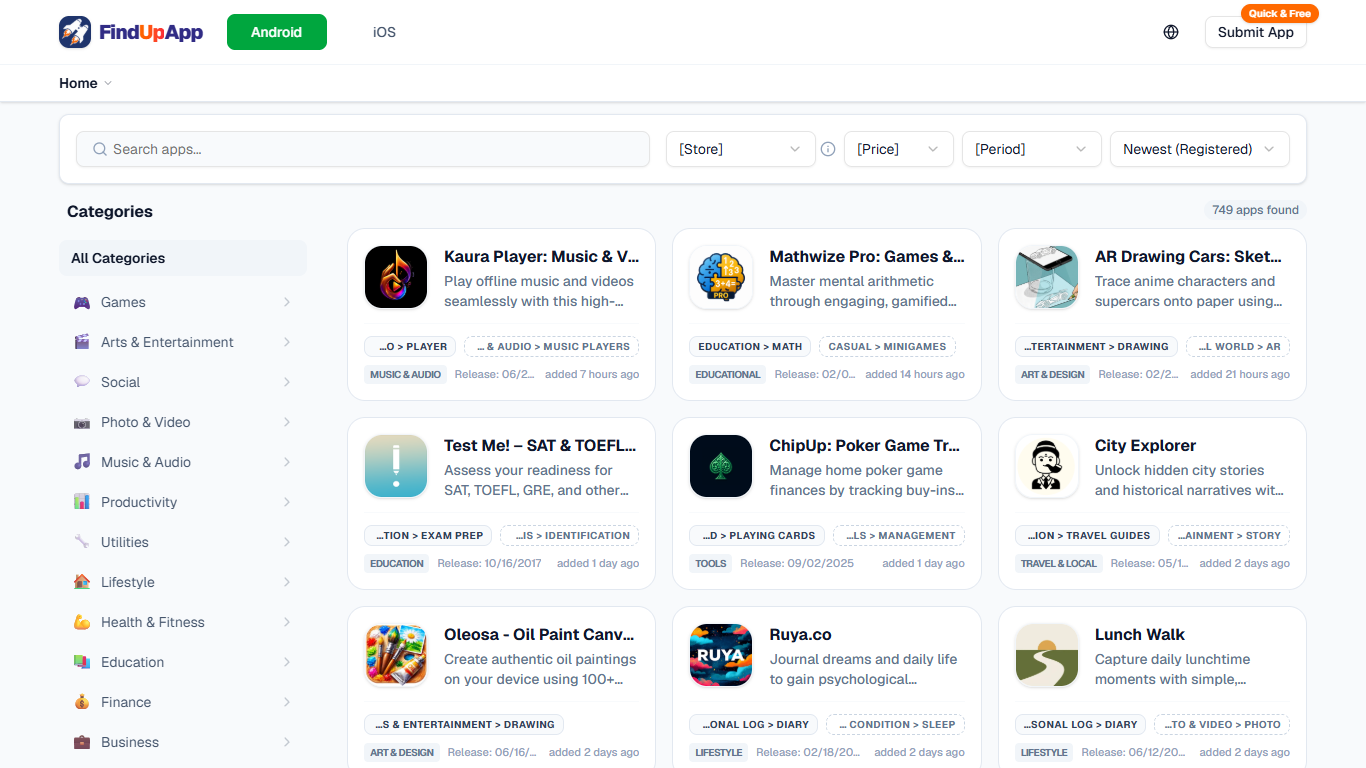
FindUpApp lets you browse and submit mobile apps for Android and iOS from one directory. Listings sit in granular categories like AI & Technology, Developer Tools, and Health & Fitness, with direct links to the App Store or Google Play. Indie developers and app enthusiasts use it to surface hidden gems that never crack the top charts in official stores.
The directory pulls live app data from the iTunes Search API and Google Play through SerpApi, then uses Google Gemini to summarize descriptions and assign categories. Every listing shows store metadata, release dates, and when it was added to FindUpApp. Developers submit apps by pasting a store URL with no account required.
FindUpApp is operated by TUNE CODE and positions itself as a community-driven alternative to store rankings. Developers register their own apps to reach more users, while browsers filter by platform, price, and registration date to find niche tools they would otherwise miss.
Browse 749+ Android and iOS apps across 20+ granular categories
Submit any app with a store URL, no login or account needed
Direct links to App Store and Google Play with no extra steps
Gemini-generated summaries and auto-categorization for every listing
Filter by platform, price, store, and newest registrations
Update to Latest refreshes store data when screenshots lag behind
Completely free to browse and submit apps with no account required.
Granular categories beyond standard store rankings help surface niche apps.
Pulls live metadata from iTunes Search API and Google Play via SerpApi.
Gemini-generated summaries make it faster to scan unfamiliar listings.
No account system yet, so you cannot manage submissions from a dashboard.
Android and iOS versions must be registered separately, not linked automatically.
iOS screenshots may not appear for months due to external API limitations.
Is FindUpApp free to use?
Yes. FindUpApp is a free platform for discovering and submitting mobile apps. Both browsing listings and submitting an app via a store URL cost nothing and do not require an account.
How do I submit an app to FindUpApp?
Paste your App Store or Google Play URL into the Submit App form on FindUpApp. Registration is quick, free, and does not require creating an account. The platform fetches app data from external store APIs automatically.
Does FindUpApp require an account?
No. FindUpApp does not offer account registration. You can search, browse, and submit apps without signing up. The terms note that account features may be added later.
Why does my newly released app fail to register on FindUpApp?
Newly released apps often take a few hours to several days before store data becomes accessible through external APIs, even if the listing is already visible on the App Store or Google Play. FindUpApp recommends waiting and trying again later.
Can I register both Android and iOS versions on FindUpApp?
Yes, but FindUpApp does not automatically link platforms. To keep registration login-free, you must submit each platform separately using its respective App Store or Google Play URL.
Why are iOS app screenshots missing on FindUpApp?
FindUpApp frequently cannot retrieve iOS screenshot data from external APIs for months after an app goes live, even when images are visible on the App Store. The Update to Latest feature can refresh data once the API starts returning images.
What external services does FindUpApp use?
FindUpApp uses the iTunes Search API for iOS app data, SerpApi and SearchApi.io for Google Play data, and the Google Gemini API to summarize and categorize app descriptions.